Setting the Area of Use
38
Chapter 2 Preparations
When using the unit for the first time
The area of use and the frame frequency are not
factory preset. Before using this unit, you need to
set these items. (You cannot use the unit without
setting these items.)
To set the area of use
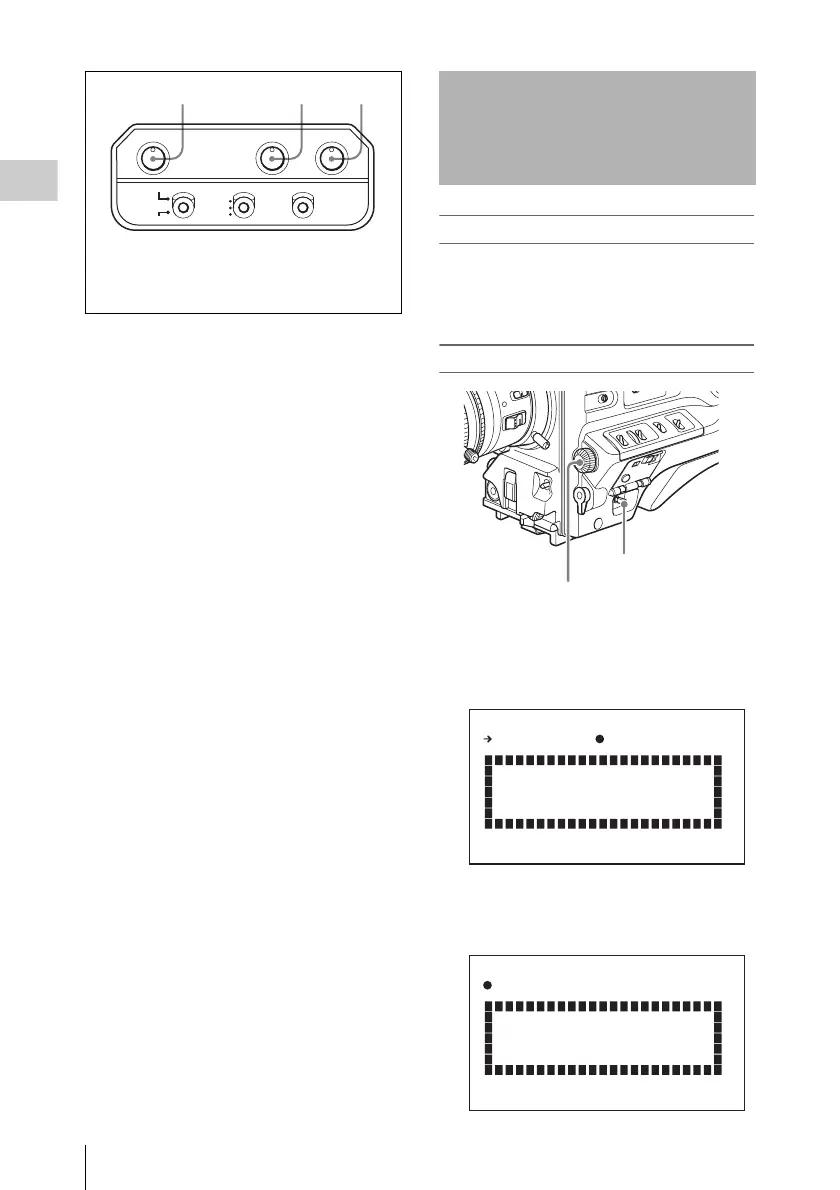
1 Set the POWER switch to the ON
position.
The screen for setting the area of use appears
in the viewfinder.
2 Press the MENU knob.
z on the left of NOT SELECTED changes to
?, and you can now select the area of use.
PEAKING CONTRAST BRIGHT
TALLY
HIGH
LOW
OFF
ZEBRA
ON
MOMENT
OFF
DISPLAY
ASPECT
1PEAKING control
2CONTRAST control
3BRIGHT control
Setting the Area of Use
MENU knob
POWER switch
COUNTRY : NOT SELECTED
SET FORMAT
AND TURN OFF ONCE.
FORMAT SETTING
COUNTRY :?NOT SELECTED
SET FORMAT
AND TURN OFF ONCE.
FORMAT SETTING



 To Next Page