Overview
170
Chapter 8 File Operations
A remote computer can be connected to this unit
and used to operate on recorded data which has
been saved in data files, such as video and audio
data files.
There are two ways to connect a remote
computer.
• FAM connection
Connect the (i.LINK) S400 connector on this
unit to the i.LINK (IEEE1394) connector on the
remote computer, using an i.LINK cable (see
page 174).
• FTP connection
Connect the network connectors on this unit and
the remote computer, using a network cable (see
page 178).
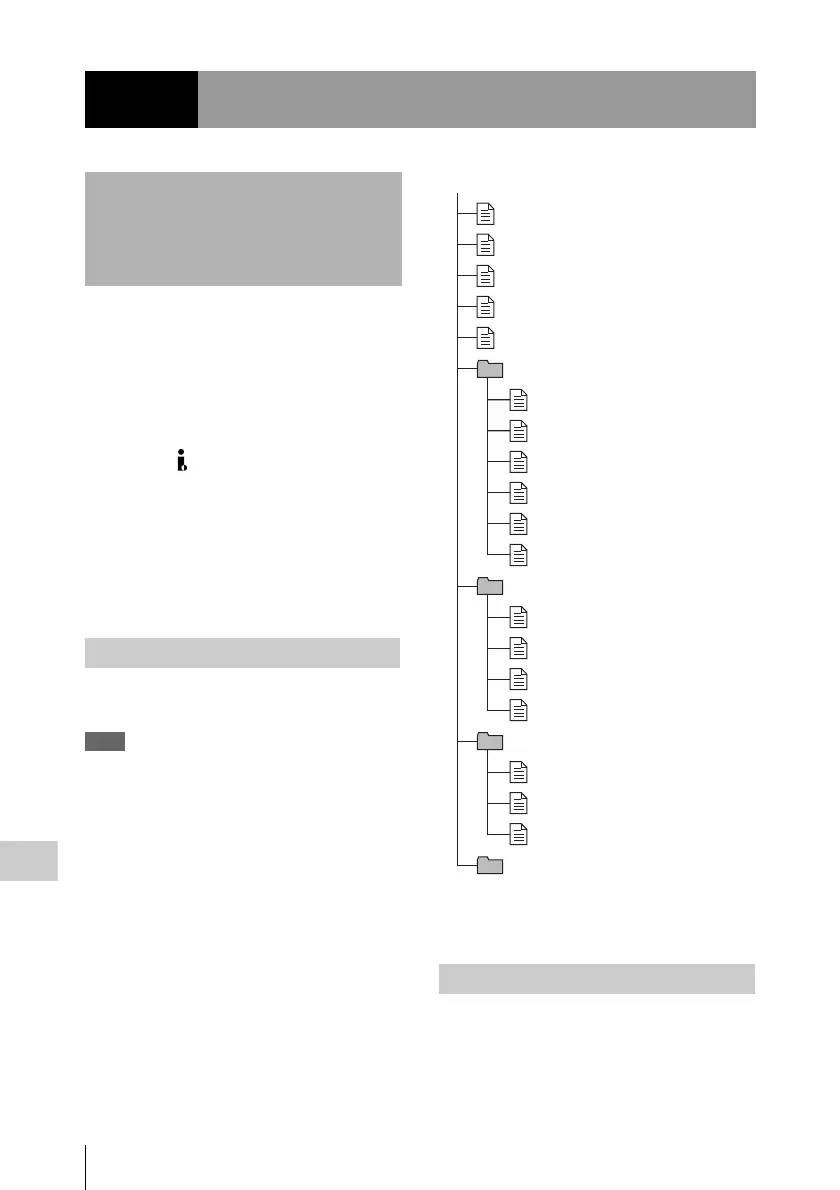
The following figure shows the directory
structure of discs visible to a remote computer.
Note
This structure is not the same as the actual structure
recorded on the disc.
a) Root directory
b) Only when NAMING FORM on the FILE NAMING
page of the OPERATION menu is set to “FREE”
This section explains which operations are
possible on files stored in each directory.
When required, the following operation tables
distinguish reading and writing from partial
reading and writing.
Chapter8
File Operations
Overview
Directory structure
File operation restrictions
root
a)
INDEX.XML
ALIAS.XML
b)
Clip
Edit
Sub
General
DISCMETA.XML
MEDIAPRO.XML
SYSPRO.XML
C0001.MXF
C0001M01.XML
C0002.MXF
C0002M01.XML
C0003.MXF
C0003M01.XML
E0001E01.SMI
E0001M01.XML
E0002E01.SMI
E0002M01.XML
C0001S01.MXF
C0002S01.MXF
C0003S01.MXF



 To Next Page