Overview
91
Chapter 5 Operations in GUI Screens
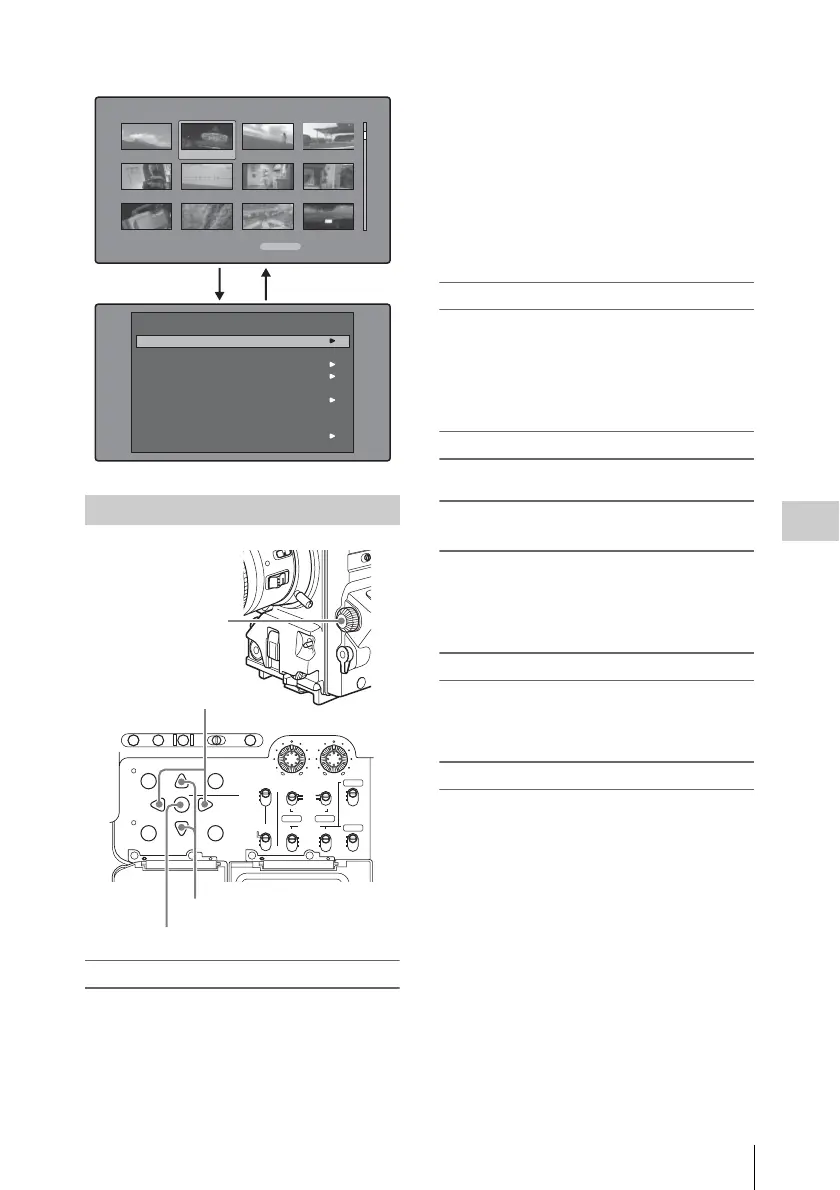
To select items
Do one of the following to select thumbnails,
menu items, timecode digits, and other items.
• Turn the MENU knob.
• Press the up-, down-, left-, or right-arrow
button.
• Press the PREV or NEXT button.
• With the SHIFT button held down, press the
PREV or NEXT button (to move to the first or
last item).
• Press the PREV button with the F REV button
held down, or press the NEXT button with the F
FWD button held down (to move to the first or
last item).
• With the SHIFT button held down, press the up-
or down-arrow button (to move to the previous
or next page).
To select multiple thumbnails
Do one of the following.
• With the SHIFT button held down, turn the
MENU knob.
• With the SHIFT button held down, press the
left- or right-arrow button.
To return to the previous screen
Press the RESET/RETURN button.
To move from a menu level to the next
lower or higher menu level
For a menu item displayed together with T or
t, you can move to the next lower or higher
menu level by pressing the left- or right-arrow
button.
To increment and decrement numbers
Do one of the following.
• Press the up- or down-arrow button.
• Turn the MENU knob.
To confirm selections
Press the SET/S.SEL button or the MENU knob.
GUI screen operations
Load Clip List
Save Clip List
Save Clip List As...
Delete Clip List
Clear Clip List
Lock or Delete All Clips
Disc Properties
Format Disc
Settings
Disc Menu
Clip List:E0001 002/013
TC 00:00:00:00
TC 00:00:28:08
TC 00:00:59:16
DATE&TIME
28 JUL 2006 19:55
TOTAL DUR
00:01:31:16
TC 00:00:04:14
TC 00:00:35:15
TC 00:01:06:18
TC 00:00:12:04
TC 00:00:46:08
TC 00:01:13:11
TC 00:00:20:13
TC 00:00:53:22
TC 00:01:17:27
1
+
23
Clip list thumbnail screen
AUTO
FRONT
WIRELESS
THUMBNAIL
SET
S.SEL
SHIFT
ESSENCE
MARK
SUB CLIP
REAR
CH-1
MANUAL
AUDIO SELECT
AUDIO IN
F
W
R
F
W
R
LEVEL
010010
CH-2
CH-3
CH-4
PRESET
F-RUN
REGEN
SET
CLOCK
R-RUN
BRIGHTDISPLAYRESETHOLDDISP SEL
COUNTER RC U-BITEXPAND CHAPTER
MENU
DISC MENU
RETURN
SET/S.SEL button
Menu knob
Left-/right-arrow buttons
Up-/down-arrow buttons



 To Next Page