Overview
90
Chapter 5 Operations in GUI Screens
Disc Menu
The Disc Menu allows you to do the following.
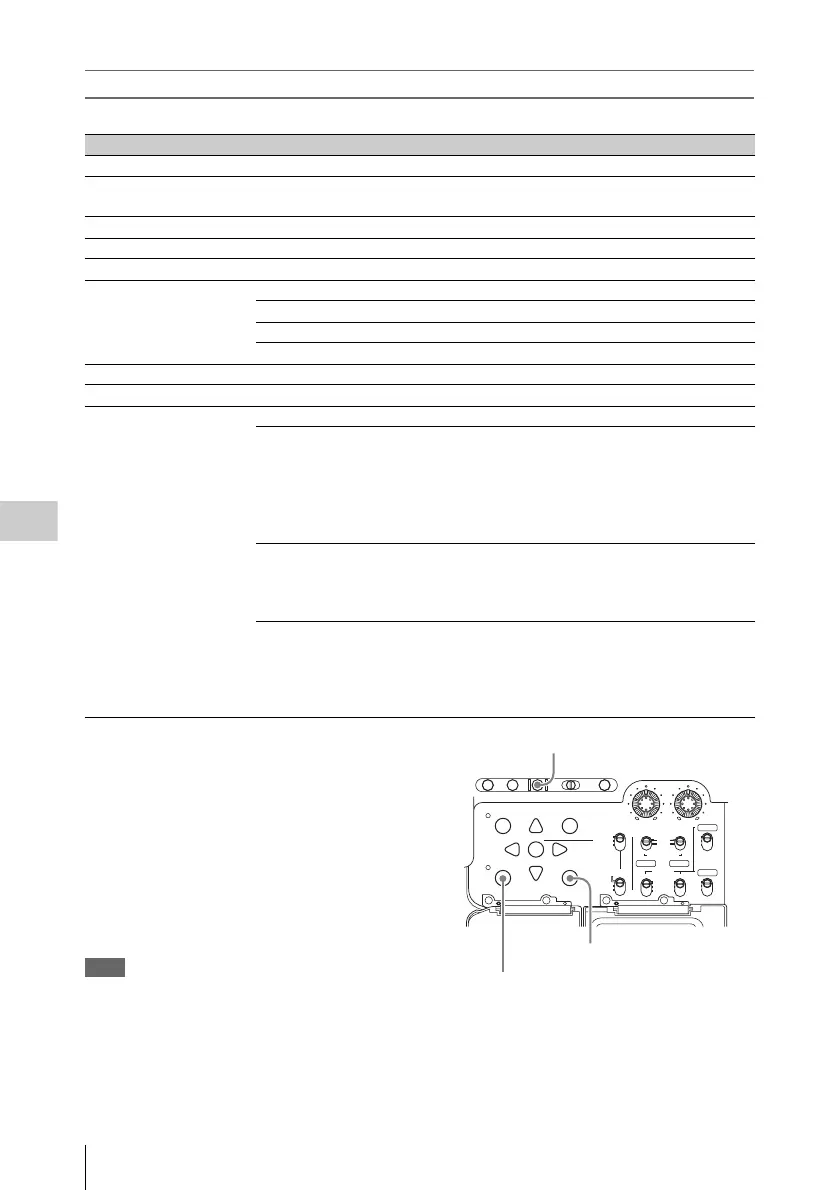
To display the Disc Menu
To display the Disc Menu, press the SUB CLIP/
DISC MENU button with the SHIFT button held
down in one of the following screens.
• Clip thumbnail screen
• Clip list thumbnail screen
• Clip playback screen
• Clip list playback screen
To return to the original screen, press the RESET/
RETURN button.
Note
The Disc Menu is not displayed when the disc is not
loaded into this unit.
Item Operation/Setting
Load Clip List Load clip list into this unit's memory.
Save Clip List Save a clip list under its current name, overwriting
the old contents.
Save Clip list As... Save a clip list under a new name.
Delete Clip List Delete a clip list.
Clear Clip List Clear the current clip list from the unit’s memory.
Lock or Delete All Clips Sub-Item
Lock All Clips Lock all clips.
Unlock All Clips Unlock all clips.
Delete All Clips Delete all clips.
Disc Properties Display the properties of the currently loaded disc.
Format Disc Format the currently loaded disc.
Settings Sub-Item
SET Key on Thumbnail Selects the behavior of the unit when the SET/S.SEL
button or MENU knob is pressed with one thumbnail
selected.
Cue up & Still: Cue up the selected thumbnail.
Cue up & Play: Cue up and play the selected
thumbnail.
Sort Clip List By... Selects a method to sort the clip list.
NAME (A-Z): Sort in ascending alphabetic order.
DATE (Newest First): Sort by date and time of
creation, newest clip first.
Display Title Selects whether to display clip and clip list titles.
On: Display the title, if it has been set. Otherwise
display the clip name or clip list name.
Off: Do not display the title. Always display the clip
name or clip list name.
AUTO
FRONT
WIRELESS
THUMBNAIL
SET
S.SEL
SHIFT
ESSENCE
MARK
SUB CLIP
REAR
CH-1
MANUAL
AUDIO SELECT
AUDIO IN
F
W
R
F
W
R
LEVEL
010010
CH-2
CH-3
CH-4
PRESET
F-RUN
REGEN
SET
CLOCK
R-RUN
BRIGHTDISPLAYRESETHOLDDISP SEL
COUNTER RC U-BITEXPAND CHAPTER
MENU
DISC MENU
RETURN
1 SHIFT button
3 RESET/RETURN button
2 SUB CLIP/DISC MENU button



 To Next Page