Adjusting the Black Balance and the White Balance
55
Chapter 3 Adjustments and Settings for Shooting
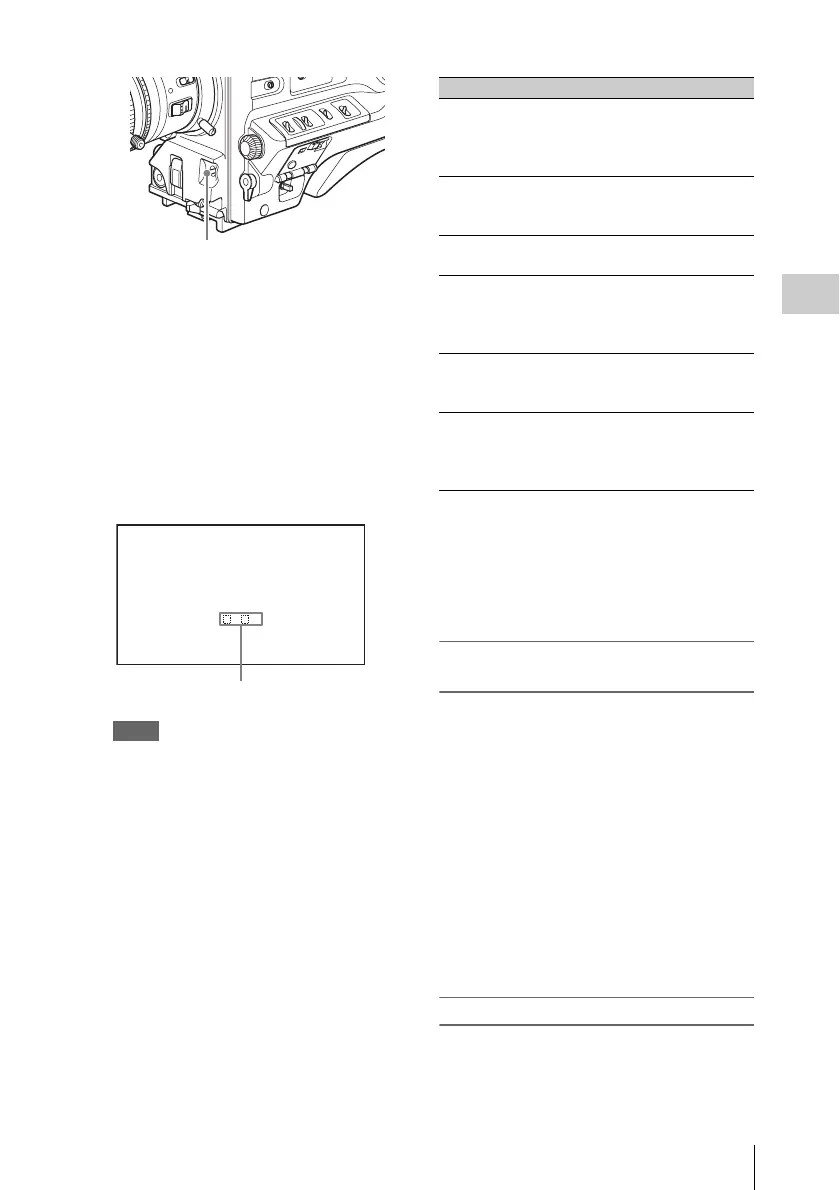
The switch returns to the center position, and
the adjustment is executed.
During adjustment, the message “WHITE :
OP” is displayed on the viewfinder screen (in
display mode 2 or 3).
The white balance adjustment ends in about
one second with the message shown in the
following figure, and the adjustment setting
is automatically stored in the memory (A or
B) that was selected in step 1.
Note
If the camera has a zoom lens with an automatic iris,
the iris may hunt
1)
during the adjustment. To
prevent this, adjust the iris gain knob (indicated as
IG, IS, or S) on the lens.
For details, refer to the lens operation manual.
1) Hunting: Repeated brightening and darkening of
the image, resulting from repeated response to
automatic iris control.
If the automatic white balance adjustment
cannot be made
If the white balance adjustment cannot be
completed normally, an error message will appear
for about 3 seconds on the viewfinder screen.
Possible messages are listed below.
If any of the above error messages is displayed,
retry the white balance adjustment. If the error
message occurs again, an internal check is
necessary.
For information about this internal check, refer to
the Maintenance Manual.
If you have no time to adjust the white
balance
Set the WHITE BAL switch to PRST.
This makes it possible to automatically set the
white balance to 5600K (factory default value) by
pressing the COLOR TEMP. button.
The color temperature to which the white balance
is set when the COLOR TEMP. button is pressed
can be selected from among 3200K, 4300K,
5600K, and 6300K on the ASSIGNABLE SW
page of the OPERATION menu. You can also
assign color temperatures to the ASSIGN 1/3/4
switches and the RET button on the lens.
For details of automatic white balance adjustment,
see page 54.
White balance memory
Values stored in memory are held until the white
balance is next adjusted.
There are two sets of white balance memories, A
and B, and adjustments for each of the filters can
AUTO W/B BAL switch
AWB:OK
. K
Approximate color temperature
of the subject
Error message Meaning
WHITE : NG
LOW LEVEL
The white video level is
too low. Either open the
lens iris or increase the
gain.
WHITE : NG
COLOR TEMP
HIGH
The color temperature is
too high.
WHITE : NG
COLOR TEMP LOW
The color temperature is
too low.
WHITE : NG
TIME LIMIT
Adjustment could not be
completed within the
standard number of
attempts.
WHITE : NG
POOR WHITE
AREA
The white area could not
be checked.
WHITE : NG
OVER LEVEL
The white video level is
too high. Either stop down
the lens iris or change the
ND filter.



 To Next Page