Setting the Electronic Shutter
58
Chapter 3 Adjustments and Settings for Shooting
Note
The settings selected on the SHT ENABLE page of the
OPERATION menu become invalid when the RM-B150
Remote Control Unit is connected to the camcorder.
(How to select an item in the menu screen: Turn
the MENU knob to move b to the desired item.)
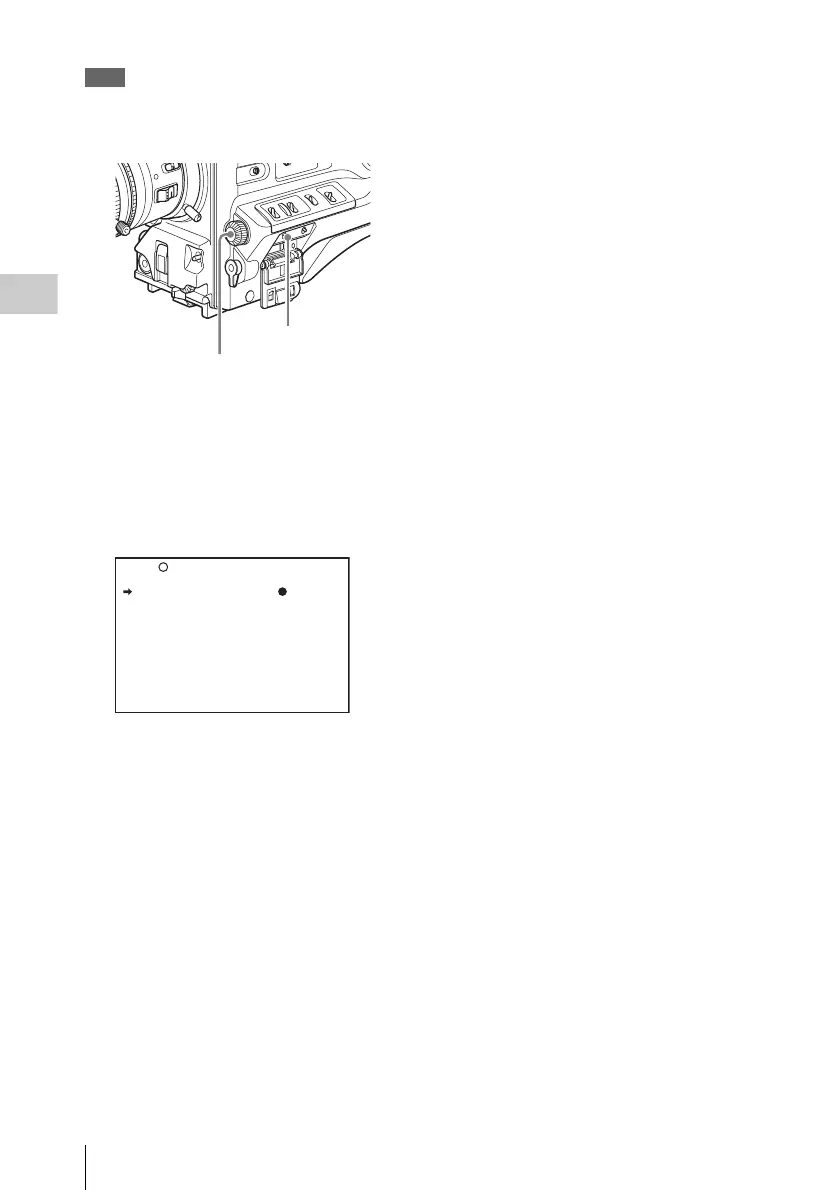
1 Display the SHT ENABLE page of the
OPERATION menu, and press the
MENU knob.
For details on menu operations, see “Basic
menu operations” on page 140.
2 Turn the MENU knob to move b to the
shutter mode or shutter speed you want,
then press the MENU knob.
b on the left of the selected item changes to
z and z on the left of the setting changes to
?.
3 Turn the MENU knob until “ON”
appears, then press the MENU knob.
z on the left of the selected item changes to
b and ? on the left of the setting changes to
z.
To set another mode or speed, return to step
2.
Note that only the shutter speeds set to “ON”
can be selected with the SHUTTER selector.
4 To end the menu operation, set the
MENU ON/OFF switch to OFF or close
the cover of the menu operating section.
The menu disappears from the screen and the
display indicating the current status of the
camcorder appears along the top and bottom
of the screen.
MENU ON/OFF switch
MENU knob
022 SHT ENABLE
SHUTTER ECS : ON
SHUTTER 1/100 : ON
SHUTTER 1/125 : ON
SHUTTER 1/250 : ON
SHUTTER 1/500 : ON
SHUTTER 1/1000 : ON
SHUTTER 1/2000 : ON



 To Next Page