Removing and Attaching the Audio Input Box
16
Preparations
The audio input box is removable. You can
remove the audio input box when it is not in use.
Note
Turn the recorder off before attaching and removing the
audio input box.
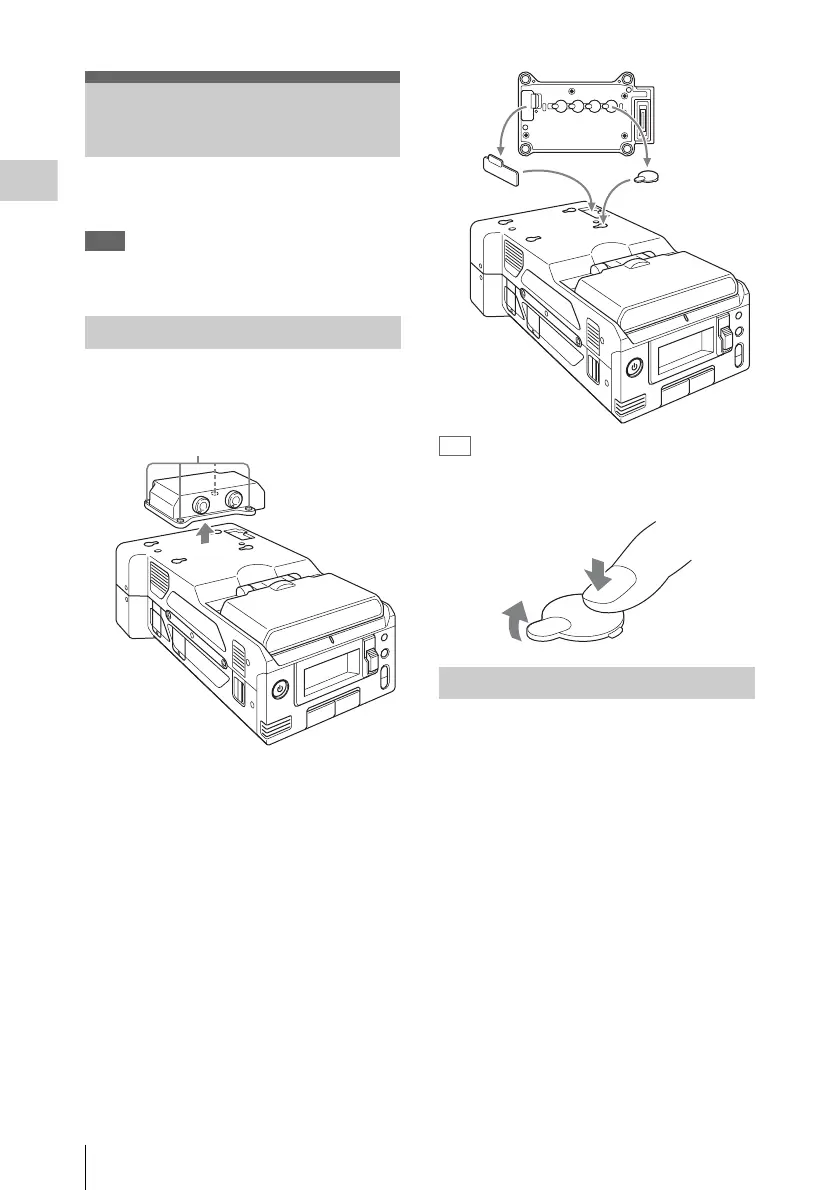
1 Loosen the four screws (M3) on the
audio input box, and lift the box
straight up.
2 Remove the covers stored on the bottom
of the audio input box, and attach them
to the holes on the recorder.
Tip
Pressing the area in the illustration will make
removing the covers for the screw holes easier.
1 Remove the covers attached to the
recorder, and attach them to the bottom
of the audio input box.
Be sure to store the removed covers on the
bottom of the audio input box to prevent
losing them.
2 Place the audio input box on the
recorder, and secure the four screws
(M3).
Align the two guides on the bottom of the
audio input box with the holes on the
recorder, and place it directly on the recorder.
There are also position alignment guide lines
on the front of the recorder and front of the
audio input box. Position the audio input box
so that the two guide lines align.
Removing and Attaching
the Audio Input Box
Removing the Audio Input Box
Screws (M3)
Attaching the Audio Input Box



 To Next Page