Part Identification
7
Overview
7. LCD BRIGHT (LCD monitor brightness
adjustment) button
This can also be used as the ASSIGN 4
(assignable) button (page 26).
8. DISPLAY button (page 9)
This can also be used as the ASSIGN 5
(assignable) button (page 26).
9. ASSIGN 1/2 (assignable) buttons (page 26)
10. REC (record) button (page 24)
11. F REV (fast reverse playback) button
(page 35)
12. PLAY/PAUSE button (page 34)
13. F FWD (fast forward playback) button
(page 35)
14. NEXT (next clip) button (page 35)
15. STOP/EE (button) (pages 24 and 32)
16. PREV (previous clip) button (page 35)
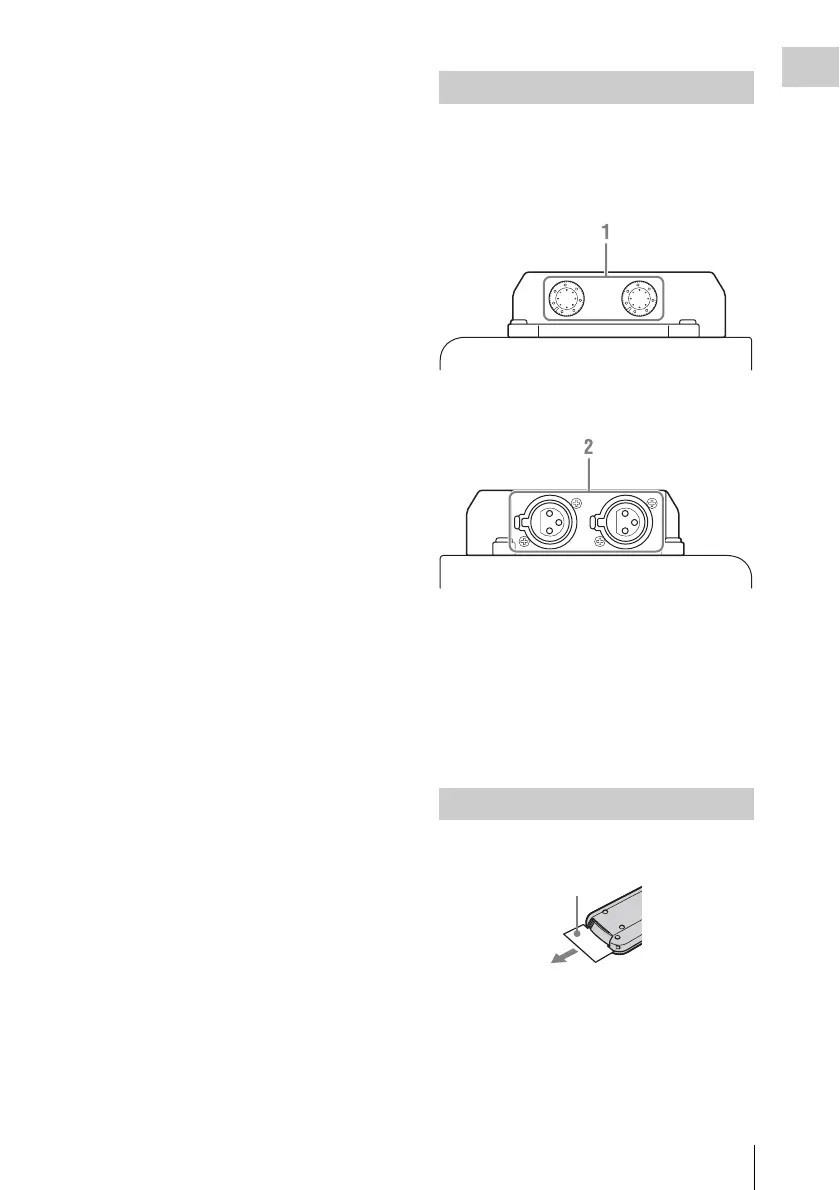
The audio input box is removable. For details, see
“Removing and Attaching the Audio Input Box”
(page 16).
Front
Rear
1. AUDIO LEVEL CH-1/CH-2 adjustment
knobs (page 66)
2. AUDIO IN CH-1/CH-2 connectors (page
66)
To input audio signals to the AUDIO IN connectors,
[Audio Input] (page 47) must be configured in the
[AUDIO SET] menu.
Before use, pull out the insulation sheet.
Audio Input Box (Supplied)
IR Remote Commander (Supplied)
Insulation sheet



 To Next Page