Note That if your using Network leads your pc and ps3 have to be plug into the router. If your
ps3 has wireless but your PC don't have your pc connected to the router by wire and the ps3 by
wireless.
1. Install and setup SimpleDNS (14 days trial) by using blimpie92 Tutorial link can be found here.
or you can use Posadis which is the same as SimpleDNS but it's free. The link to this Tutorial by
blimpie92 can be found
here.
they an other Tutorial on setting up SimpleDNS by Jurai of ps3news
here.
which is very detail.
2. Now that you install and setup SimpleDNS\Posadis make sure they are running.
3. Download PS3Proxy from here and extract it from the .rar to the desktop or something.
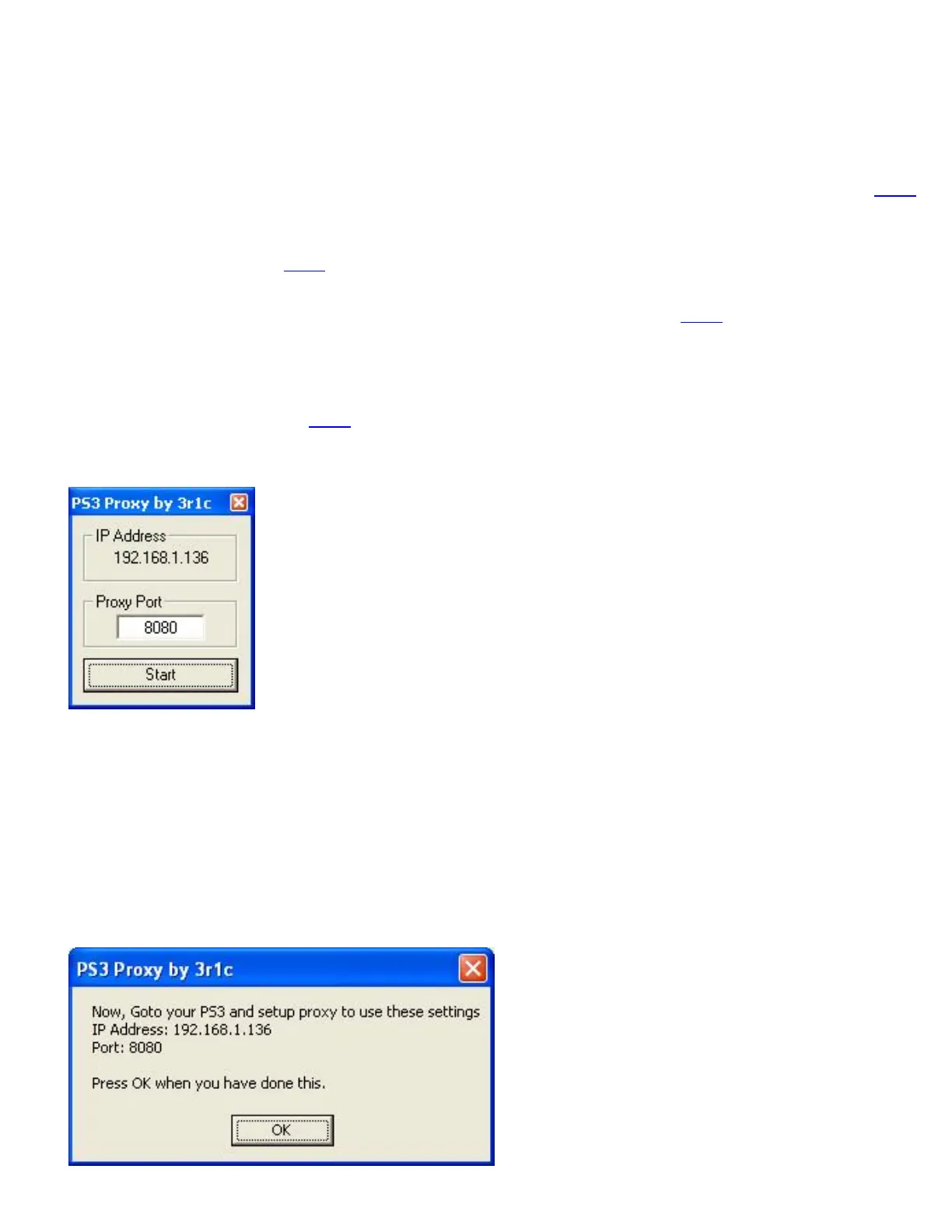
4. Now click ps3proxy.exe\ps3proxy and it will display your IP and Proxy port as shown in the
picture below.
Take a note of the IP address and port number so that you can enter them in to your ps3 and use
them on the pc.
5. Now go to Control Panel then click Network Connections.
6. Once in Network Connections find the connection you are using (wireless or direct) and right
click it and go to properties.
7. Left click Internet Protocol (TCP/IP) so that it gos blue. Then click properties.
8. Change your primary DNS (Preferred DNS server) to the IP address you took note of in stage 4
and click ok, then ok again to close network properties.
9. Now Click Start on ps3proxy. You will then get this message displayed:



 To Next Page