HT-S500RF/S700RF
11
Sony CONFIDENTIAL
For Authorized Servicer
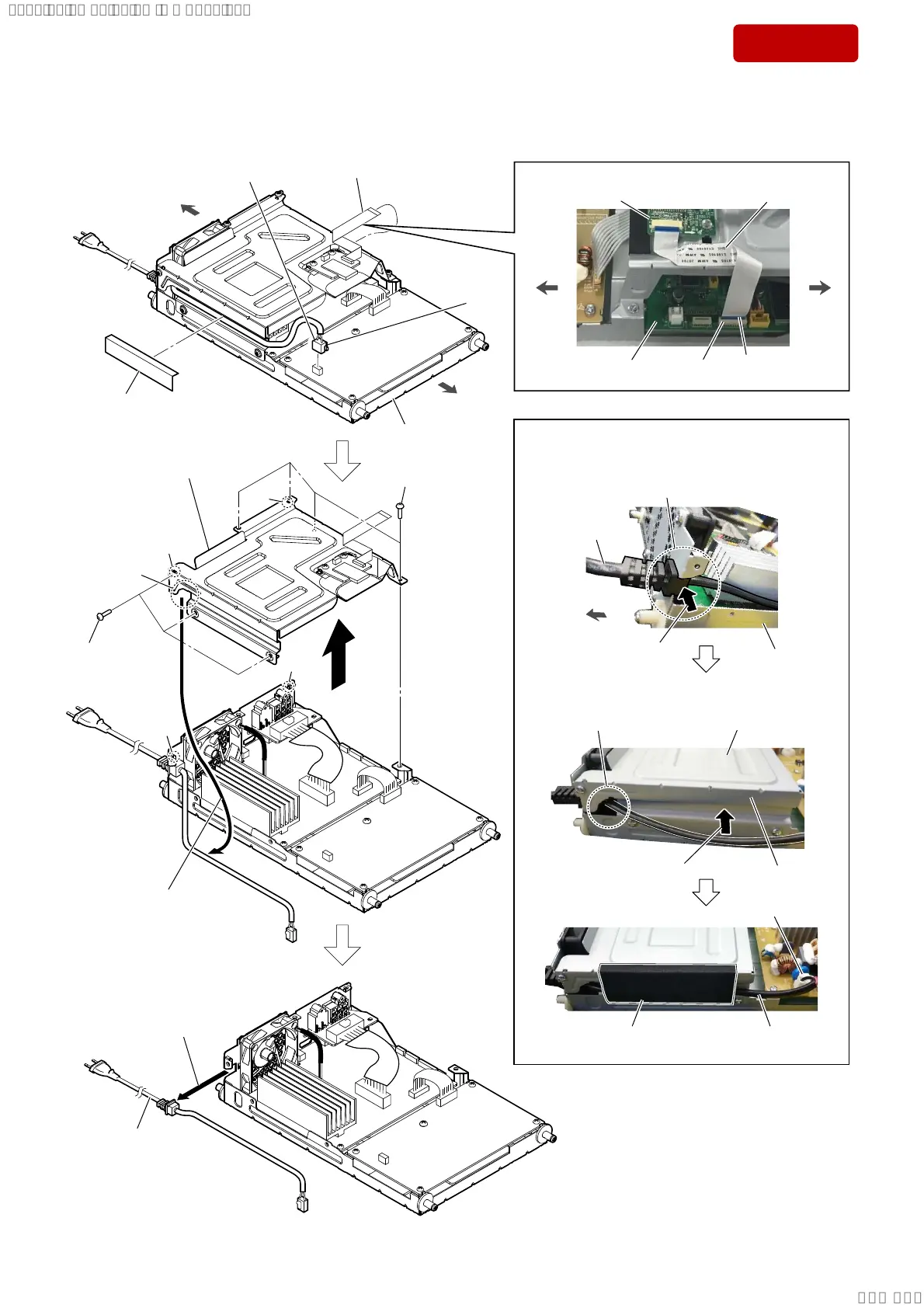
2-4. TOP CHASSIS BLOCK, POWER CORD
1 FFC (BT) (24 core)
(XP2)
claw
side
2 cushion
3 power cord connector
(CN501)
4 three screws
(BVTT3 u 6)
4 four screws
(BVTT3 u 6)
5
9 power cord
(See Fig. C)
6 Draw the power cord
out of the groove.
groove
8 Remove the power
cord in the direction
of the arrow.
7 top chassis block
Note:
When installing the top
chassis block, align the
two ribs and two holes.
hole
rib
rib
hole
+RZWRLQVWDOOWKHSRZHUFRUG
Attach in order from 1 to 5.
groove
1 Insert the power cord
to groove.
CN501
power cord
AMP block
rear side
–6LGHYLHZ–
AMP block
front side
rear side
2 Pass power cord
through the groove
of top chassis.
3 Install the top chassis block
on the AMP block, and fix
with the seven screws.
5 Fix the power cord
with the cushion.
4 Press the power cord
to the groove of top
chassis.
top chassis
power cord
)LJ&!
))&%7FRUHVHWWLQJ
–6LGHYLHZ–
The opposite side
is terminal side.
BT board
FFC (BT)
(24 core)
XP2
MAIN board
front side
rear side
SYSSET
2018/11/2806:27:54(GMT+09:00)



 To Next Page