"'tJ
"'"
CD
"C
D)
~.
::s
CC
...
::s"
CD
::D
CD
n
CD
<'
CD
"'"
•
Input
buttons
I/~
OJ
50Hz 200Hz
(MIN) (MAX)
CUT
OFF
FREQ
(Crossover frequency)
CJCJO
Note
Depending on the characteristics
of
the subwoofer
you are using, the setup distance value may
be
further away from the actual position.
•
If
you connect a subwoofer with a crossover
frequency function, set the value to the
maximum.
• If you connect a subwoofer with an auto
standby function, set this function to off
(deactivated).
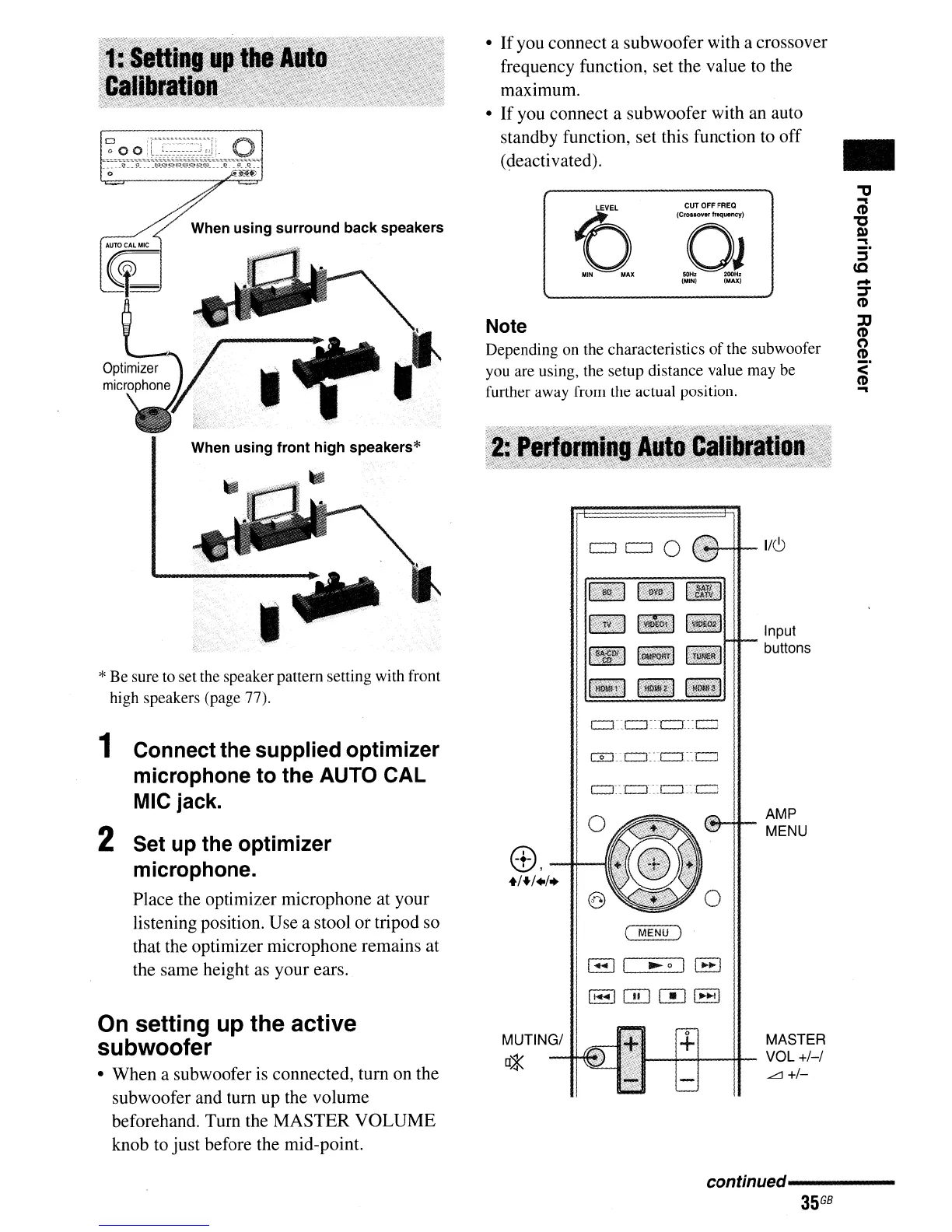
When using surround back speakers
When using front high speakers*
·_l';l
__
P
..
1?'?£=?l?-"?::::i"R'?_~
..
~
_
~
9
__
0.._
o
*Be sure to set the speaker pattern setting with front
high speakers (page 77).
c:J~~c:J.C::l
••
c:J
AMP
MENU
o
(
MENU)
B I
.....
oll
....
l
11_1
QD m 1
..
10-11
e,
--I+-
+/+/./
..
1 Connect the supplied optimizer
microphone to the AUTO CAL
MIC jack.
2 Set up the optimizer
microphone.
Place the optimizer microphone at your
listening position. Use a stool or tripod so
that the optimizer microphone remains at
the same height as your ears.
On setting up the active
subwoofer
• When a subwoofer is connected, turn on the
subwoofer and turn up the volume
beforehand. Turn the MASTER VOLUME
knob to just before the mid-point.
MUTING/
~
-+-
MASTER
~-+--+--f+-
VOL
+/-/
..<:::::J
+/-
conunued----------
35
GB



 To Next Page