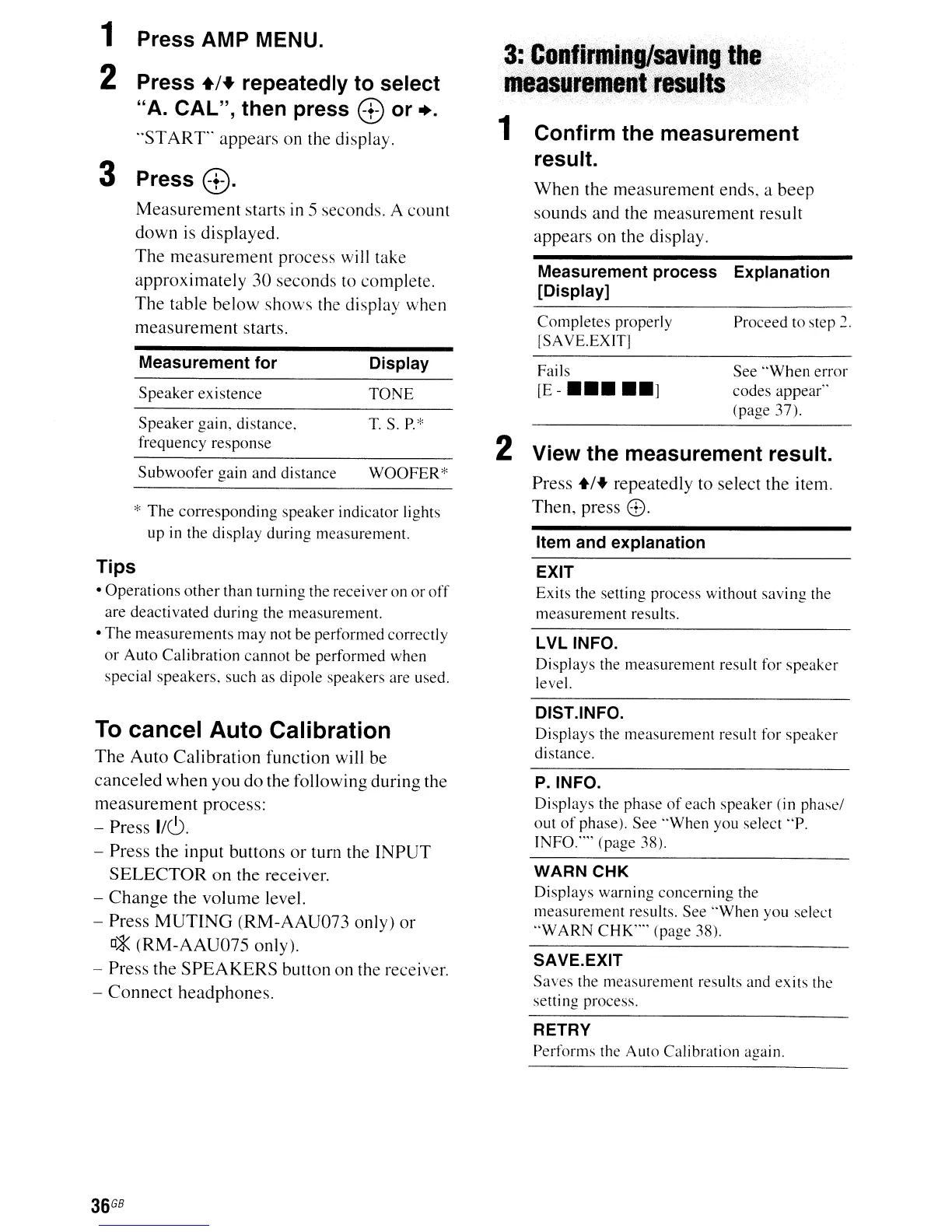
Measurement process Explanation
[Display]
When the measurement ends, a beep
sounds and the measurement result
appears on the display.
3:
·
..
C~~I~!.lJli~lIsavi
..
git~«,
measurel11enf:resldtS
.
1 Confirm the measurement
result.
1 Press AMP MENU.
2 Press
+1+
repeatedly to select
"A. CAL", then press
8 or +.
"STAR
r'
appears on the display.
3 Press
8.
Measurement starts
in
5 seconds. A counl
down is displayed.
The measurement process will take
approximately 30 seconds
to complete.
The table below shows the display when
measurement starts.
Completes
properly
[SAVE.EXIT]
Proceed
to
step 2.
*
The
corresponding
speaker
indicator lights
up
in
the
display
during
measurement.
Item and explanation
View the measurement result.
Press
+1+
repeatedly to select the item.
Then, press
8.
Measurement for
Speaker
existence
Speaker
gain, distance,
frequency
response
Subwoofer
gain
and
distance
Display
TONE
T.
S.
P.*
WOOFER*
2
Fails
[E-
•••••
]
See
"When
error
codes
appear"
(page
37).
Tips
•
Operations
other
than
turning
the receiver on
or
off
are
deactivated
during
the
measurement.
•
The
measurements
may
not
be
performed
correctly
or
Auto
Calibration
cannot
be
performed
when
special
speakers,
such as
dipole
speakers are used.
To
cancel Auto Calibration
The
Auto
Calibration function will be
canceled when you do the following during the
measurement process:
- Press
1/6.
- Press the input buttons
or
turn the
INPUT
SELECTOR
on
the receiver.
-
Change
the volume level.
- Press
MUTING
(RM-AAU073 only)
or
[]*
(RM-AAU075
only).
- Press the
SPEAKERS
button on the receiver.
-
Connect
headphones.
36
GB
EXIT
Exits
the setting process without
saving
the
measurement
results.
LVL INFO.
Displays
the
measurement
result for
speaker
level.
DIST.lNFO.
Displays
the
measurement
result for
speaker
distance.
P.INFO.
Displays the phase
of
each
speaker
(in
phase/
out
of
phase).
See
"When
you select ·'P.
INFO."" (page 38).
WARN CHK
Displays
warning
concerning
the
measurement
results.
See
"When
you select
"w
ARN
CHK''''
(page 38).
SAVE.EXIT
Saves
the
measurement
results and
exits
the
setting process.
RETRY
Performs
the
Auto
Calibration again.



 To Next Page