Tips
•
You
can select the character type
as
follows
by
pressing +/+.
Alphabet (upper case)
-+
Numbers-+
Symbol,>
•
To
enter a blank space. press
..
without
selecting a character.
4 Press
8.
The name you entered
is
registered.
Adjusting
the
speaker
levels
(TEST
TONE)
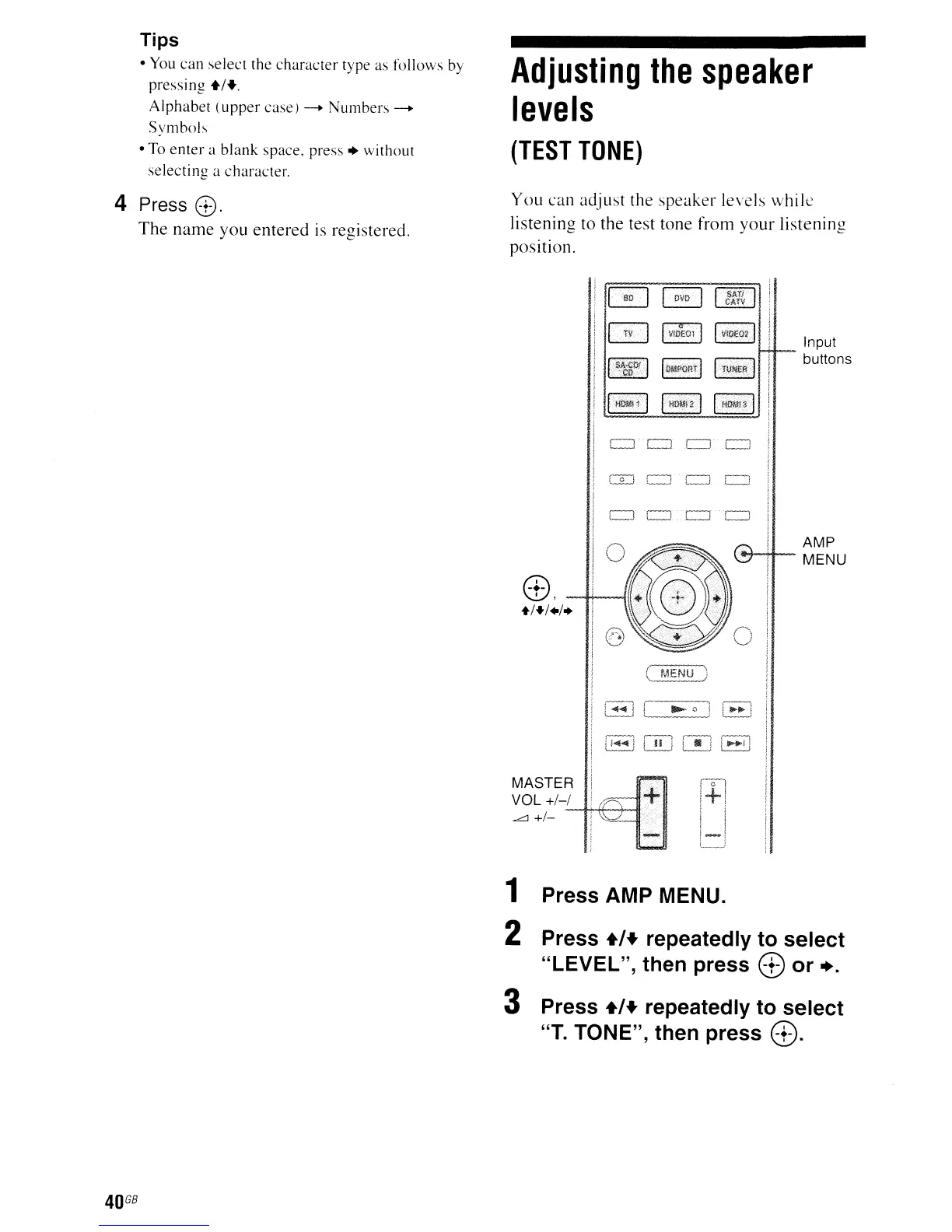
You can adjust the speaker levels while
listening
to
the test tone from your listening
position.
Ii
~
~
[]I&]
CATV
I
GJ
IVII>tOl
I
I
Vl.t
lE02
11
I-SIl.CI)iI
IOMPORrl
Ir\iNEl]
_co-
--.
IHDMl\
I
I
HOMi2
I I
HOMISI
Input
buttons
4:\
'-D,
--f+--j
+/+/./
..
AMP
l";-H-
MENU
I-J
l
"-0
J 1
......
\
MASTER
VOL
+/-/
Ll
+/_
~f+*-+-ll
40
GB
1 Press AMP MENU.
2 Press +/+ repeatedly to select
"LEVEL", then press
8 or +.
3 Press +/+ repeatedly to select
"T.
TONE", then press
8.



 To Next Page