To
exit the menu
Press AMP MENU.
Using
a
bi-amplifier
connection
The same signals output from the
SPEAKERS FRONT A terminals can be
output from the SPEAKERS
SURROUND BACKJFRONT HIGH!
BI-AMPIFRONT B terminals.
AMP
E
....
-++-
MENU
(
MENU)
~
\D.
+/+/+/+
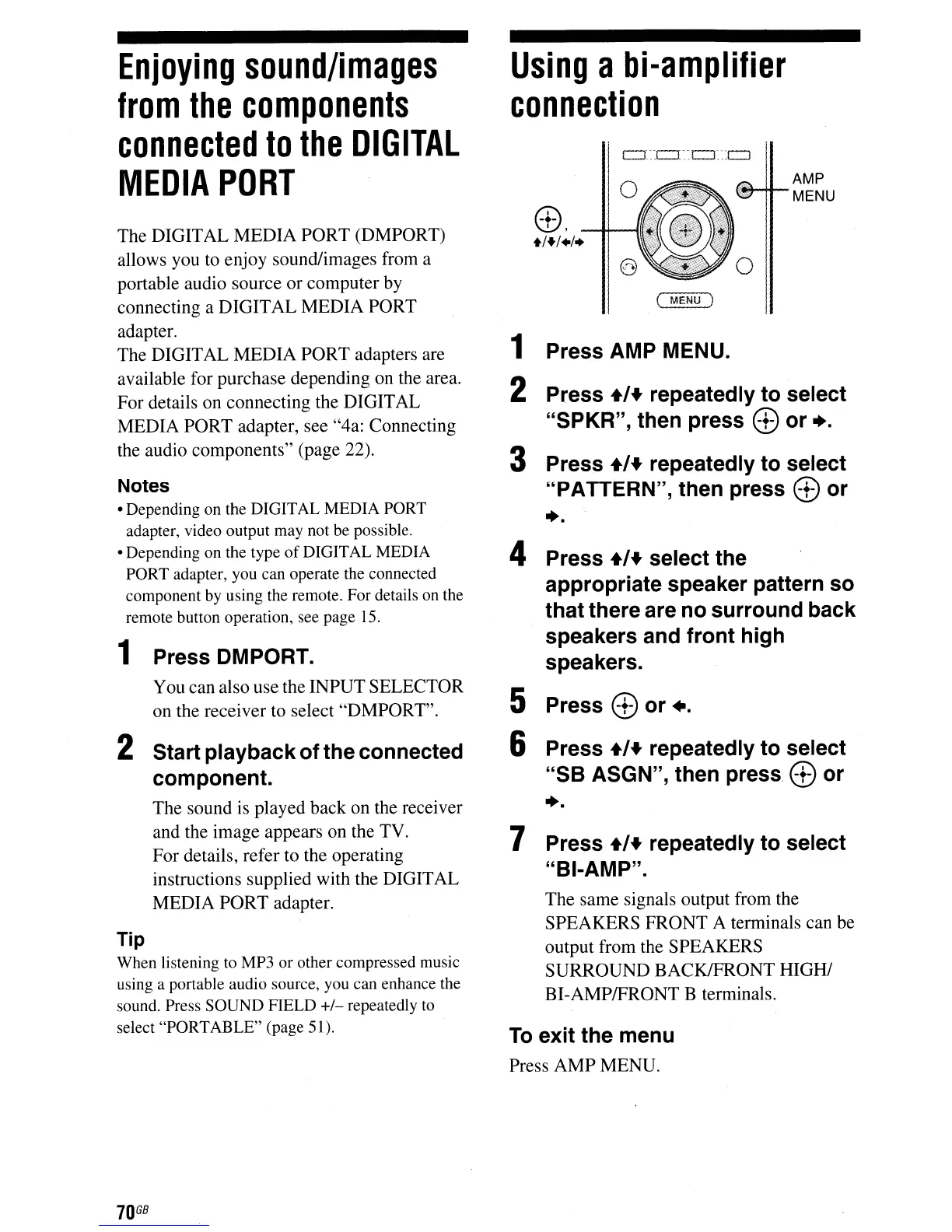
1 Press AMP MENU.
2 Press
+,+
repeatedly to select
"SPKR", then press
G)
or
•.
3 Press
+'+
repeatedly to select
"PATTERN", then press
G)
or
••
4 Press
+,+
select the
appropriate speaker pattern so
that there are no surround back
speakers and front high
speakers.
5 Press
G)
or
•.
6 Press
+,+
repeatedly to select
"SB ASGN", then press
G)
or
••
7 Press
+'+
repeatedly to select
"BI-AMP".
Enjoying
sound/images
from
the
components
connected
to
the
DIGITAL
MEDIA
PORT
The DIGITAL MEDIA PORT (DMPORT)
allows you to enjoy sound/images from a
portable audio source or computer by
connecting a DIGITAL MEDIA PORT
adapter.
The DIGITAL MEDIA PORT adapters are
available for purchase depending
on
the area.
For details on connecting the DIGITAL
MEDIA PORT adapter, see "4a: Connecting
the audio components" (page 22).
Notes
• Depending on the DIGITAL MEDIA PORT
adapter, video output may not be possible.
• Depending on the type
of
DIGITAL MEDIA
PORT adapter, you can operate the connected
component by using the remote. For details on the
remote button operation, see page
15.
2 Start playback ofthe connected
component.
The sound is played back on the receiver
and the image appears on the TV.
For details, refer to the operating
instructions supplied with the DIGITAL
MEDIA PORT adapter.
1 Press DMPORT.
You can also use the INPUT SELECTOR
on the receiver to select "DMPORT".
Tip
When listening to MP3 or other compressed music
using a portable audio source, you can enhance the
sound. Press SOUND FIELD
+/-
repeatedly
to
select "PORTABLE" (page 51).
70
GB



 To Next Page