Notes
• Set
"SB
ASGN" to "BI-AMP" before you perform
Auto Calibration.
•
If
you
set
"SB
ASGN"
to .oBI-AMP", the
speaker
level
and
distance settings
of
the surround back
speakers
and front high speakers
become
invalid,
and
those
of
the front speakers are used,
• If you
set
"PATTERN"
to a setting with surround
back
speakers
or
front high speakers. you
cannot
set
"SB
ASGN"
to
"BI-AMP",
Using
the
setting
menu
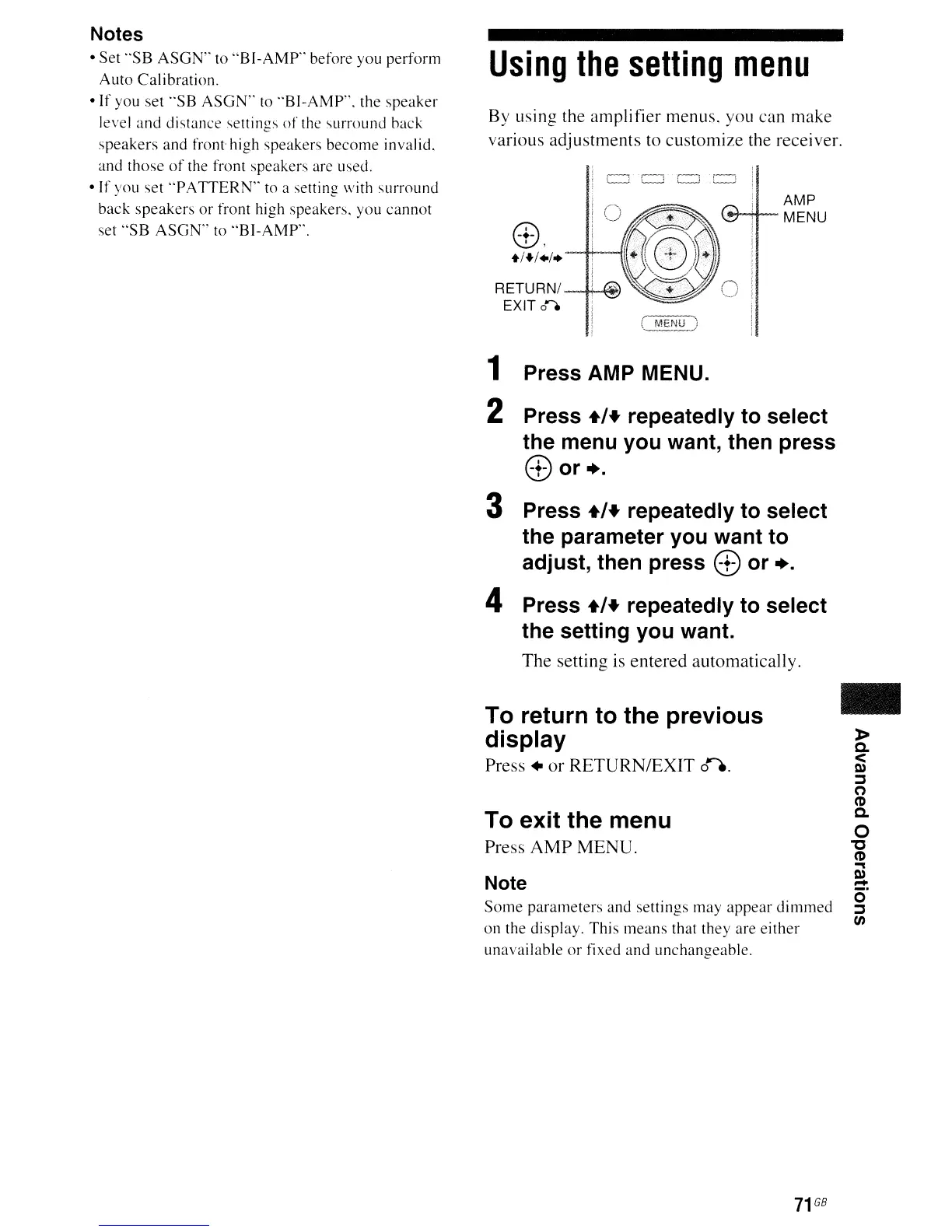
By using the amplifier menus. you can make
various adjustments to customize the receiver.
1 Press AMP MENU.
2 Press
+1+
repeatedly to select
the menu you want, then press
8)or+.
3 Press
+1+
repeatedly to select
the parameter you want to
adjust, then press
8)
or
+.
4 Press
+1+
repeatedly
to
select
the setting you want.
The setting is entered automatically.
To return to the previous
display
Press.
or
RETURN/EXIT
0--',
To exit the menu
Press
AMP
MENU.
Note
Some
parameters
and settings may
appear
dimmed
on the display,
This
means
that they are
either
unavailable
or
fixed
and
unchangeable,
71
GB
-
»
Q.
<
Q)
~
(')
(I)
Q.
o
"0
(I)
'"'I
Q)
=:
o
~
en



 To Next Page