WatchingTwoPicturesat Once(Picture-in-Picture)
MLIT]NG(_ _SLEEP
O T V CABLEPOWER
®®®
Q®®
®®®
VOL CH
CODESET C/_BLEBOXW
SWAP PIP
CH AUDIO W/VIDEO
---1 F.E_:E
CH • II
REC • "FV/VTR
RM-Y118
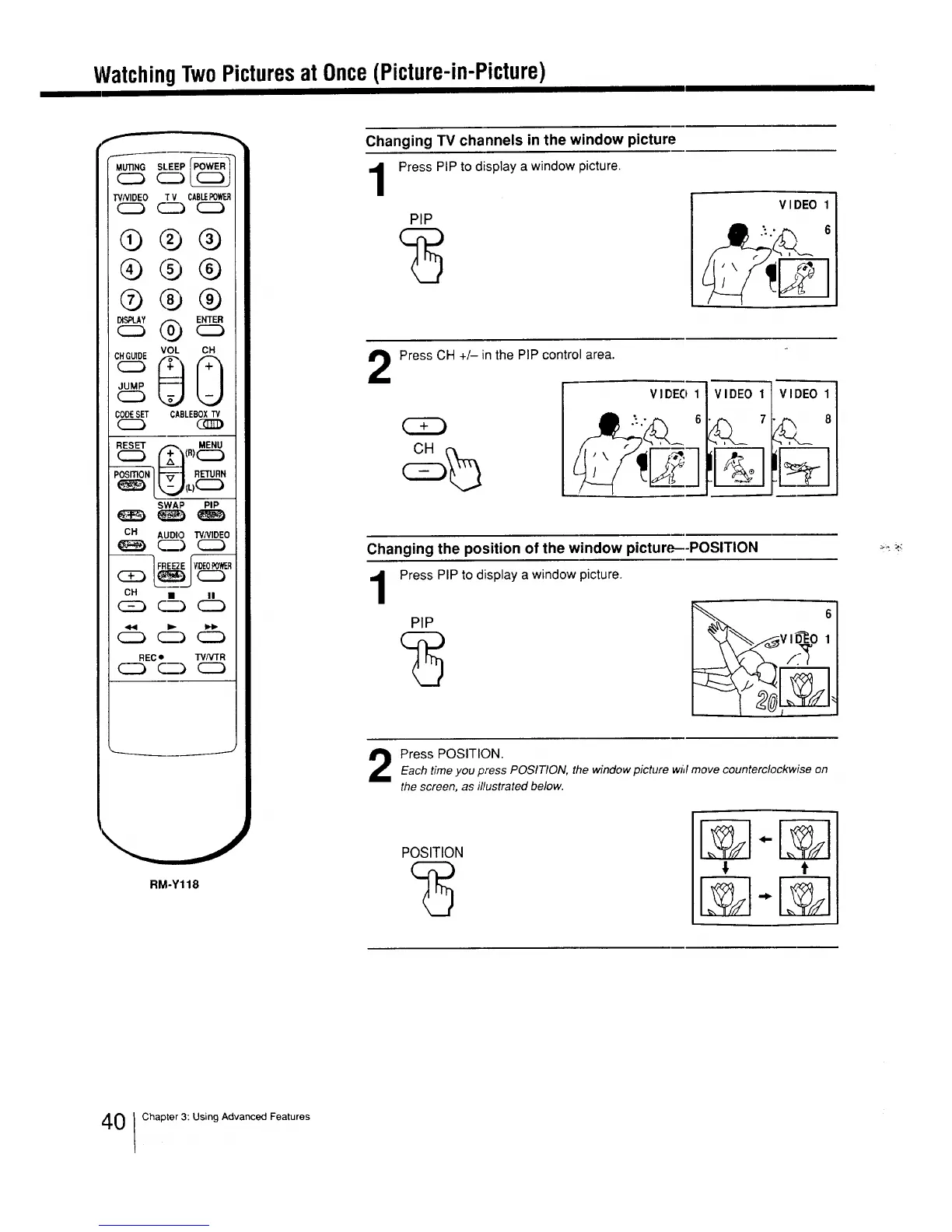
Changing TV channels in the window picture
Press PIP to display a window picture
PIP
VIDEO
2
Press CH +/-in the PIP control area.
V IDEO 1
6
VIDEO 1 VIDEO 1
,-- 7,_ 8
II Jl_ I
Changing the position of the window picture--POSITION
Press PIP to display a window picture.
_V ID_-_O1
Press POSITION.Each time you press POSITION, the window picture wiil move counterclockwise on
the screen, as illustrated below.
POSITION
_ t
0 ! Chapter 3: Using Advanced Features






 To Next Page