8. Aligning the unit CRANEX
®
Novus e
112 Service manual
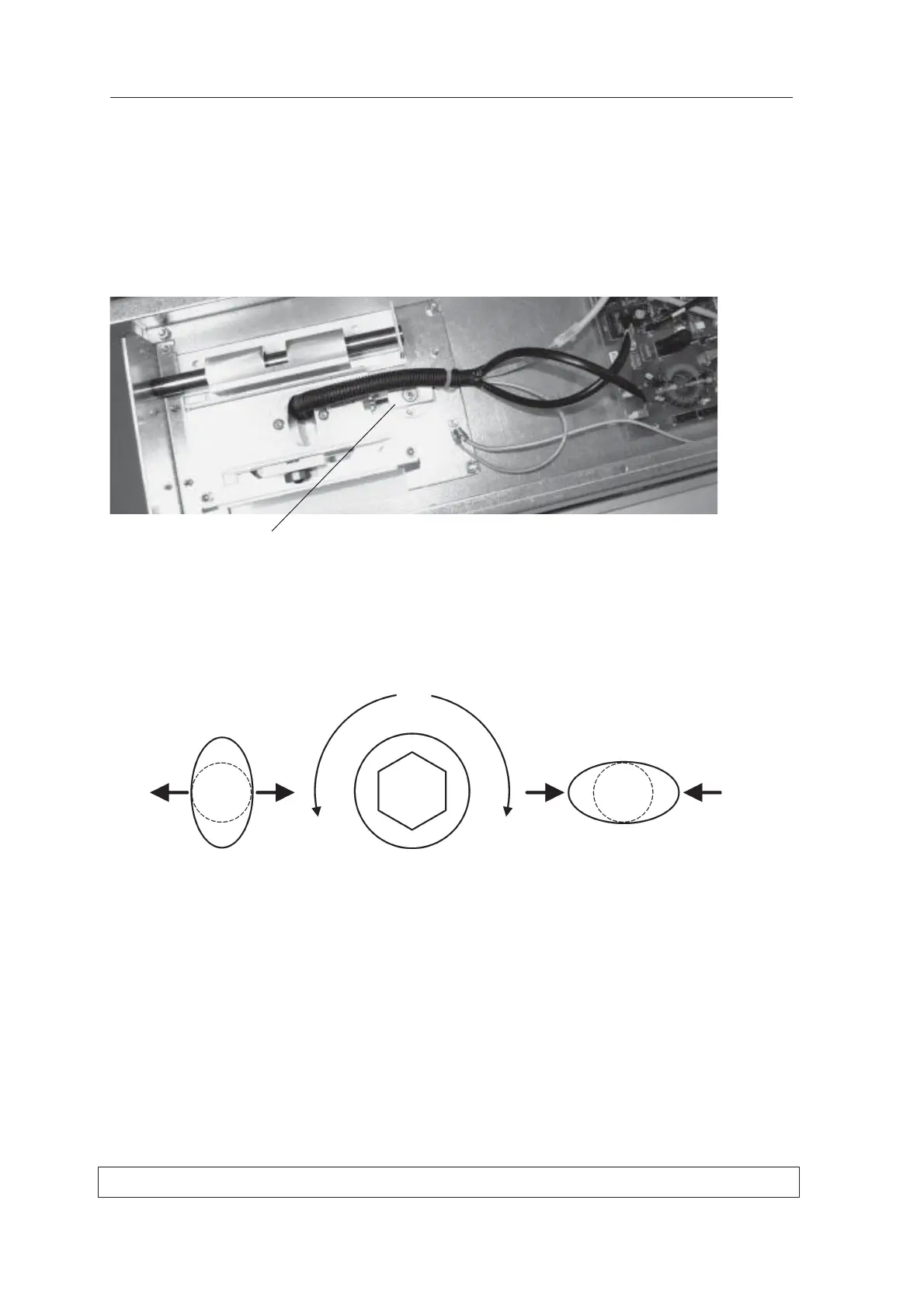
Adjusting the position of the focal trough
1. In the upper shelf loosen the two nuts that
hold the Rotation Bearing in place. Turn the
adjusting screw to adjust the position of the the
Rotating Unit.
Counter clockwise will move the Rotating Unit
towards the column and clockwise away from
it.
If the middle ball in the image is too wide turn
the adjusting screw clockwise.
If the middle ball in the image is too narrow
turn the adjusting screw counterclockwise.
Repeat this procedure until the middle ball is
round according to the tolerance.
2. Replace the Top Cover Plate and the Front
Panel.
Rotation bearing



 To Next Page