CRANEX
®
Novus e 8. Aligning the unit
Service manual 111
3. Loosen the set screw that holds the Lower
Shelf Screw (the horizontal screw) in position
and turn it to adjust the position of the Chin
Support Holder.
CAUTION:
DO NOT loosen the screws (2) that attach the
Chin Rest Support to the Patient Handle.
4. Replace the previously removed parts and
then repeat steps 3-5 to check the position of
the Chin Support again.
Remove the parts and readjust if necessary.
Replace all the parts and tighen them when
the adjustment is complete.
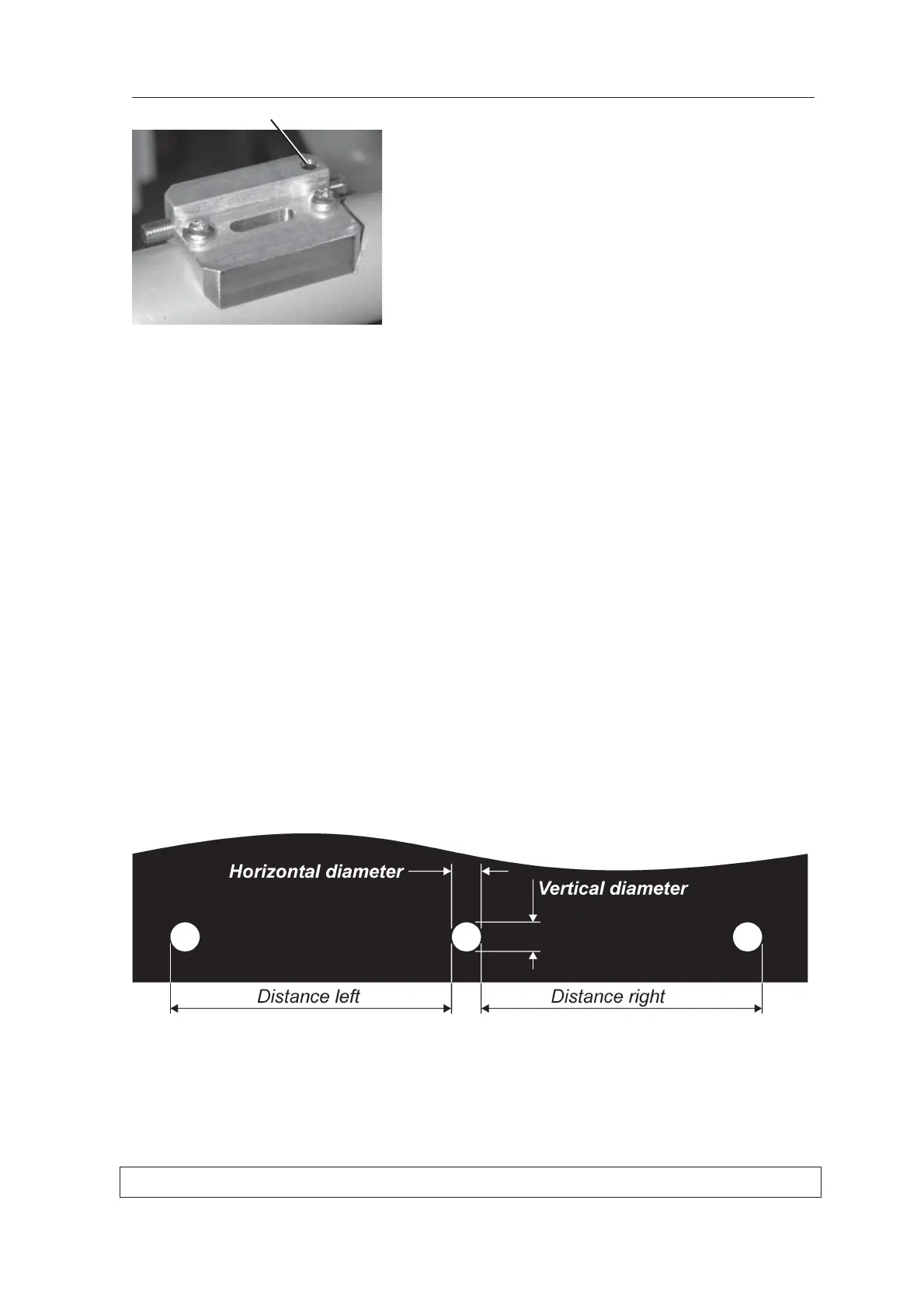
8.5 Checking and adjusting the focal trough
1. Press the RETURN button to drive the unit to
the PIO position.
2. Take a panoramic exposure and examine the
image.
If the center ball is not round, with no more
than 0.2mm difference between the horizontal
and vertical diameter, or the distance between
the center ball and the left and right hand balls
is same with no more than ±2.0 mm difference,
the Rotating Unit must be positioned in the
forward/backward position.
Set screw



 To Next Page