98 Service manual
7. Replacing parts CRANEX
®
Novus e
7.6 Replacing the z-motor
CAUTION:
DO NOT attempt to replace the z-motor while the unit is
in the vertical position, either when attached to the wall
or to an exhibition base.
The rotating unit must be removed from the z-carriage
and then the unit removed from the wall and placed on
the fl oor before the z-motor is replaced.
1. Switch the unit off and disconnect it from the
power supply.
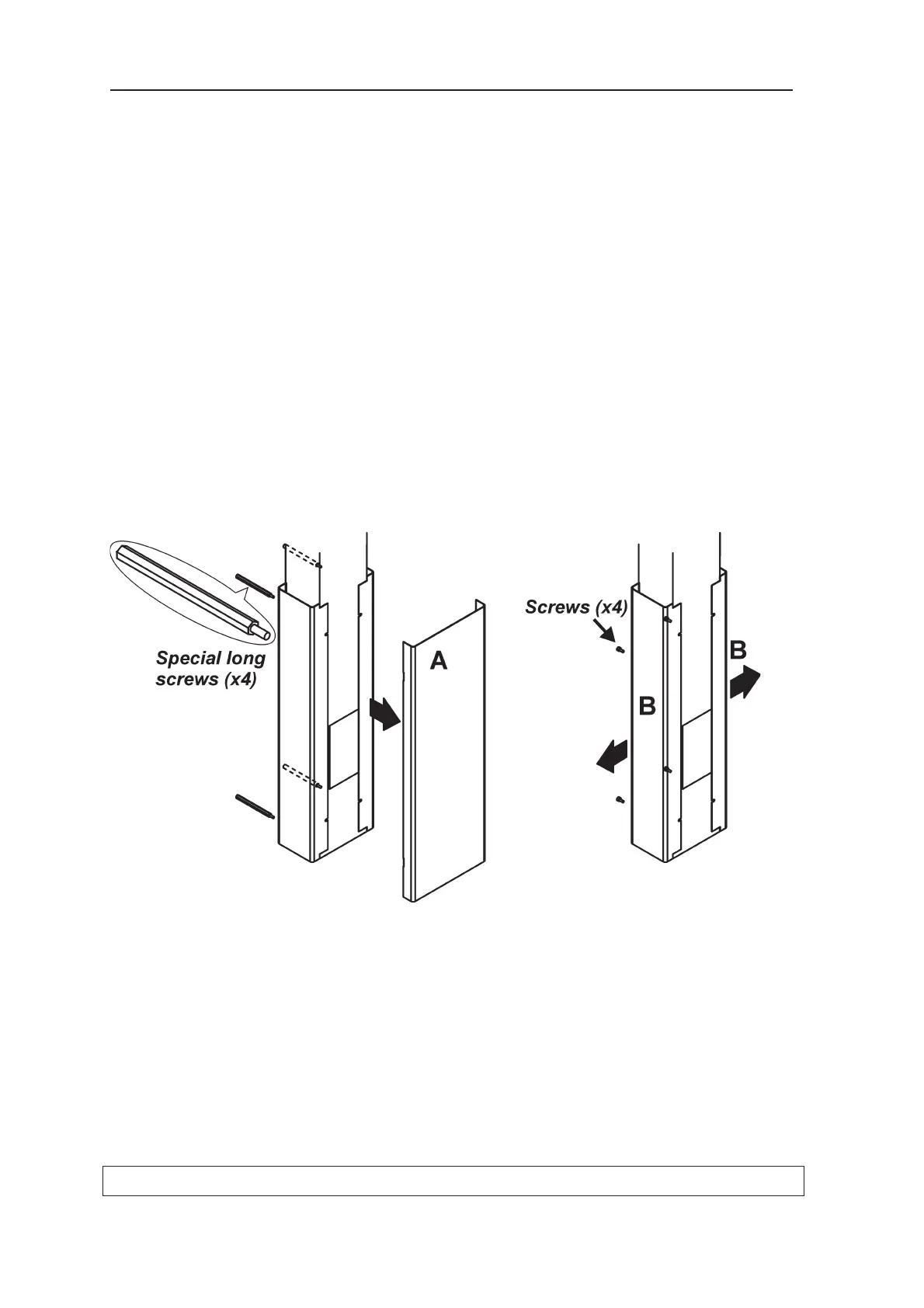
2. Remove the covers from the bottom of the
column.
Remove the long screws (4) that hold the
Front Cover A to the bottom of the column, the
screws can be accessed from the rear of the
column, and remove the front cover.
Remove the screws (2 x 2) that hold the two
Side Covers, B, to the bottom of the column
and remove the Side Covers.



 To Next Page