Scorpio User Guide
59
SETTING A PASSWORD
To prevent unauthorized access to the 8-Series
Mixer-Recorder via Bluetooth LE:
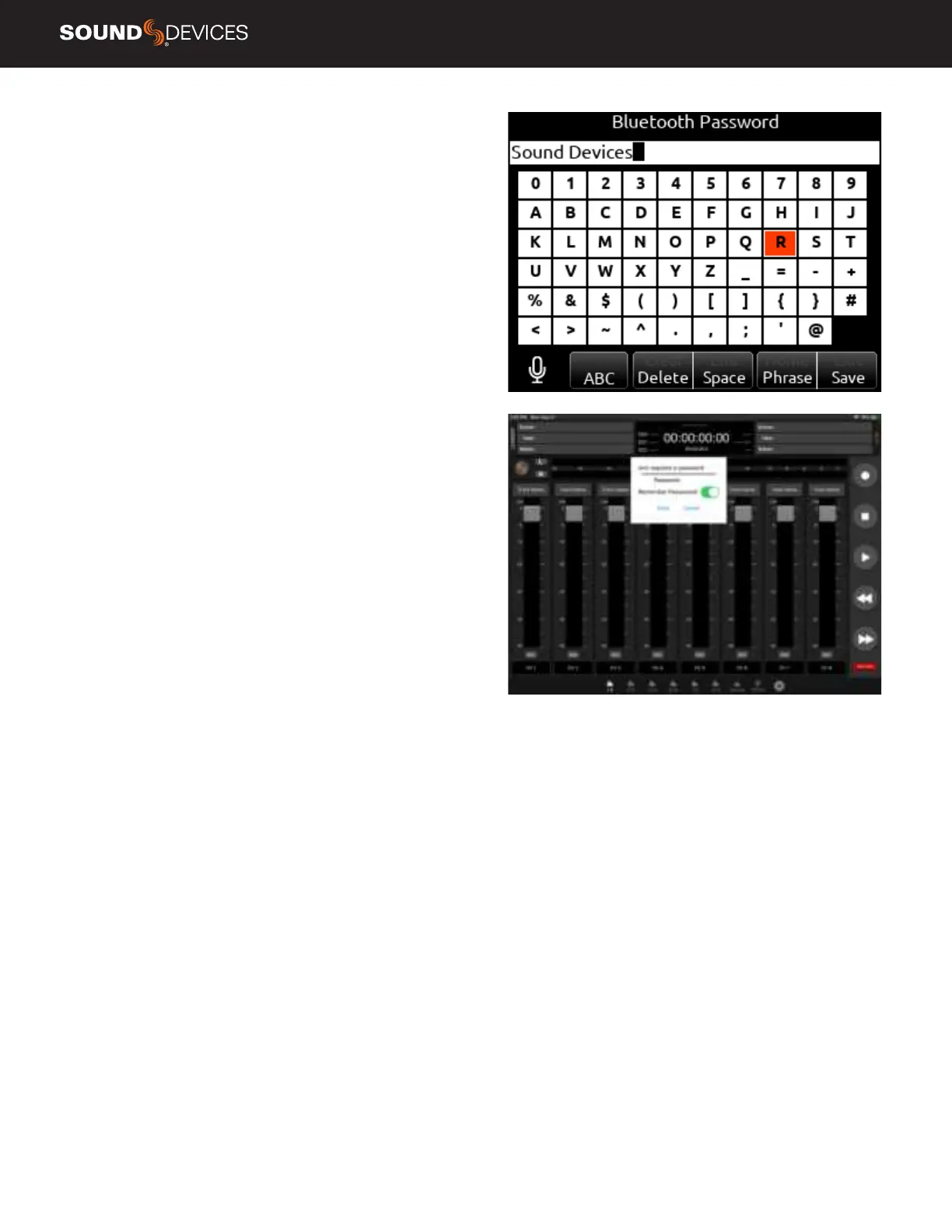
1. Navigate to System-Bluetooth-Set Password.
2. Create a password using the on-screen keyboard.
3. Use the Fav toggle to save the password.
4. Press “Ok” in the “Set New Password” dialog box.
5. Connect your tablet via SD-Remote to the
8-Series device as described above.
6. Enter the password and press “Enter” to allow connection.
7. Toggle “Remember Password” to allow the mobile
device to connect without reentering password.
TO REMOVE A PASSWORD
1. In the 8-Series menu, navigate to System-Bluetooth-Clear Password.
2. Press “Ok” in the “Clear existing password” dialog box.


 To Next Page
 Loading...