Know your Machine
13
X. Cleaning mode of the task Y. Task time selectio
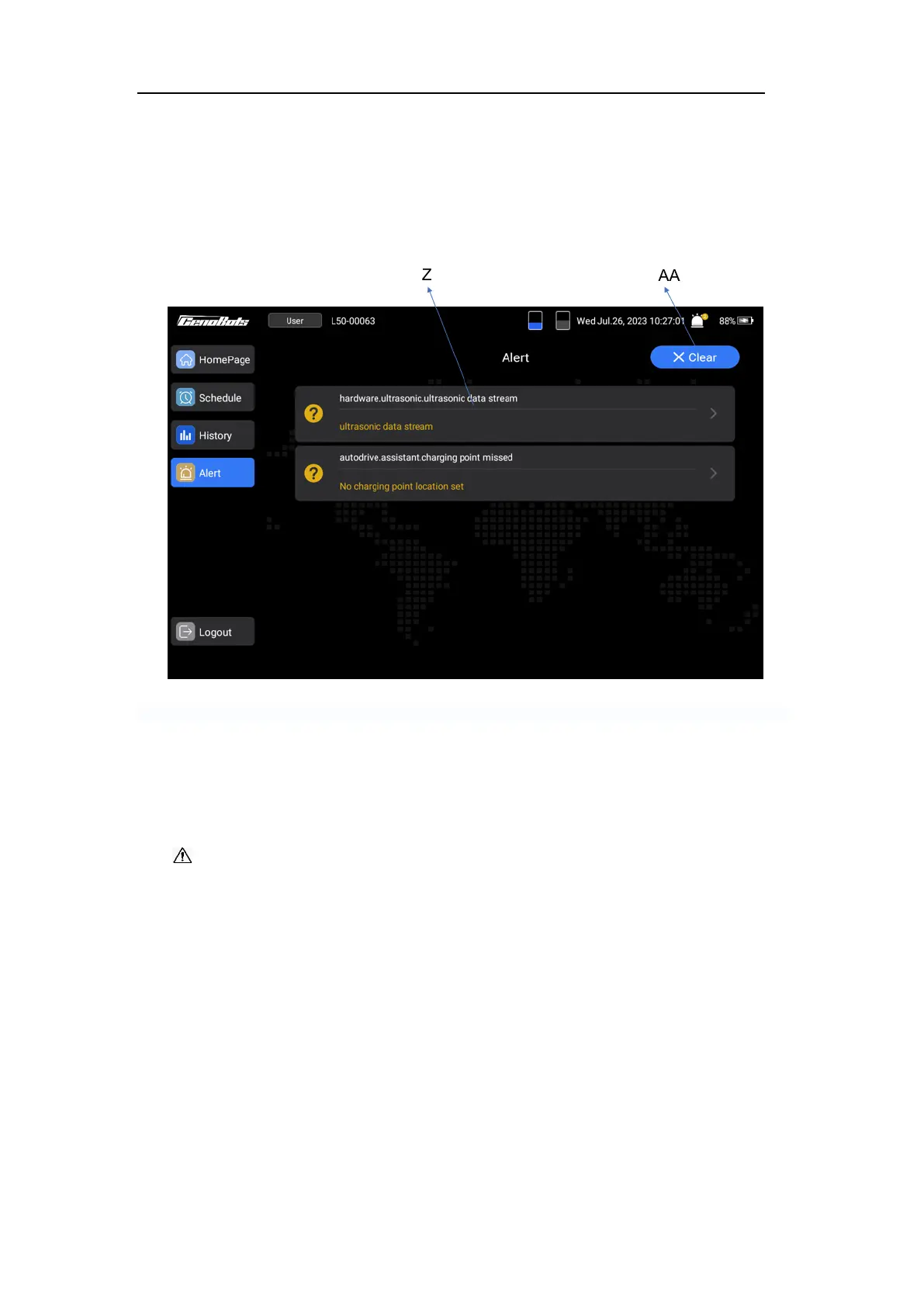
Alert Pag
This page displays the details of the alert, and the “Clear” button is for clearing the
errors.
FIG.9
Z. Area of showing the alert code AA. Clear errors
2. HANDLE (18)
The handle is located at the rear top of the machine, and is used for manually pushing
the machine.
CAUTION: If the machine is in auto mode or the emergency stop button is pressed,
do not push the machine forcefully to avoid the possibility of machine damage.
3. POWER ASSIST BUTTONS (19)
This machine is equipped with two assist buttons. When the operator presses buttons in
the manual mode, the robot gains the power to move. It enables the operator to easily
control the machine and effectively clean the floor.
When both buttons are pressed, the machine will move forward or backward (the
direction can be select on the touch screen). Depressing a single button will initiate a
turning motion for the machine.
Notice: The power assist feature is only effective in manual mode.



 To Next Page