Page. 60 of 87
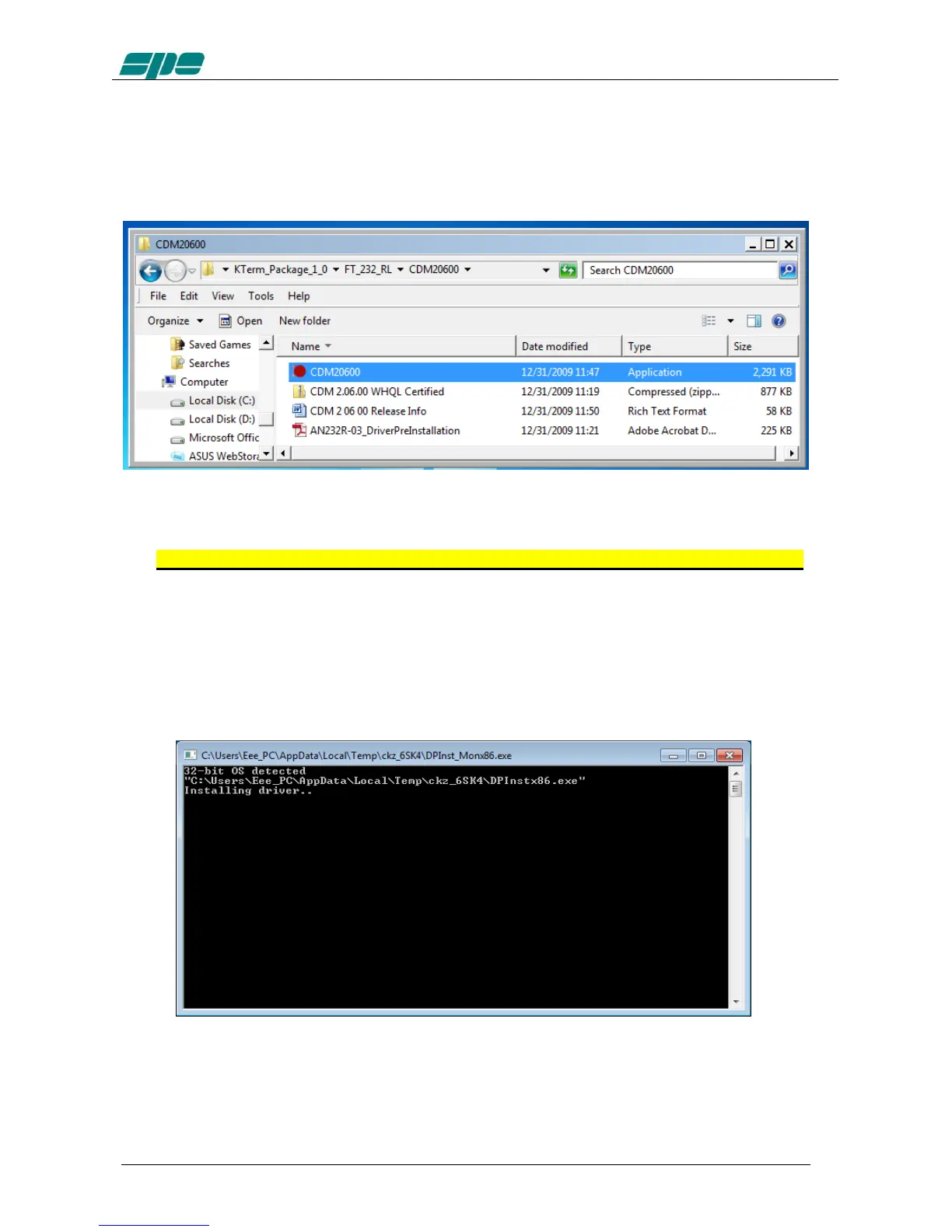
A very important part of the installation procedure is the CDM20600 folder, which
contains among the other files, the CDM20600.exe Windows application as highlighted
in the picture below:
This application has been specially designed for a correct installation of the specific
FTDI USB drivers.
So, remove any physical link between the EXPERT 1.3K-FA and the PC for now.
Then double-click over the “red ball” icon of CDM20600.exe application and wait for its
preparatory job to be completed.
As soon as CDM20600.exe starts running, a DOS window similar to one shown in
following picture will pop-up for several seconds then disappearing after its automatic
preparatory job is completed.
The next step is to connect the PC and the EXPERT 1.3K-FA by using the equipped
USB cable and waiting for the identification of the newly created USB connection.
A notification window will pop-up as shown in the picture below.


 To Next Page