Page. 74 of 87
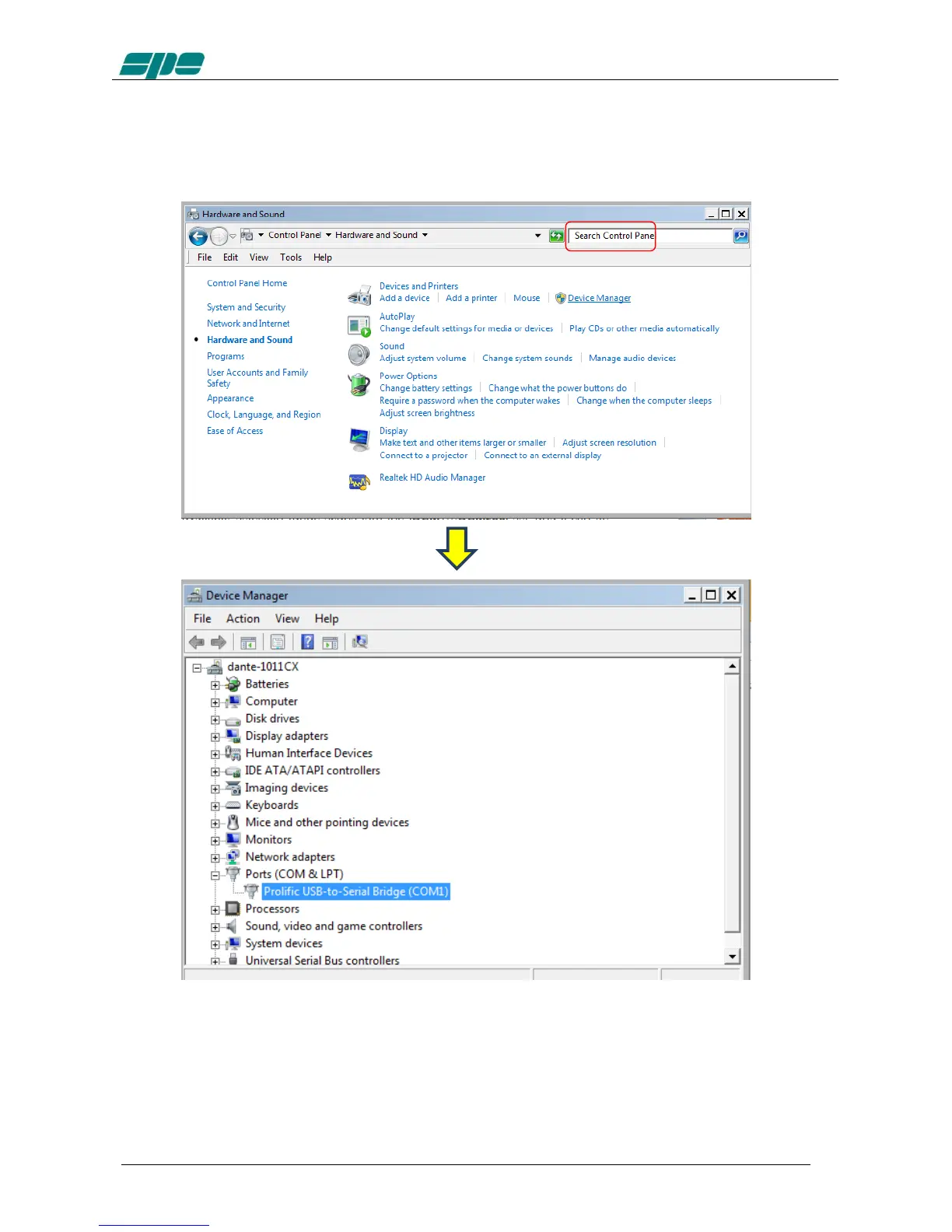
With all your serial resources properly connected, proceed to the Control Panel >>>
Hardware and Sound >>> Device Manager and choose a serial COM listed in the
hardware configuration that is not used by other applications.
In case the USB-to-RS232 serial converters are being used, as shown in the picture
above, please proceed, as explained below, to check all the COM ports polled by the
system.
To check a COM port identifier related to any given adapter, disconnect it from the USB
socket of the PC and detect which COM item disappears from the proposed list after
this configuration change.



 To Next Page