Page. 75 of 87
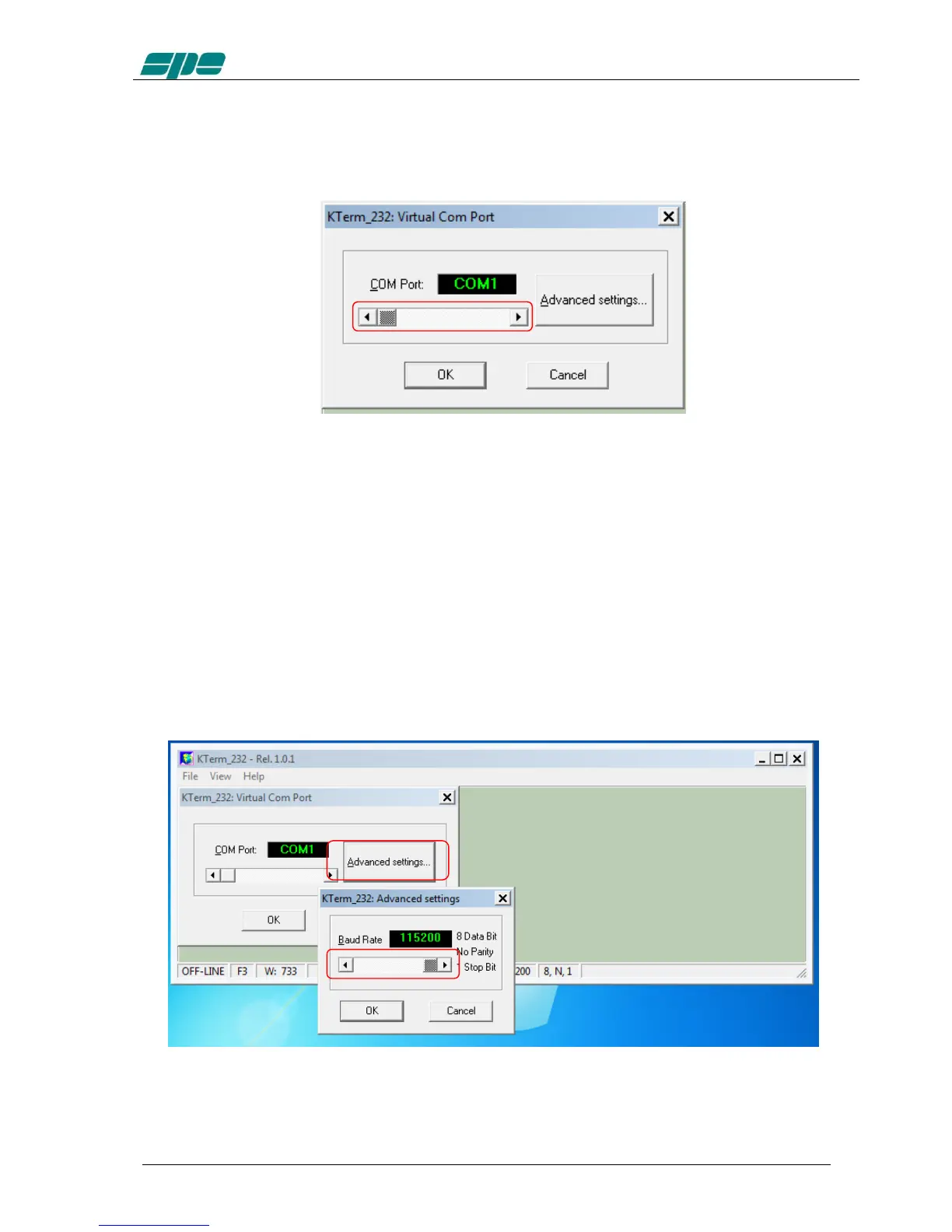
In that case, use the detached COM port ID to properly set the Virtual Com Port dialog
box, as shown in the picture below, and then reconnect the serial adapter so that it can
be accessed by the application...
The available selection range spans thru the [COM1…COM256] set, which can be
accessed using the framed slider-control placed above the OK and CANCEL keys.
After the COM port setting is validated by pressing the OK key, all the other
communication parameters become set as follows:
Baud rate: 115200
Bit per character: 8
Parity check: No
Stop bit: 1
Also, the Baud-rate setting can be changed by pressing the Advanced settings… if
needed.
The Baud rate setting can be selected by using the available slider-control marked in
the picture above:



 To Next Page