INDEX Page. 66 of 92
Once opened, FT_232_RL folder will show the above contents
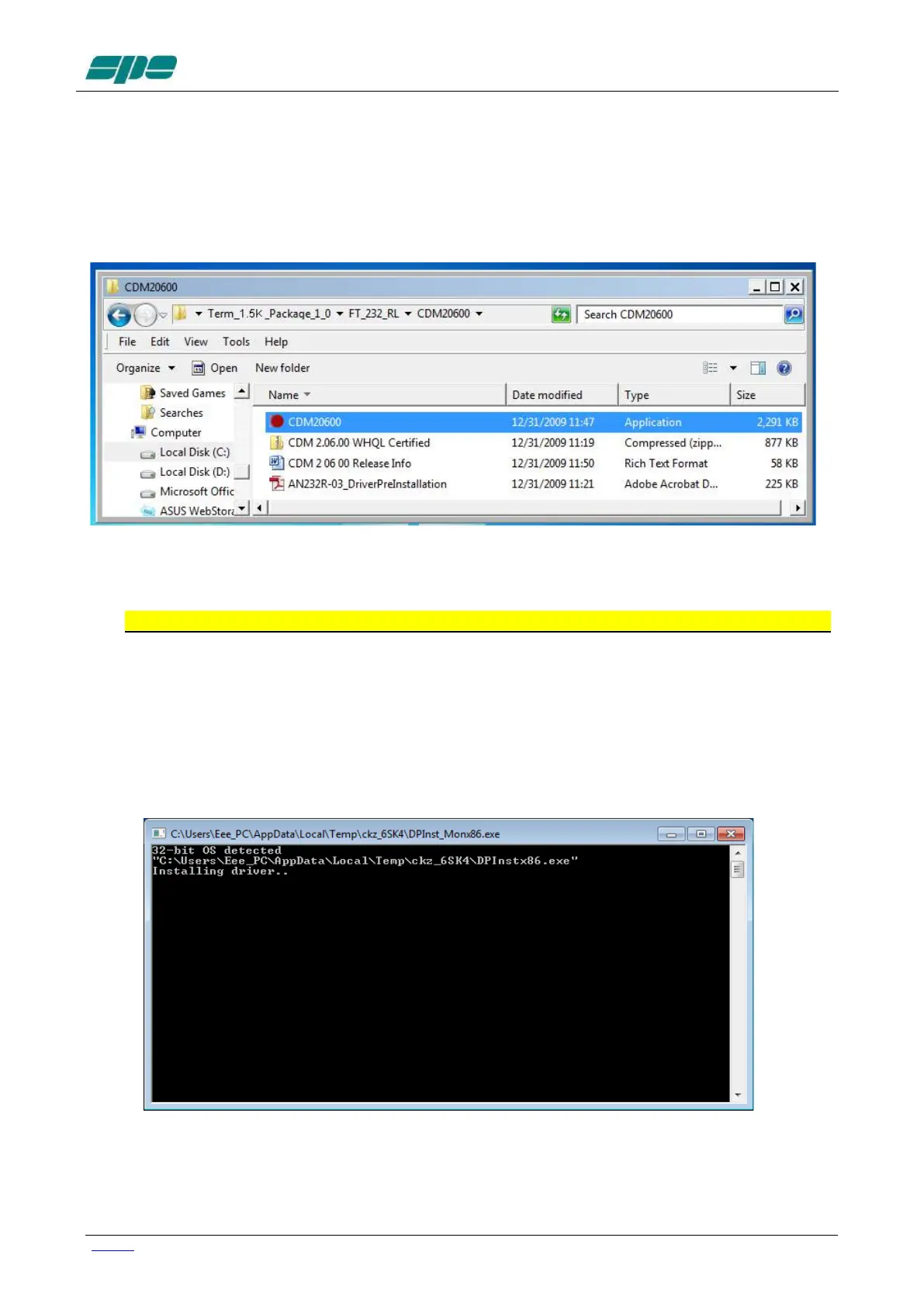
A very important part of the installation procedure is the CDM20600 folder, which contains
among the other files, the CDM20600.exe Windows application as highlighted in the
picture below:
This application has been specially designed for a correct installation of the specific FTDI
USB drivers.
So, remove any physical link between the EXPERT 1.5K-FA and the PC for now.
Then double-click over the “red ball” icon of CDM20600.exe application and wait for its
preparatory job to be completed.
As soon as CDM20600.exe starts running, a DOS window similar to the one shown in the
following picture will pop-up for several seconds then disappearing after its automatic
preparatory job is completed.
The next step is to connect the PC and the EXPERT 1.5K-FA by using the supplied
USB cable and waiting for the identification of the newly created USB connection.



 To Next Page