INDEX Page. 75 of 92
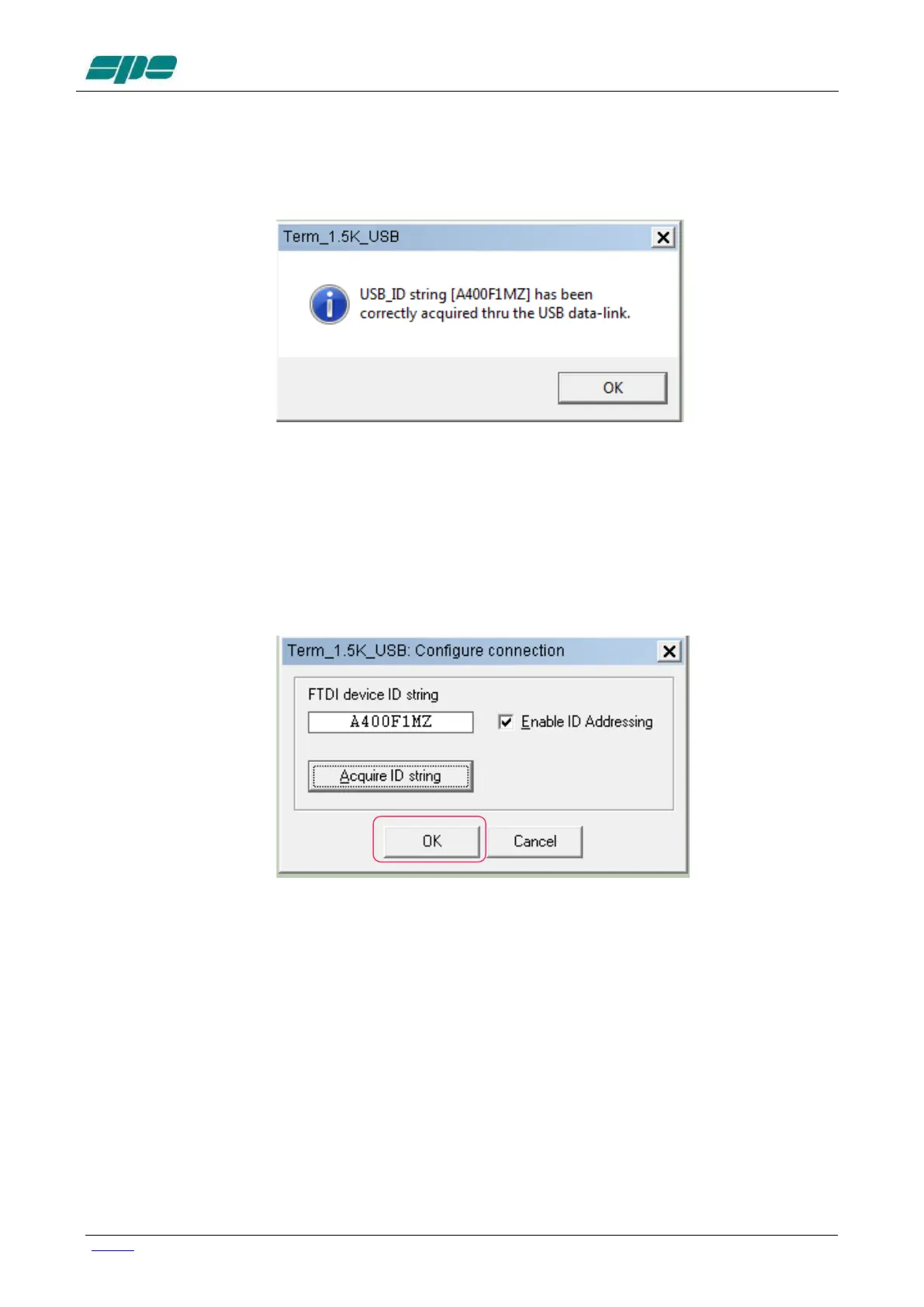
The following pop-up notification message will be displayed when a successful connection
via USB occurs:
The picture above shows the acquisition report of a device that its ID String Property is
A400F1MZ.
As explained earlier, this parameter is unique to any given specific chip, so it doesn’t allow
duplicates among other components from the same manufacture.
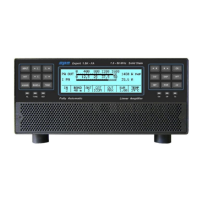
As soon as the notification message is validated, using its OK key, the dialog box
previoulsy popped-up will appear properly filled-in as the following picture shows:
Once the user validates the data acquisition, by pressing the OK key as marked in the
picture above, the Term_1.5K_USB.exe internal database will be properly updated and
as confirmation, the application status bar will be updated, as shown in the following
picture:


 To Next Page