108
4. When DDNS setting is done, click the APPLY button. Otherwise DDNS setting will not be applied.
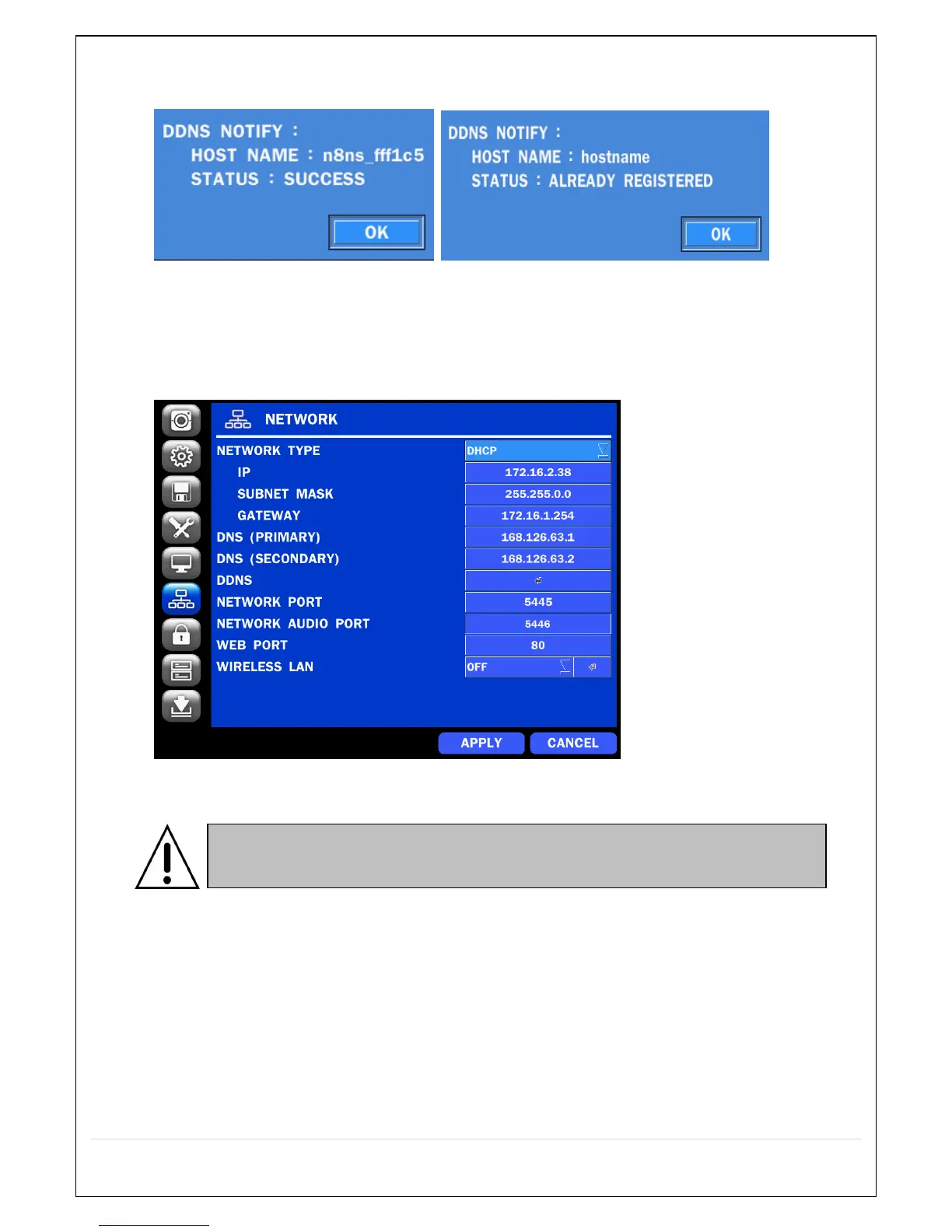
5. When you exit SETUP menu, DDNS NOTIFIY window will pop up.
6. DDNS registration status can be checked from SYSTEM INFORMATION or
SETUP>SYSTEM>DESCRIPTION>DDNS STATUS
7. Check the NETWORK PORT (Default: 5445), WEB PORT (Default: 80), and the IP Address of the
NS from SETUP>NETWORK.
8. Port forward the NETWORK PORT (Default: 5445) and WEB PORT (Default: 80) of the private IP
Address of the NS on the network router.
9. Run the network client software.


 To Next Page