109
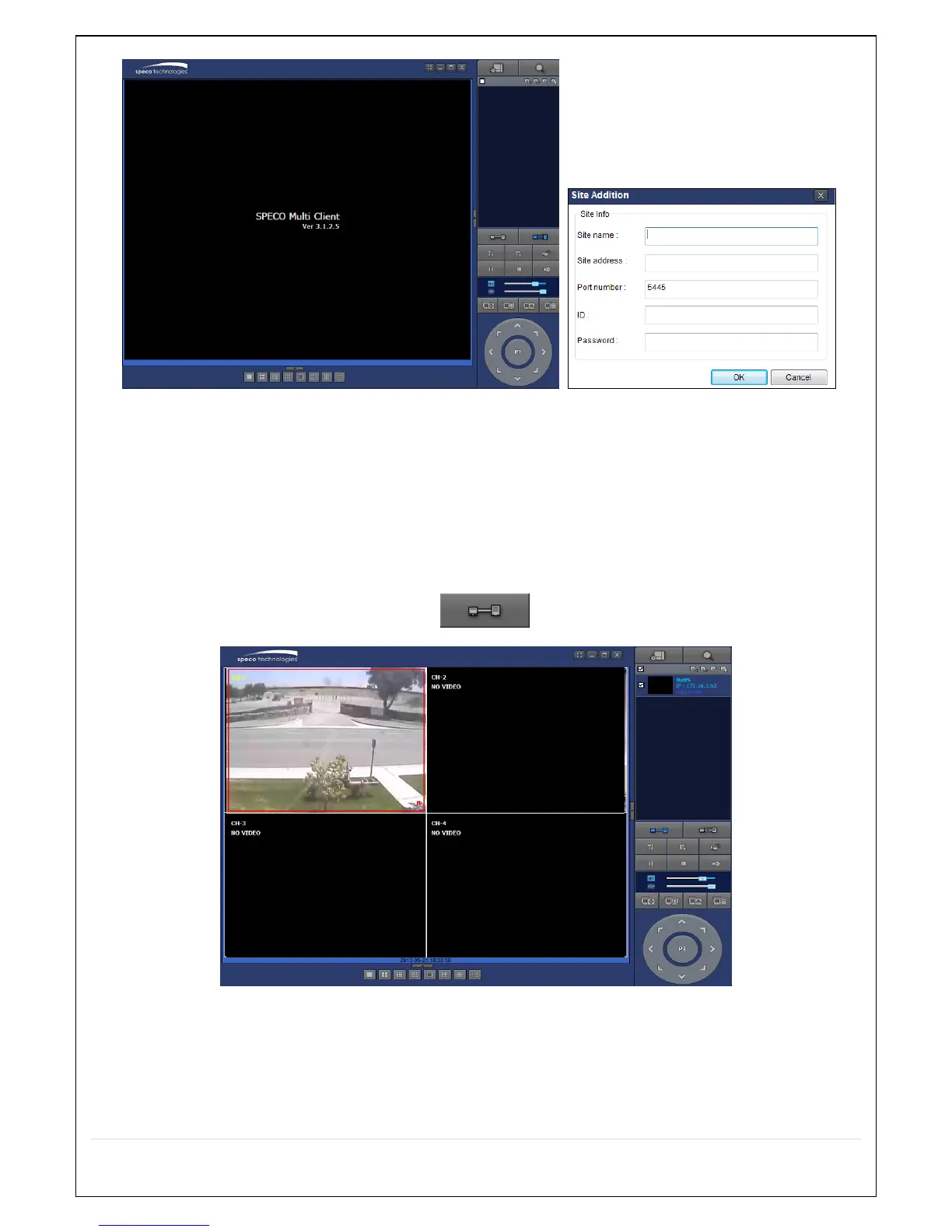
10. Input Site Name, Site Address (IP address), Port No., and Password on the connect window.
Site Name: Input a name that properly describes a site.
IP Address: Domain name or Public IP address of a router that NS is connected.
Port Number: Default Port Number is “5445”.
ID: Input ID of NS. Default ID is “admin”.
Password: Input network password of NS. Default Password is “1111”.
11. And select the OK button. Then, press button after checking the left check box.


 To Next Page