Maintenance
— 30 SPECTROLAB — 30.07.2015
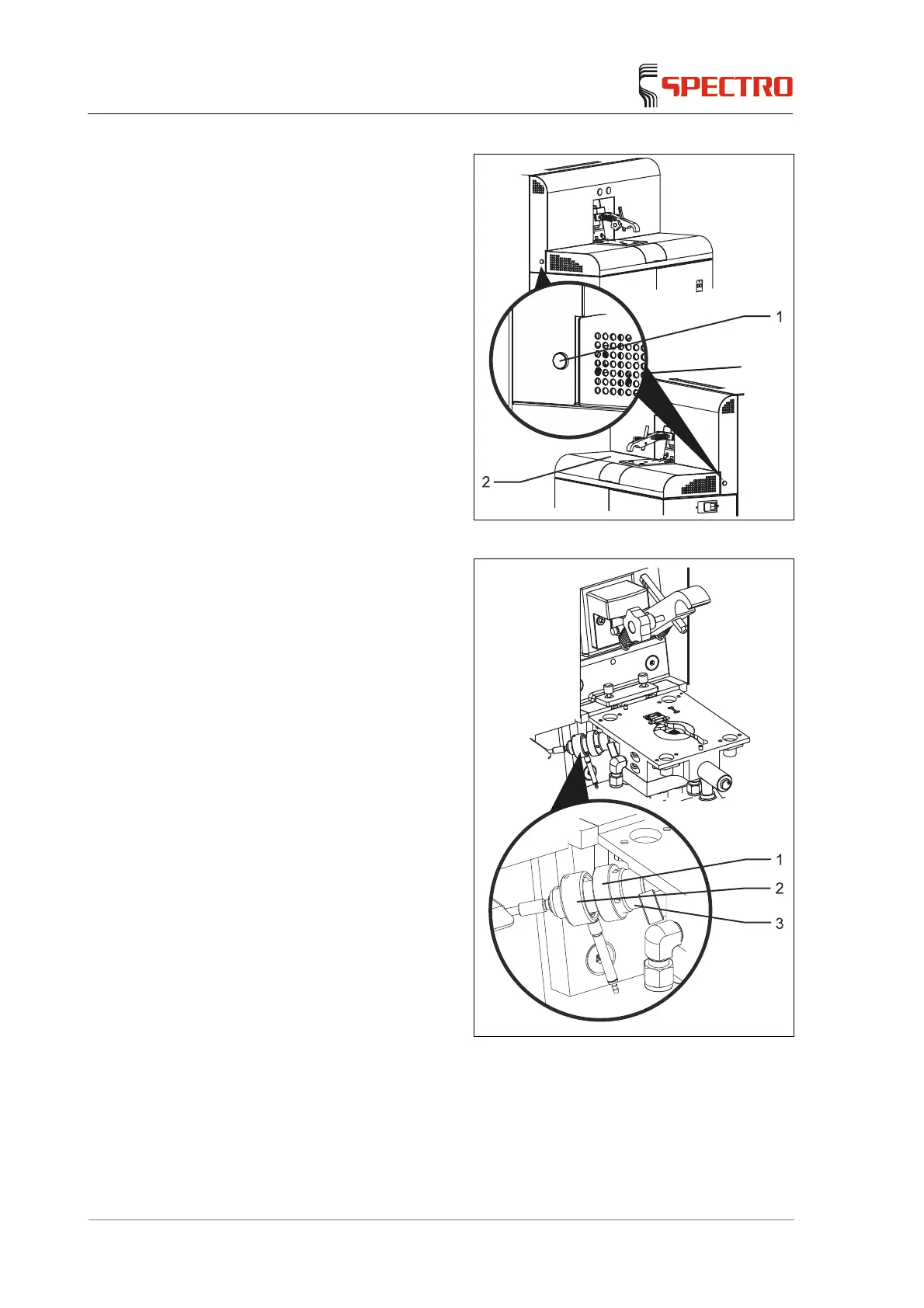
2. Unlock the cover by pressing
buttons (1) simultaneously.
3. Remove the cover (2).
Fig. 8
4. Loosen the union nut (1).
5. Remove the fiber optic holder
(2) from the spark stand.
6. Loosen the window holder (3)
from the spark stand.
The quartz window is
located between the holder
and the O-ring.
Direct contact with the optical
surfaces must be avoided!
7. Use an optical paper or a lint-
free soft cloth to clean the light
entrance window.
8. Reinstall the light inlet window.
Fig. 9
Cleaning of the air optics light inlet window is now complete.



 To Next Page