User Manual l SpeechiTouch SuperGlass+ Interactive Display | HP-006(-C)
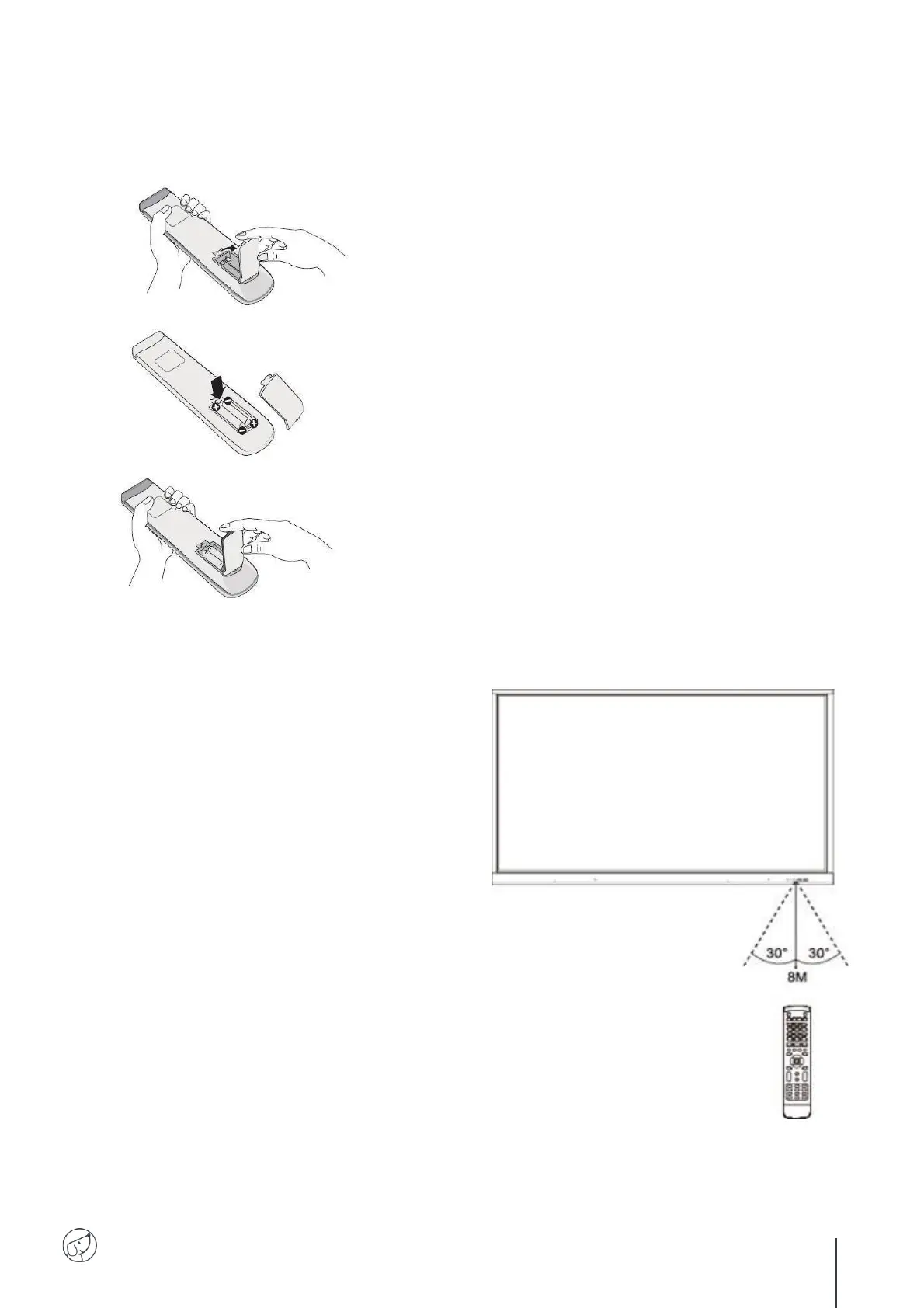
1. Open back cover of battery component on the back of
remote control.
2. Install AAA type battery according to the corresponding
electrode, make sure battery positive and negative pole are
correct (+ to +, - to - ), please do not mix using old and new
batteries.
3. After battery is installed, close the back cover of battery
components, and make the following clip buckled to the
bottom.
Range of remote control
Remote control can work normally within the
range of 8 meters distance, 30 degrees left and
right from the remote-control receiver.
Direct sunlight can interfere with the signal: move
closer to the screen, lower the room brightness or
change the angle of the screen.



 To Next Page