User Manual l SpeechiTouch SuperGlass+ Interactive Display | HP-006(-C)
7.8. Finder
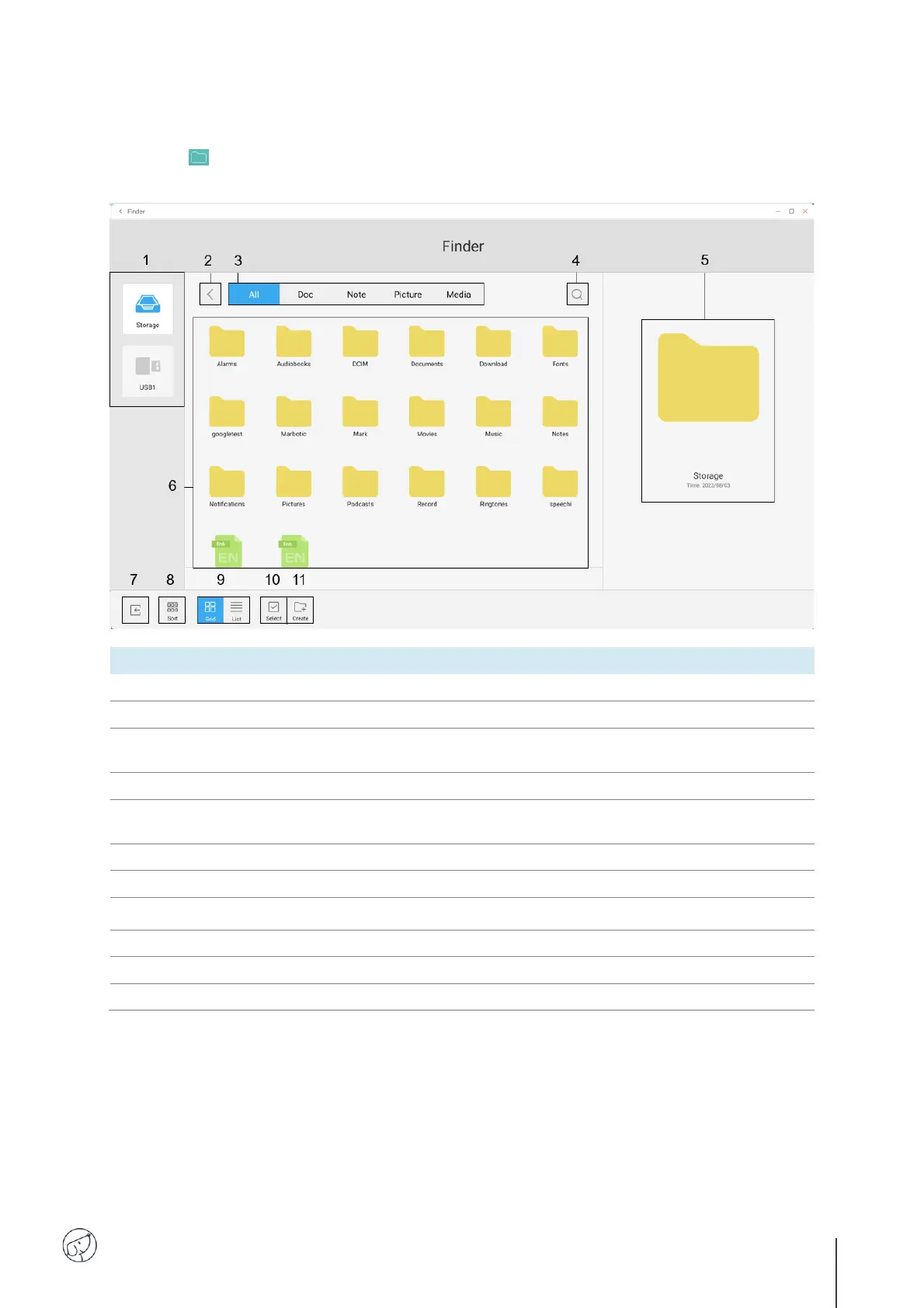
The Finder lets you display, sort and search the various files stored in the system's internal
memory and on external devices (USB, SD card, etc.).
Display the files contained on the selected storage device.
Return to previous folder.
Filter files by type: All, Documents, Note (files saved with Note
application), Image, Media.
Search for a folder or file.
View the file before opening (audio and video files can be played
directly).
Browse folders or a file.
Sort files by name, type, size or creation date.
Select one or more folders / files for grouped actions.
Each file type must be opened with a specific application, which you can define either each time it is
opened ("Once only") or permanently ("Always").



 To Next Page