EasyManua.ls Logo

Speechi SuperGlass+ - Installing the Display; Unpacking the Display

Speechi SuperGlass+
37 pages
Print Icon
To Next Page IconTo Next Page
To Previous Page IconTo Previous Page
Loading...
© Speechi (08/29/2023)
User Manual l SpeechiTouch SuperGlass+ Interactive Display | HP-006(-C)
5
2. Installing the display
2.1. Unpacking the display
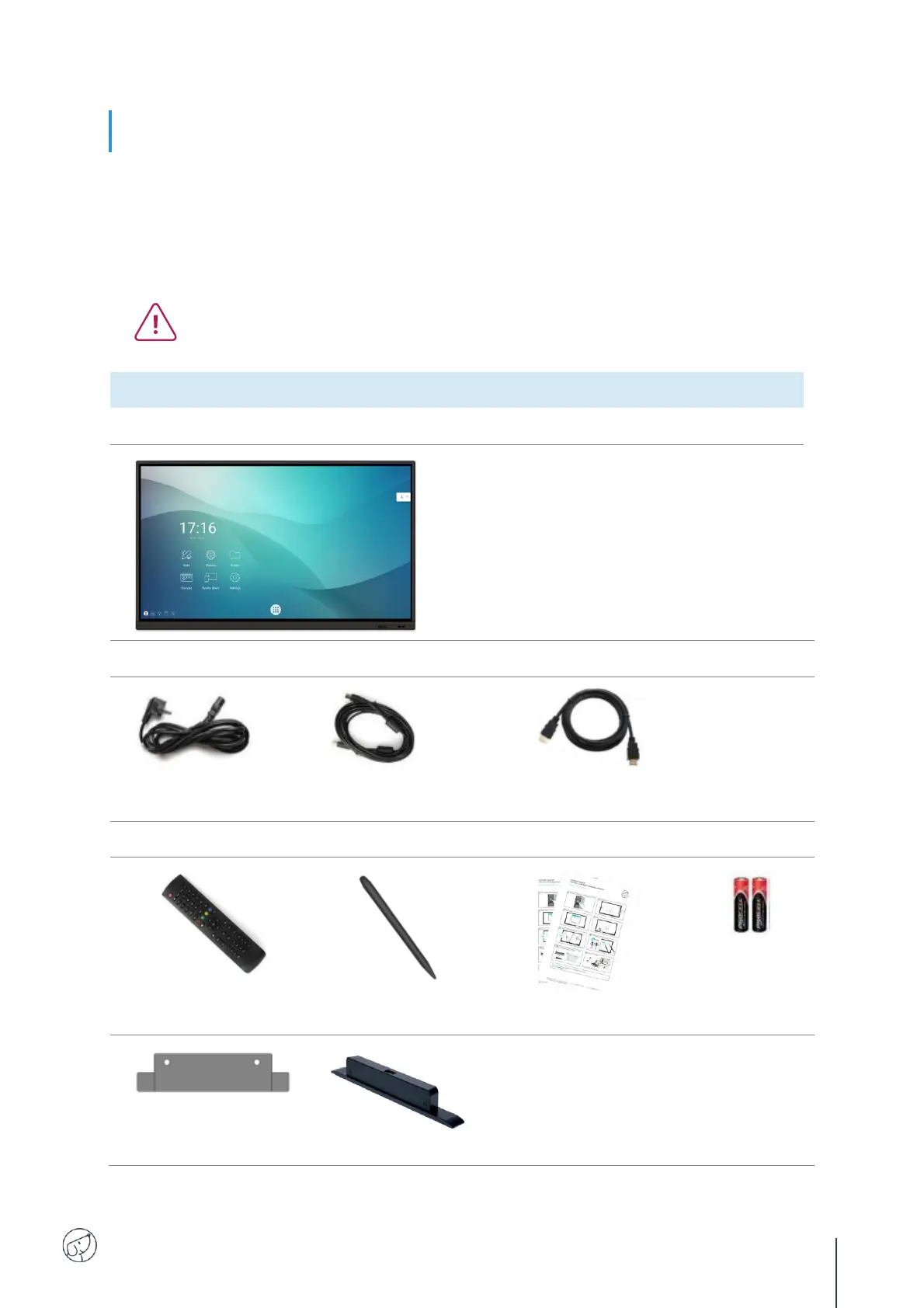
Unpack the display completely, checking that all the contents listed below are present. If anything is
missing, please contact your dealer as soon as possible.
Remember to check that you've taken everything out of its packaging before disposing
of it. Remember to sort your packaging, and in particular to recycle cardboard. You can
also keep the packaging in case you need to transport the screen.
PACK CONTENTS :
SpeechiTouch interactive Display
Power Cable (3m) x1
USB Touch Type A-B
Cable (3m) x1
HDMI Cable (3m) x1
Others
Remote Control x1
Stylus x2
(differentiated tips)
QSG x 1 (FR-EN-DE)
Batteries
AAA/LR3
x2
Camera support
plate adapter
Optional : WiFi module

Related product manuals