EasyManua.ls Logo

Speechi SuperGlass+ - Remote Control

Speechi SuperGlass+
37 pages
Print Icon
To Next Page IconTo Next Page
To Previous Page IconTo Previous Page
Loading...
© Speechi (08/29/2023)
User Manual l SpeechiTouch SuperGlass+ Interactive Display | HP-006(-C)
9
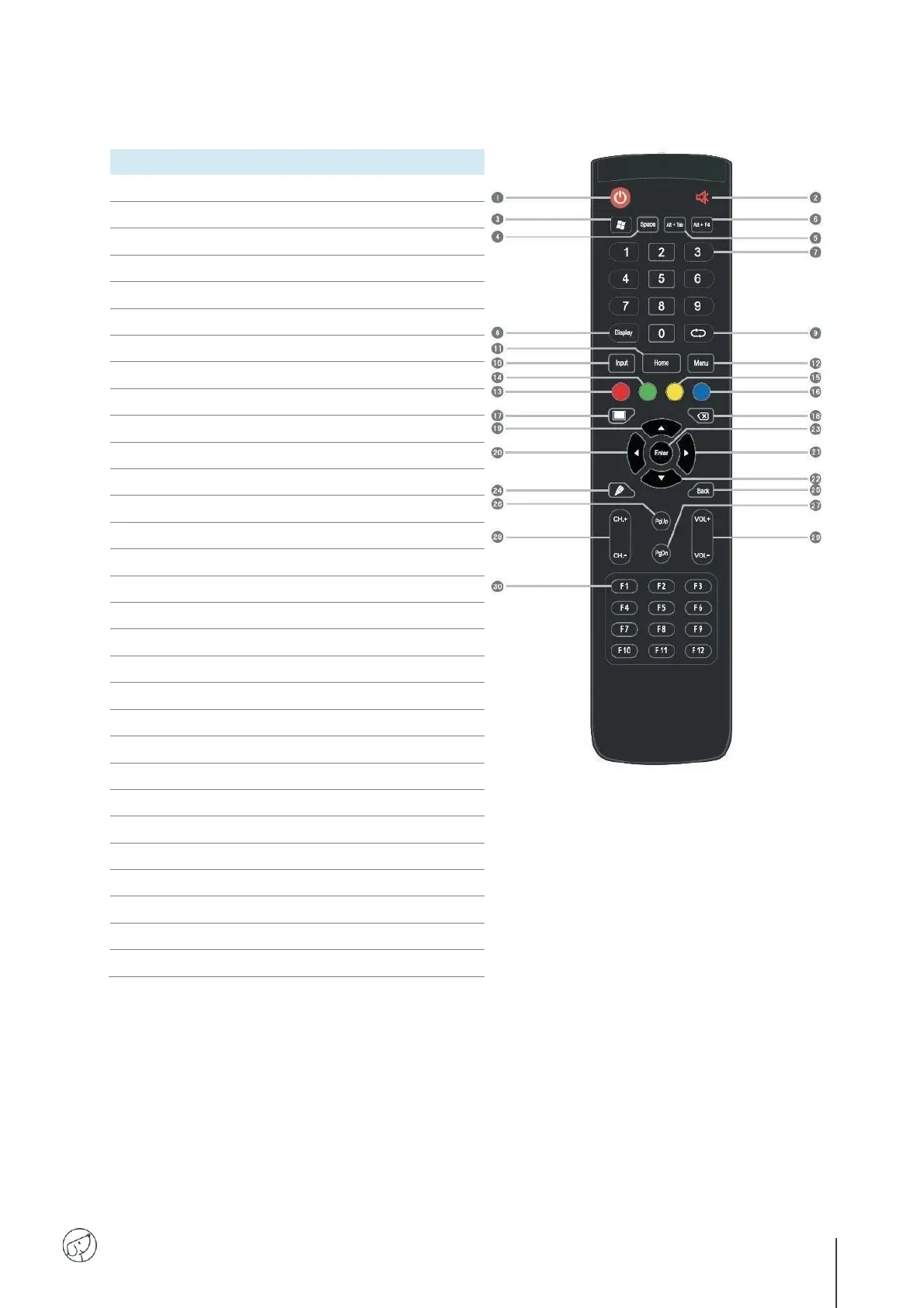
3.3. Remote control
BUTTON
FUNCTION(S)
1
Power on/off
2
Enter or exit mute mode
3
PC's Windows key
4
PC's Space key
5
PC's Alt+Tab key
6
PC's Alt+F4 key
7
Numeric input
8
Display channel information
9
TV channels back button
10
Pop up settings menu
11
Return to Android system main screen
12
Pop up menu
13
Enable or disable keys and Touch
14
Enable or disable keys
15
Enable or disable Touch
16
Pop out or close the screen freezing tools
17
Turn off or turn on the screen backlight
18
PC's Backspace
19
Scroll Up
20
Scroll Left
21
Scroll Right
22
Scroll Down
23
Confirm selection state
24
Quickly start writing software
25
Return to the last operating interface
26
Page Up
27
Page Down
28
Change channel
29
Increase/reduce the volume
30
PC's F1 - F12 function keys

Related product manuals