EasyManua.ls Logo

Speechi SuperGlass+ - Note; Main Toolbars

Speechi SuperGlass+
37 pages
Print Icon
To Next Page IconTo Next Page
To Previous Page IconTo Previous Page
Loading...
© Speechi (08/29/2023)
User Manual l SpeechiTouch SuperGlass+ Interactive Display | HP-006(-C)
26
7.1. Note
Note is a whiteboard application. You can also create a presentation with several pages, such as
slides.
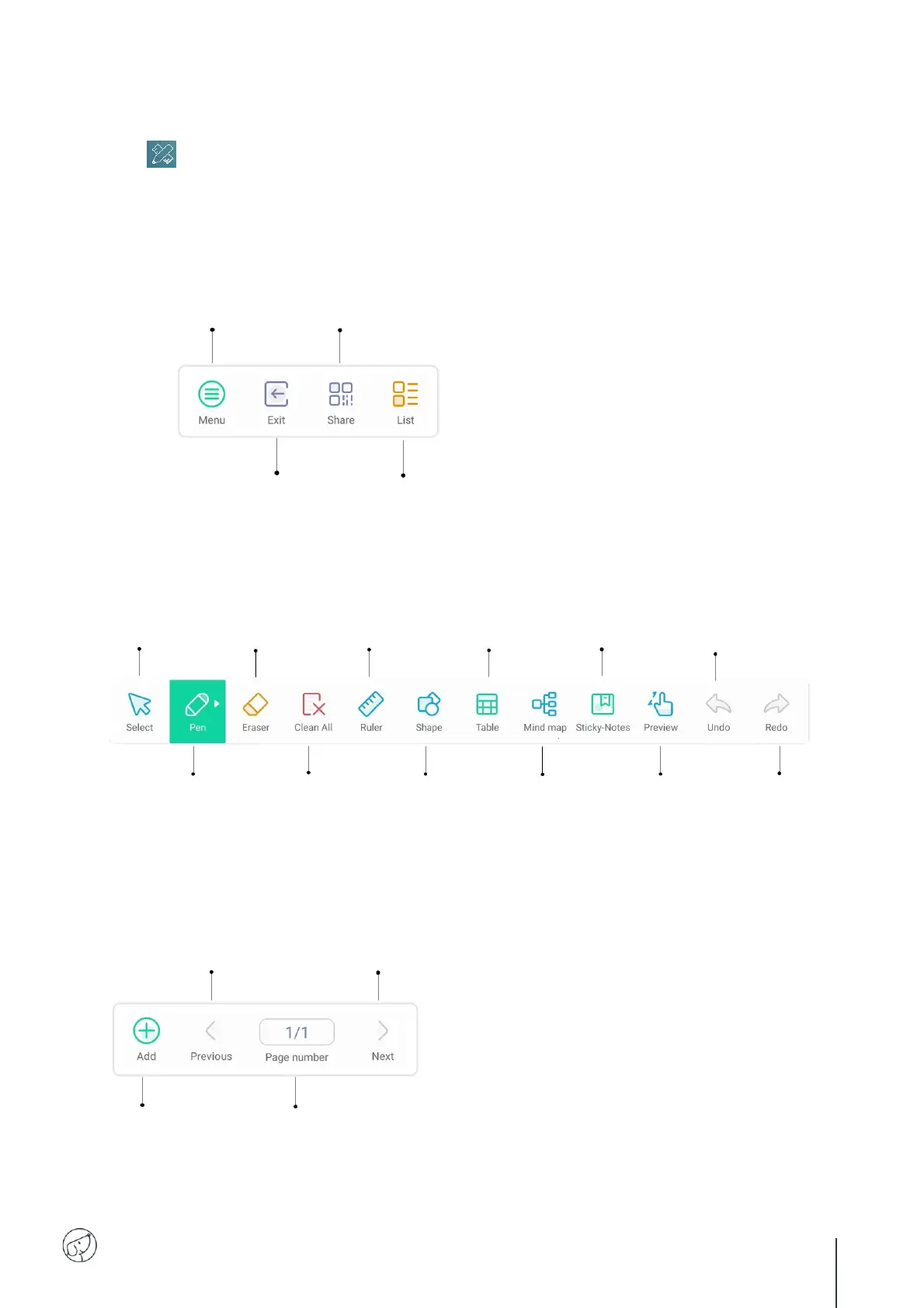
7.2. Main toolbars
Go to submenu
(voir « 7.3. The menu in detail »).
Share your Note document via QR Code.
Launch your smartphone's camera and position it in front of the QR Code.
Consult your document by clicking on the web link.
Exit application.
Display list of existing
Note documents.
Select or move
created object:
shape, annotation…
See next page.
Annotate page.
Hold down to select stroke
type, thickness and color
(see next page).
Delete certain
elements or zones.
Long press to adjust
rubber thickness.
Clean
all annotations.
Use geometry
tools. See next
page.
Create a shape.
Press and hold to
define shape type,
line thickness
thickness, color
Insert a table.
Its cells adapt to the
written content.
Create a color
note.
Create a
mindmap.
Preview and move
around the entire page.
Press and hold for quick
navigation.
Undo previous
action.
Restore
undone action.
Create
a new page.
Show
all pages created.
Go to
previous page.
Go to
next page.

Related product manuals