User Manual l SpeechiTouch SuperGlass+ Interactive Display | HP-006(-C)
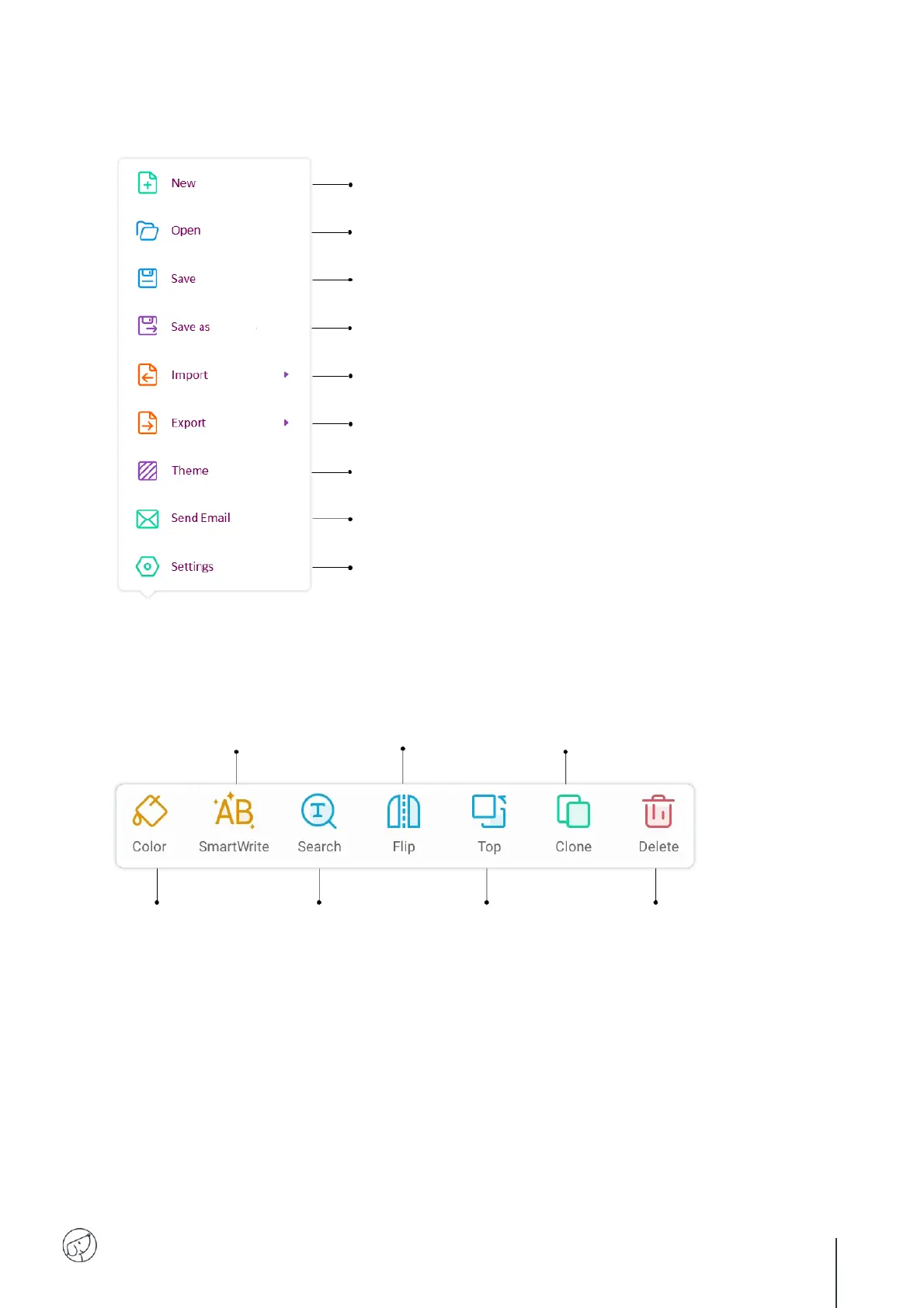
7.3. The menu in detail
7.4. The selection tool in detail
Open an existing document.
Save the current document.
Save the current document under another name.
Import a document from your desktop or a device (IMG, PDF, SVG, IWB).
Export your Note document in IMG, PDF, SVG, IWB format.
Send Note document by email.
Change the type of eraser offered in Note.
Enable or disable multitouch writing.
Switch brightness to automatic adjustment.
Change the color of
the selected element.
Handwriting recognition tool
to transform written text into typed text.
Perform a web search
on the selected
element.
Change the orientation of
the selected element.
Place the selected
element above another
element.
Duplicate the selected element.
Delete the selected element.



 To Next Page