that five Languages are available, English,
German, Spanish, French, and Italian.
System Settings li!5I
User Name: John Adams
Contrast: 17 Mode: 2 Region:
US-247 Language: English I
Ihekt
Rotate the roller to select the desired
Language. When the desired Language is
selected, press the roller to accept that
Language.
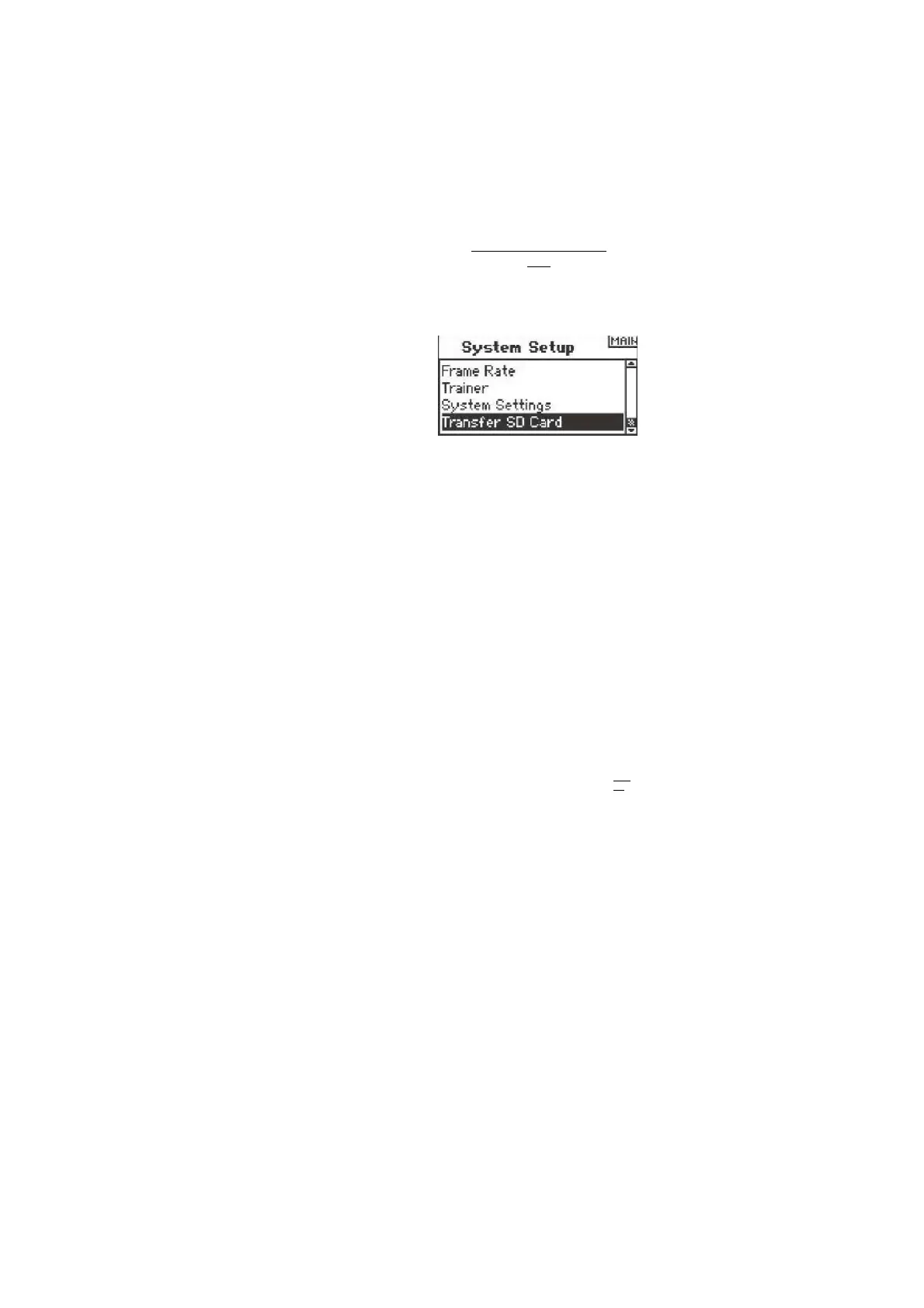
Rotate the roller to highlight Transfer SD
Card then press. The following screen
appears:
SD
Card
Men
u
Options: Select Option Status:
Ready Folder: /
If not already done, insert an SD card in the
SD card slot on the left side of the
transmitter with the label facing forward.
The screen should now read Status Ready.
To import a model or all models on the SD
card, select Import Model or Import All
Models then press the roller. Now select the
specific model and press the roller or press
Import to import all model memories. Use
the same procedure to export a model or to
export all models by selecting these other
options.
IBFL
CH
Expo
rt to
SD
N
a
m
e
:
M
d
l
Q
1
-
H
e
l
i
S
a
v
e
T
o
:
0
1
M
D
L
0
1
-
.
S
P
M
CANCEL
TRANSFER SD CARD
The SD Card allows the following:
•Importing (copying) a single model from one DX8 to another
•Importing (copying) all models from one DX8 to another.
•Exporting (transferring) a single model to another DX8
12
SPEKTRUM DX8 • RADIO INSTRUCTION MANUAL



 To Next Page