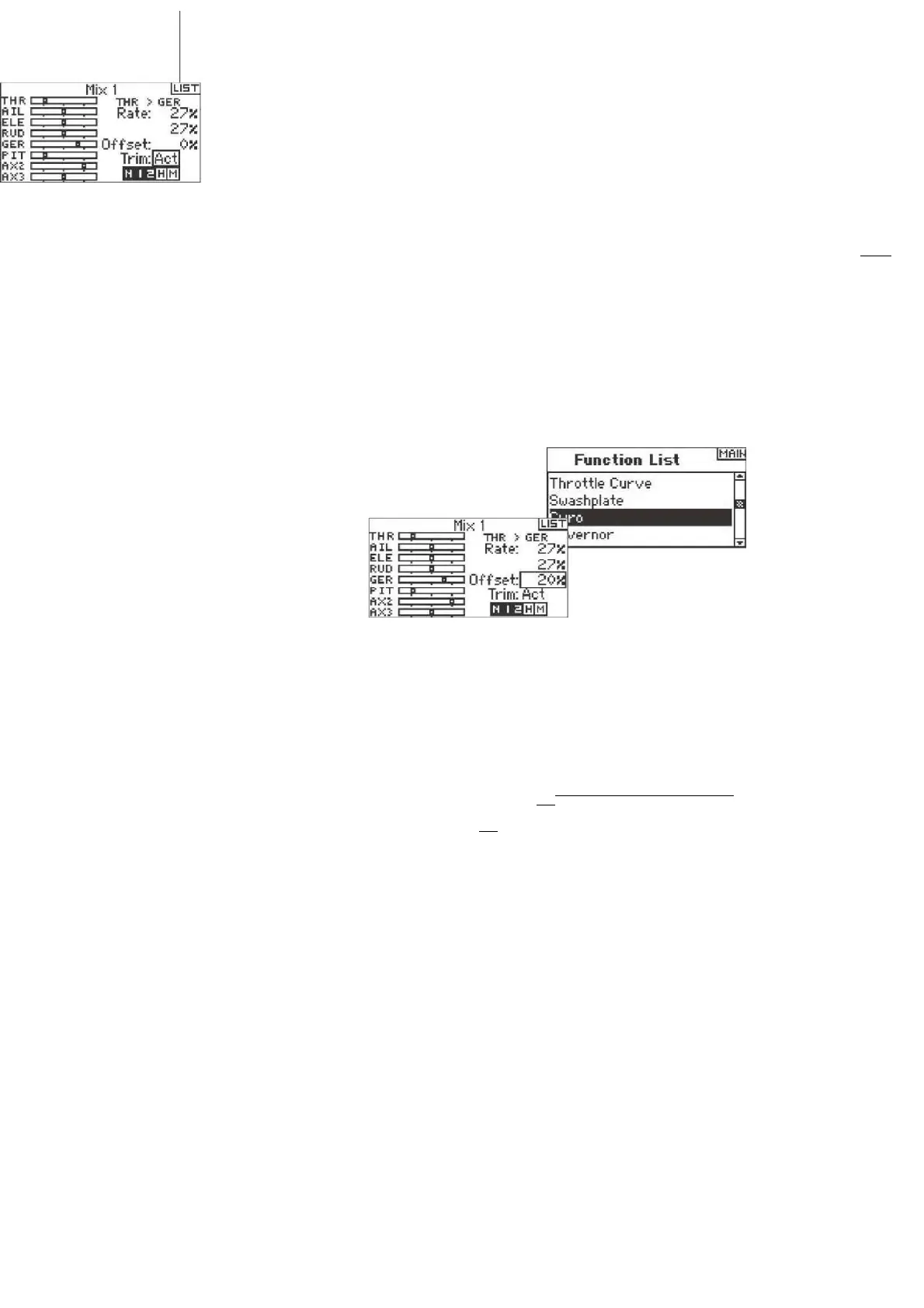
Move the programmed master channel while observing the slave channel. The slave channel should move accordingly.
Rotate the roller to highlight Offset then press.
Rotate the roller to adjust the value. Positive + and
negative - values shift the offset in either direction.
Press the roller to accept.
Trim Include
The trim include function applies trim to the slave
channel when the selected
Rotate the roller to highlight Gyro then press to access
that screen.
Gyro
ILI5T
Inhibit
master channel has trim (throttle, aileron, elevator and rudder). Typically this is used when more than
one channel operates a primary control surface (dual aileron servos, etc.) With trim include activated,
the master channel's trim affects the slave channel's trim as well.
To Select a Switch
The Gyro function defaults to Inhibit. To activate the Gyro function, highlight Inhibit, then press the
roller to access the switch function. Rotate the roller to access the desired gyro control switch.
Mix 1
LI5T
THR > GEE
Rate: 27* I 2/
Offset: OK
THFC C
FTIL C
ELE 1=
RUD C
GEF. IZ
PIT C flXJ
c
Trim: Inh
M I 2012
GYRO
Offset
The Offset function establishes the point
at which the two mix rates converge.
Typically, this rate is center or 0%. If an
offset is needed (normally not in a
helicopter), do the following.
Programming an Offset
Use the Gyro function to program and
adjust gyro gain. You can program up to
four gyro gain values to be selected from
a variety of switches including the flight
mode switch. You can adjust
gyro gain values in .5% increments
allowing for precise gain adjustments.
Also, you can program the channel the
gyro gain is controlling. The DX8 displays
gyro gain values as N for Normal gain
and a T for tail lock (heading hold). The
percentage values are the true gain
values in



 To Next Page