IP Video Intercom Paging Console User Manual
36
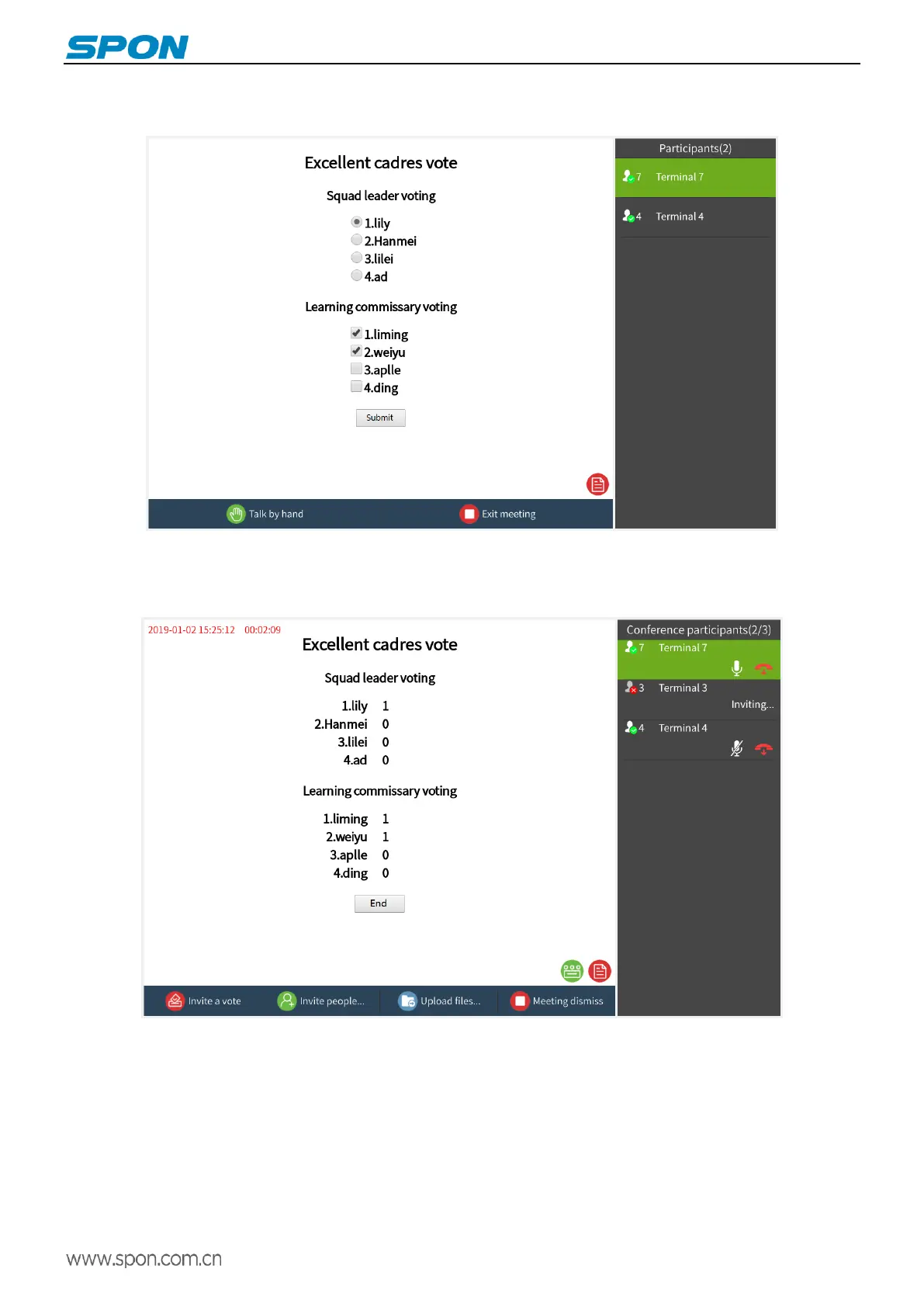
③Conference participants can select the corresponding option directly on the screen and press the “Submit” button to
complete the voting.
④After the conference participants submit the vote, the host's voting interface can directly display the number of votes.
Press "End Vote" to end the vote. At the same time, the voting results can be viewed in the service software.
(3)Video Roll-call
Synchronous roll call confirmation of sound and screen for multiple terminals. The operation is as follows:
Create a conference: press the “ Video Roll-call ” button to create a video conference for roll call. After the conference
is created successfully, click the "Invite people" button, check the target terminal or partition on the terminal / partition
list interface, press the “OK” button to confirm.



 To Next Page