IP Video Intercom Paging Console User Manual
35
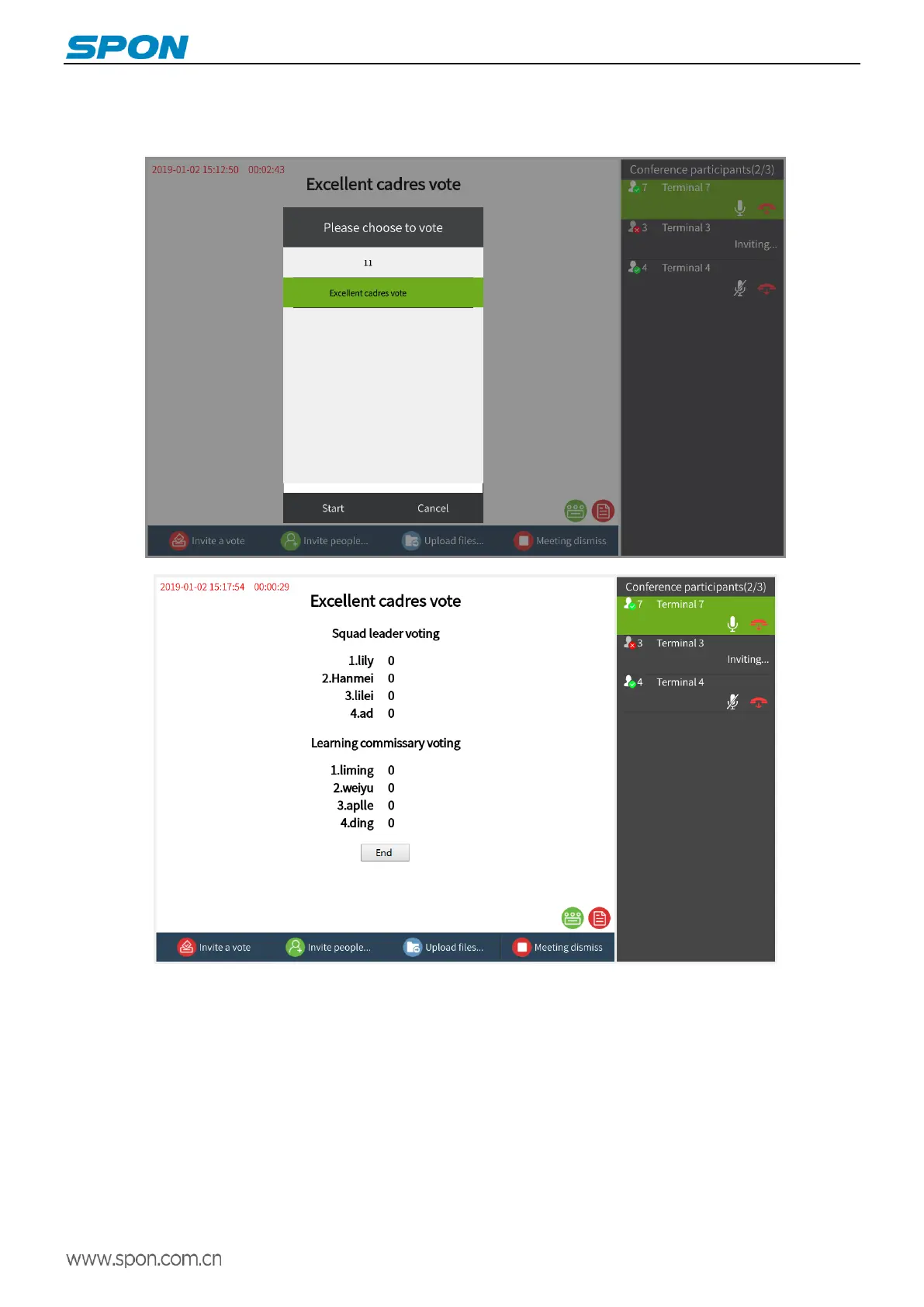
②After the voting is created, during the conference, the host clicks the “Initiate Voting” button in the lower left corner, and the
voting option created by the service software will pop up, select the corresponding voting, and press “Start voting”, the
conference participants will receive the conference voting initiated by the host.



 To Next Page