IP Video Intercom Paging Console User Manual
34
3)Initiate voting
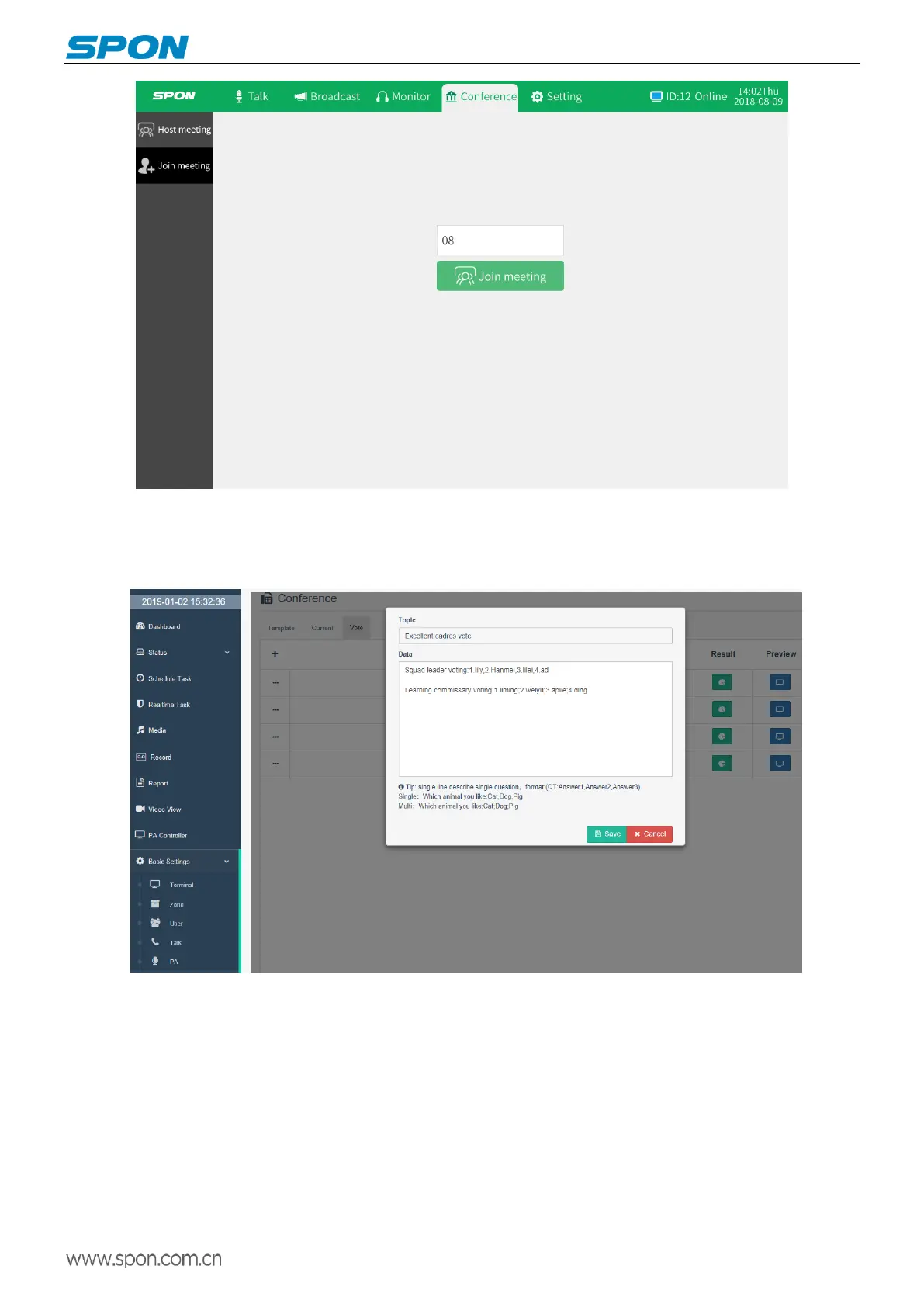
①To create a vote,【Basic Settings】-【Conference Settings】in the server,select“Voting Management”and press “+”button
to create a vote.
Voting theme: the title of the vote.
Voting content: each line represents a voting topic, the format requirements are (vote title: answer 1, answer 2, answer 3...),
the voting options are separated by commas, and the multiple choices are separated by semicolons. Note: punctuation
marks in the voting content must be entered in English.



 To Next Page