Step 4. Y
ou can upgrade the firmware by following the steps below:
Step 4a. Open STM32CubeProgrammer.
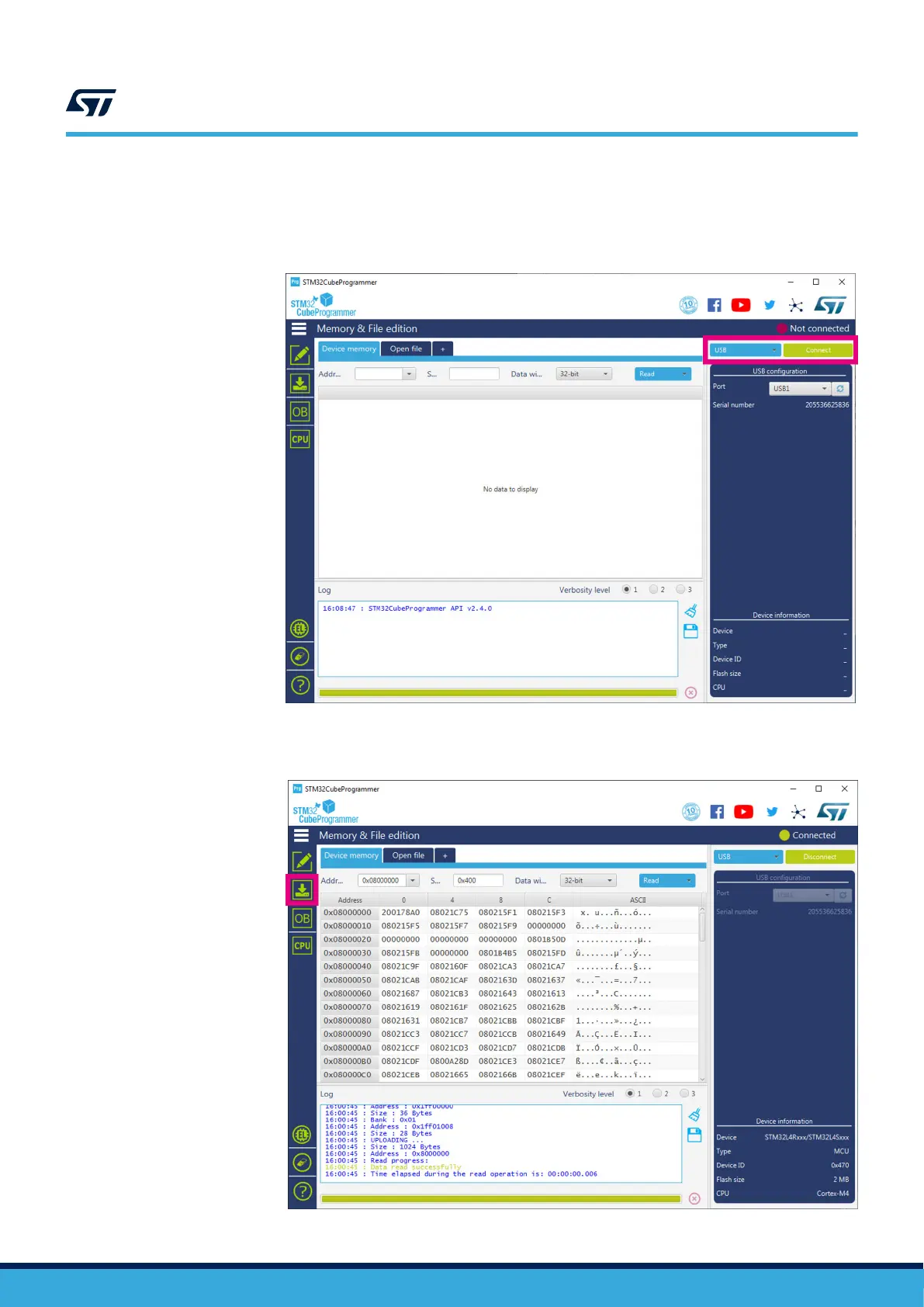
Step 4b. Select [USB] on the top-right corner.
Figure 26. STM32CubeProgrammer - USB mode selection
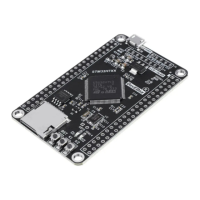
Step 4c. Click on
[Connect].
Figure 27. STM32CubeProgrammer - connection
UM2965
How to program the STWIN.box in “USB mode”
UM2965 - Rev 1
page 29/58


 To Next Page