DocID16139 Rev 5 29/42
AN3029 Setting up the STM8 development environment
41
10.2 Using the tools
Once the tools installation is complete, the ST Visual Develop (STVD) integrated
development environment can be launched.
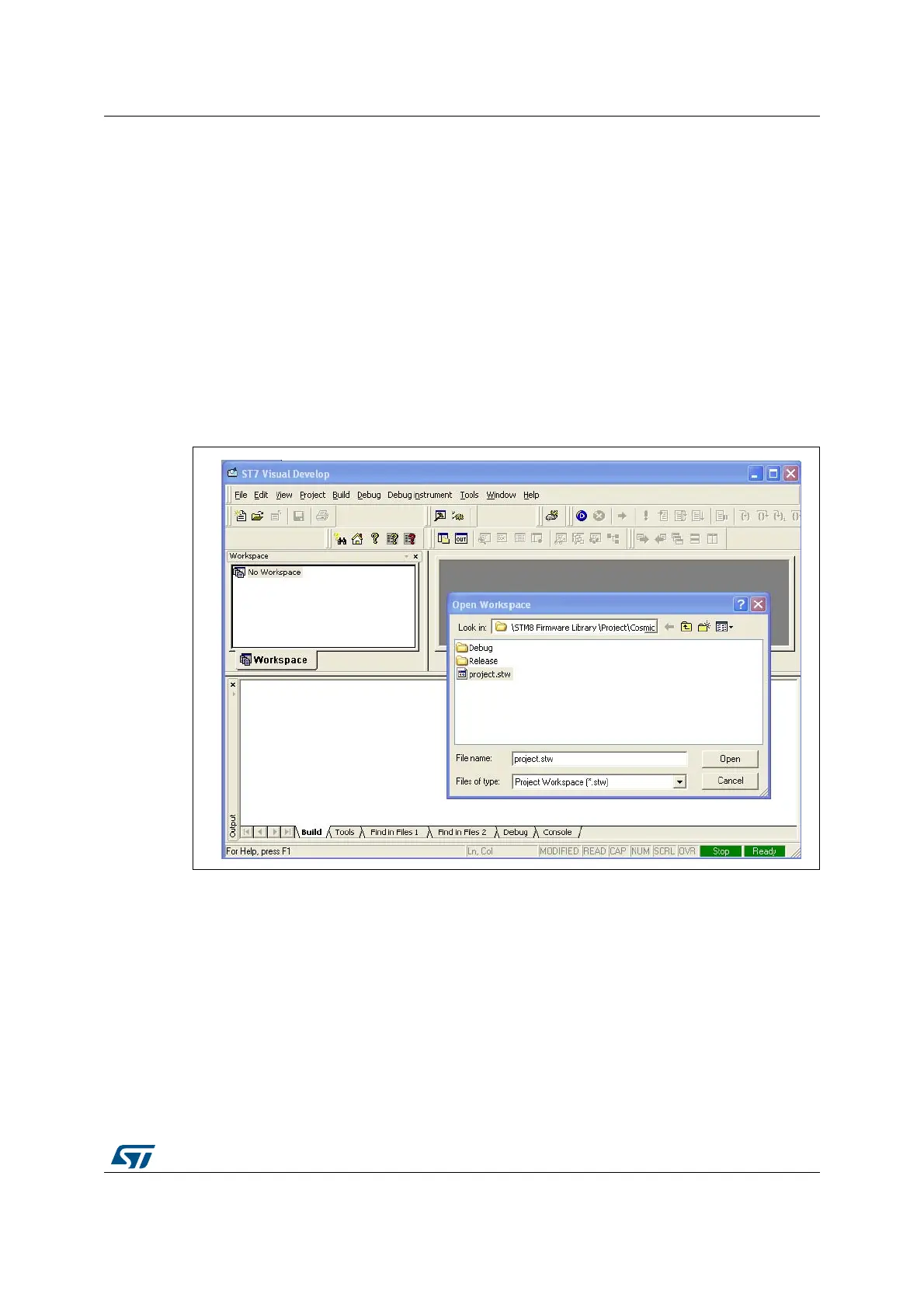
The user then has the choice to generate either a new workspace with a new project or to
open an existing workspace. If using the STVD for the first time, it is recommended to open
an existing project from the STM8 firmware library.
Note: Even if you are not intending to use the library, an existing library project can be used as a
template to configure all the compiler options. Enter your own code after main().
The STM8 firmware library includes several examples for each peripheral plus one
workspace containing a blank project which is ready to receive your C code. It is located in
the firmware subdirectory \Project\Template (see
Figure 17). You can choose between
STVD\Cosmic, STVD\Raisonance, RIDE, or EWSTM8.
Figure 17. STVD open example workspace


 To Next Page