Setting up the STM8 development environment AN3029
32/42 DocID16139 Rev 5
10.3 Running the demonstration software
• Go to www.st.com/mcu and search for STM8L/STM8AL products
• Choose STM8L1x-EVAL, STM8L1526-EVAL, or STM8L1528-EVAL
firmware
• Open the desired project workspace within the chosen demonstration firmware
package.
To run the demonstration software on the STM8 evaluation board, the project has to be
compiled and the correct HW tool must be selected before the debug session can be
started.
10.3.1 Compiling the project
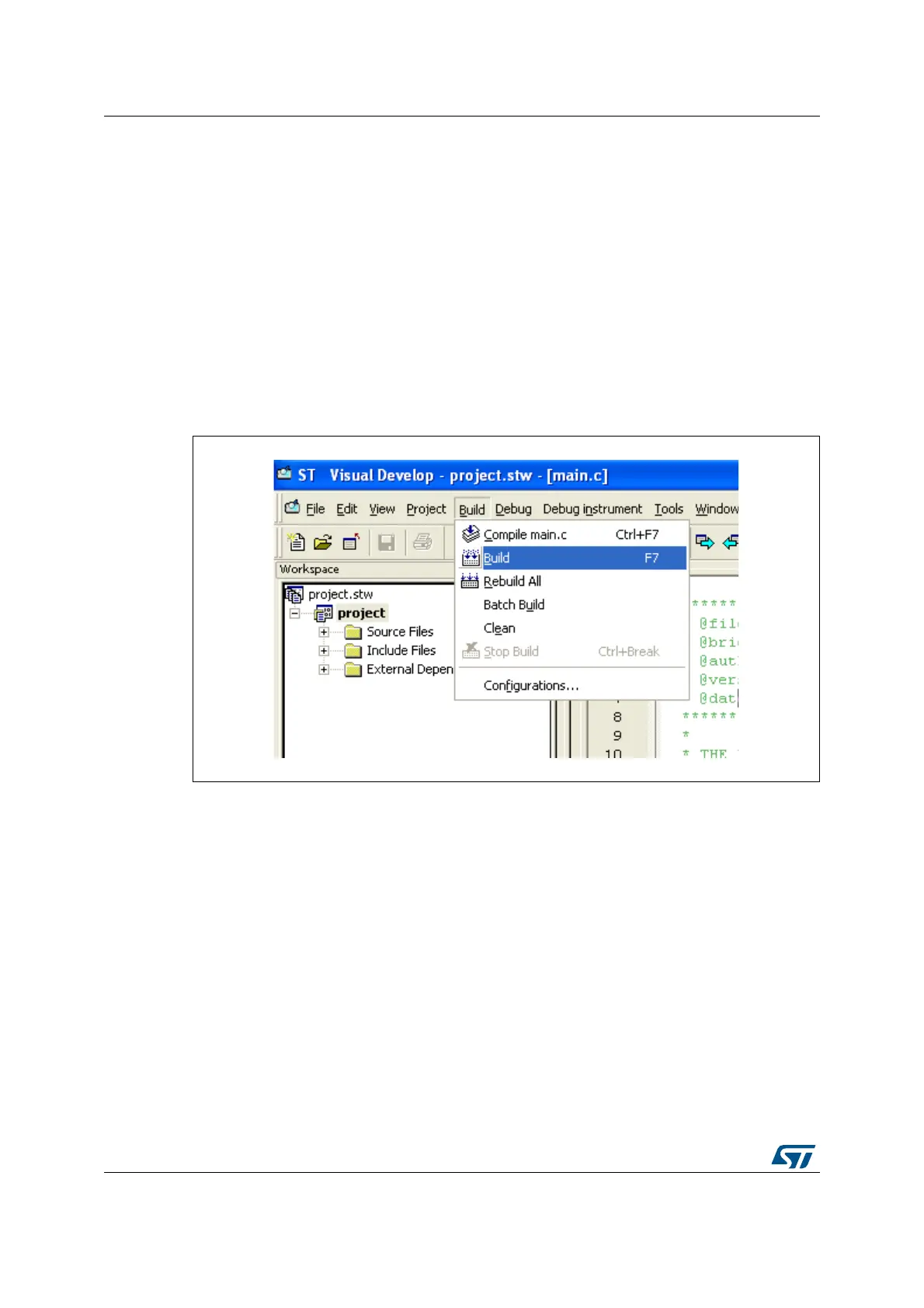
The project can be compiled using the ‘Build’ function in the ‘Build’ menu (see Figure 20).
Figure 20. STVD: Building the project


 To Next Page