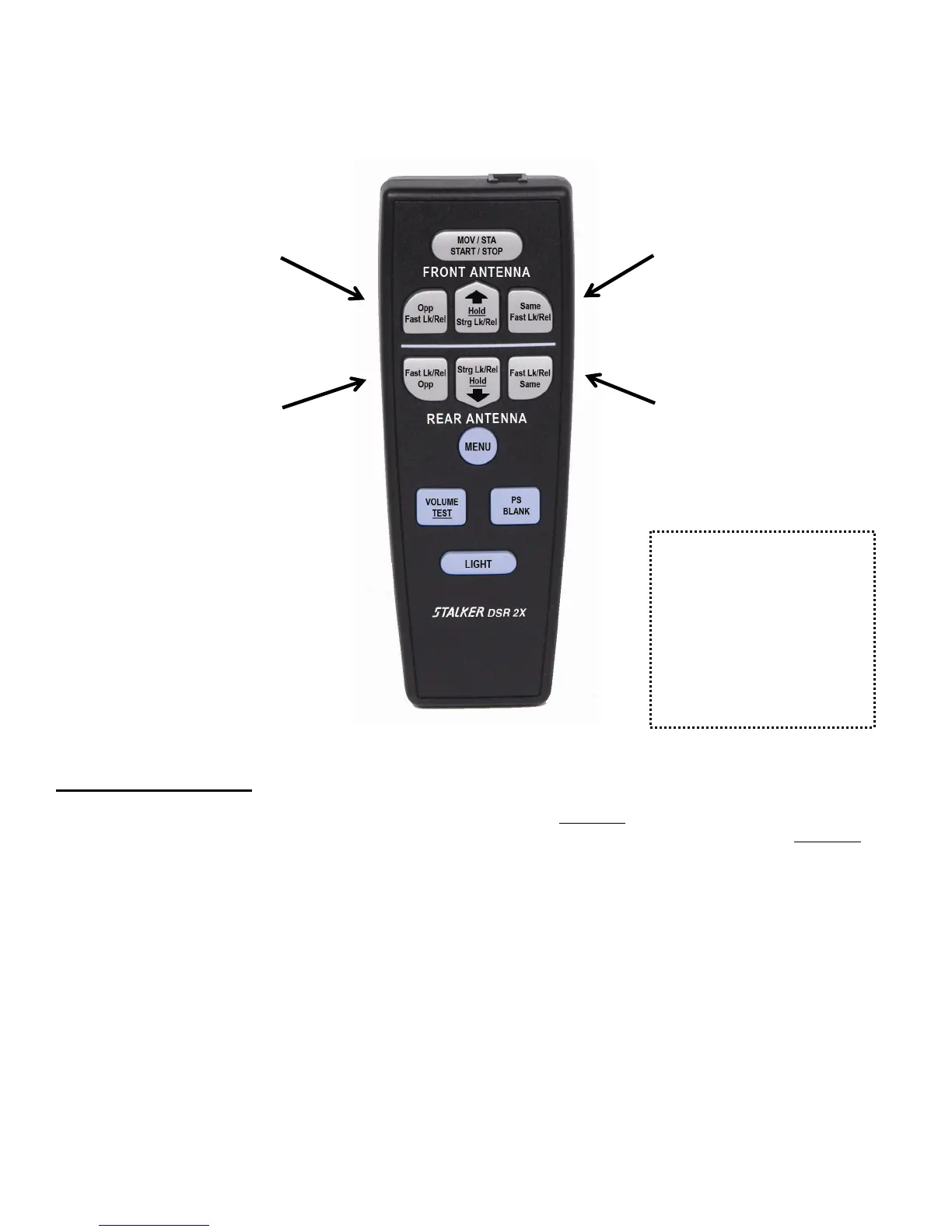
FAST-LOCK REMOTE CONTROL USAGE
Front OPPOSITE
(Zone Key)
Front SAME
(Zone Key)
Rear OPPOSITE
(Zone Key)
Rear SAME
(Zone Key)
The Remote Control can be
operated in wired mode by
connecting a standard RJ-11
modular telephone handset cord
(P.N. 155-2213-00 or Radio
Shack #279-312). The cord is
connected to the remote and
radar unit, and battery removed
for wired operation.
Fig. 1
Remote Control Keys:
Several of the keys have dual functions. An underlined word on a key indicates that the key must
be held down until two beeps are heard for that function to operate. All keys with underlined
words operate with a delay time and will beep two times. The first beep occurs when the key is
initially pressed and the second beep occurs when the key actuation delay time expires.
MOV/STA: The MOV/STA key toggles between moving and stationary modes. A speed or a [ ] in the patrol
window indicates moving mode, while a blank patrol window indicates stationary mode. With a
VSS cable installed, the radar will automatically switch between moving and stationary modes
based on the presence (or absence) of VSS pulses and [ ] will not be seen in the patrol window.
(See page 39 for more information on VSS.)
After selecting moving mode or stationary mode, the operator can use the four zone keys
(described below) to select the Target Zones to monitor targets on the front antenna and the rear
antenna simultaneously. The SAME and OPP icons display the zone selection in both moving
and stationary modes. Each antenna is totally independent of the other relative to Target Zone
selection. The stationary modes (and associated icons) for the front antenna are: stationary closing
(OPP), stationary away (SAME), and stationary bi-directional (OPP/SAME). The stationary
modes for the rear antenna are: stationary closing (SAME), stationary away (OPP), and stationary
bi-directional (OPP/SAME).
12



 To Next Page