STATIONARY TARGET ZONE SETTINGS
Stationar
Tar
et Zone Settin
s 2X Dis
la
Unit
Perform the tuning fork test on the radar before using for traffic
measurements. See page 35 for instructions on this procedure.
In stationary mode, up to all four Target Zones can be active and
monitored simultaneously. To activate a Target Zone, press the
desired Target Zone key on the remote control. The corresponding
Target Zone icon will illuminate on the Display Unit. To activate the
other Target Zone monitored by the same antenna, press the other
Target Zone key within one second of activating the first. SAME,
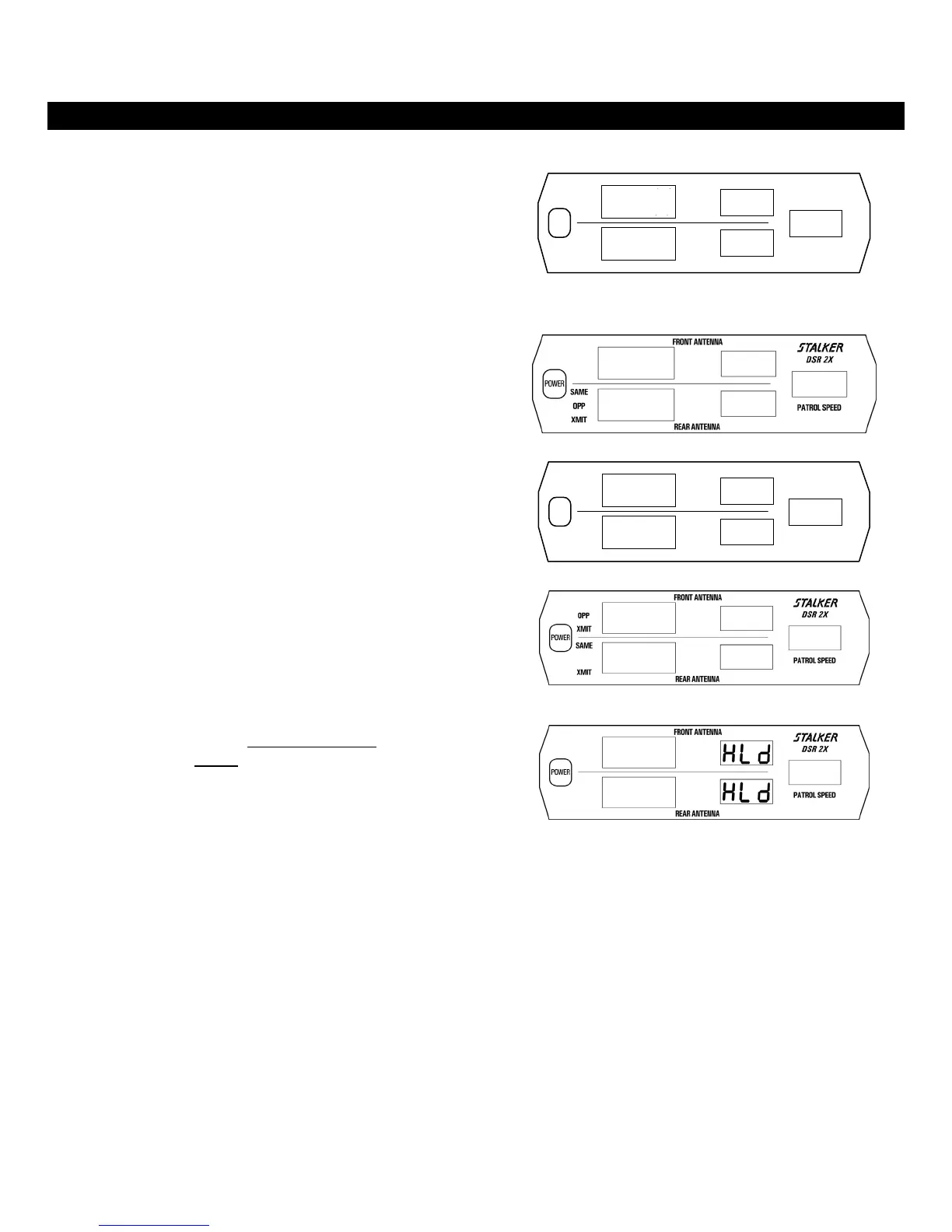
OPP, and XMIT display icons will be illuminated. Fig. 23 illustrates
both Same and Opposite Front Target Zones active.
SR 2
PATROL SPEED
REAR ANTENNA
SAME
OPP
XMIT
POWER
FRONT ANTENNA
Fig. 23
Fig. 24 illustrates both Same and Opposite Rear Target Zones active.
Fig. 24
Fig. 25 illustrates all four Target Zones active.
SR 2
PATROL SPEED
REAR ANTENNA
SAME
SAME
OPP
OPP
XMIT
XMIT
POWER
FRONT ANTENNA
Fig. 25
Fig. 26 illustrates Front Opposite and Rear Same Target Zones active.
Fig. 26
Hold mode can be selected by pressing and holding
for two beeps the
appropriate antenna’s HOLD
LK/REL key on the Fast Lock remote
control, or just press XMIT │ HOLD on the Instant On remote. In
hold mode, The XMIT icon will be off (Fig. 27) and no signal will be
transmitted, preventing detection by radar detectors.
Fig. 27
OPP/SAME STATIONARY MODE
Having both the OPP icon and the SAME icon simultaneously illuminated indicates that OPP/SAME stationary mode is selected.
To enter OPP/SAME Stationary Mode on either antenna, perform one of the following:
1. Press the Front OPP key until the OPP icon illuminates and then immediately (within 1 second) press the Front SAME key
until the SAME icon illuminates.
2. Press the Front SAME key until the SAME icon illuminates and then immediately (within 1 second) press the Front OPP
key until the OPP icon illuminates.
While in OPP/SAME Stationary Mode, pressing the LK/REL key (for that antenna) will lock or release the target. To exit
OPP/SAME Stationary Mode, press and hold the HOLD key on the Fast Lock remote, or briefly press the HOLD key on the Instant
On remote. Then press either the OPP key or the SAME key to choose a single zone.
26



 To Next Page