O
erator Menu O
tions 2X Dis
la
Unit
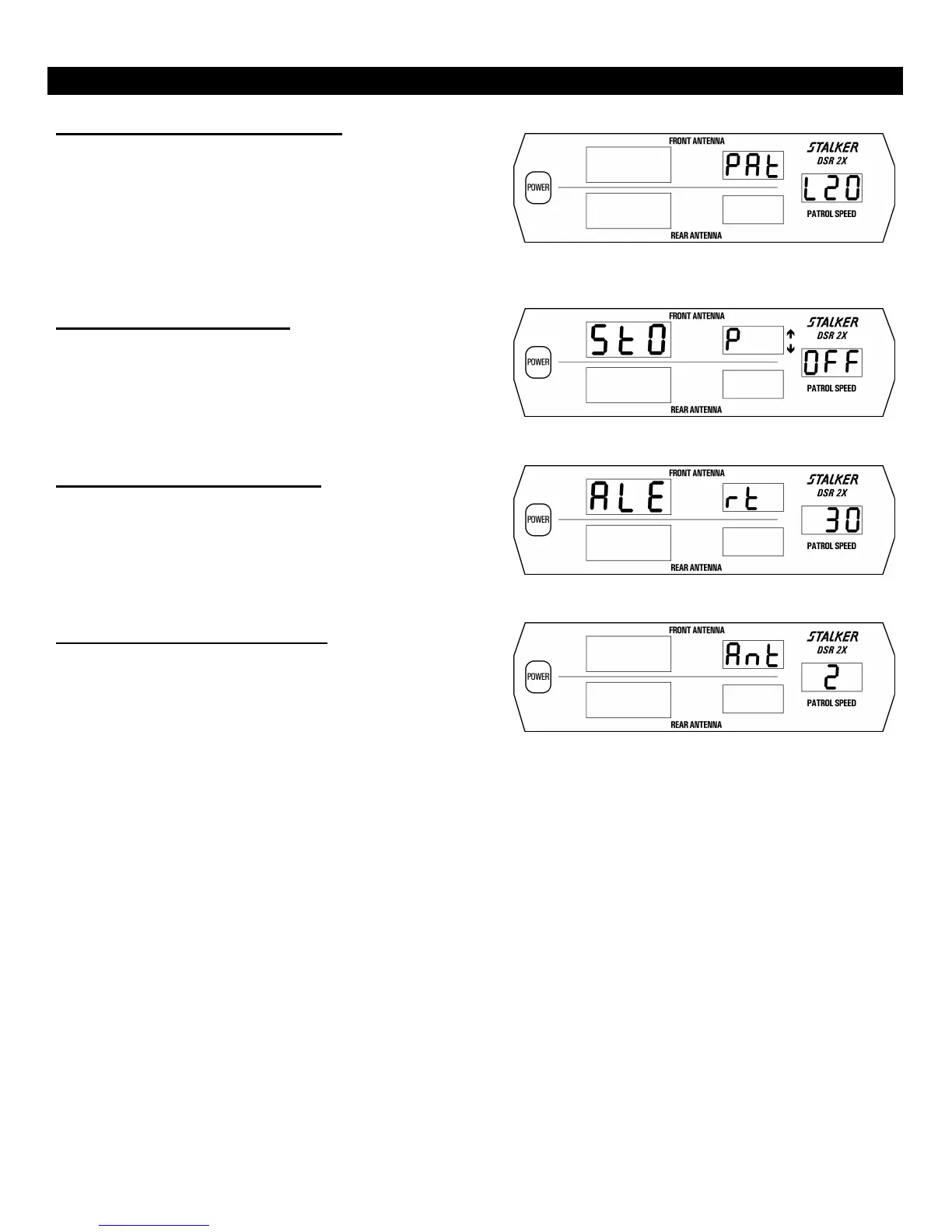
Low-End Patrol Speed Selection
The Low-End Patrol Speed of S DSR 2X is adjusted by
pressing the remote control MENU key five times. (Fig. 6) The Ï
and Ð keys are then used to set the low-end patrol speed. The digits
displayed in the patrol window refer to the current low-end patrol
speed of either 5 mph, 10 mph, or 20 mph. Fig. 6 shows a low-end
patrol speed of 20 mph, the factory default. During VSS operation this
function is not required and thus is not available. Press any of the four
Target Zone Keys to exit Setup Mode.
Fig. 6
Stopwatch Mode ON / OFF
Stopwatch Mode for S DSR 2X is toggled ON/OFF by
pressing the remote control MENU key six times. The Ï and Ð keys
are then used to switch between On and OFF. Fig. 7 shows the
Stopwatch Mode in its OFF setting, the factory default. Press any of
the four Target Zone Keys to exit Setup Mode. Exiting from this item
in the On position puts the unit into Stopwatch Mode.
Fig. 7
Alert Closing Speed Selection
The Alert Closing Speed Selection mode for the S DSR 2X is
entered by pressing the remote control MENU key seven times. The
(up) and (dn) keys are then used to set the closing speed above which
the Rear Traffic Alert will sound. Figure 8 shows a closing speed of
30 mph, the factory default. Press any of the four Target Zone keys to
exit Setup Mode.
Fig. 8
Number of Antennas Selection
The Number of Antennas Selection mode for the S DSR 2X
is entered by pressing the remote control MENU key eight times. The
(up) and (dn) keys are then used to select 1 (front only) or 2 (front and
rear) antennas. Figure 9 shows 2 antennas selected, the factory
default.
Fig. 9
22



 To Next Page