ADJUSTING THE 2X
Adjusting the 2X 2X Display Unit
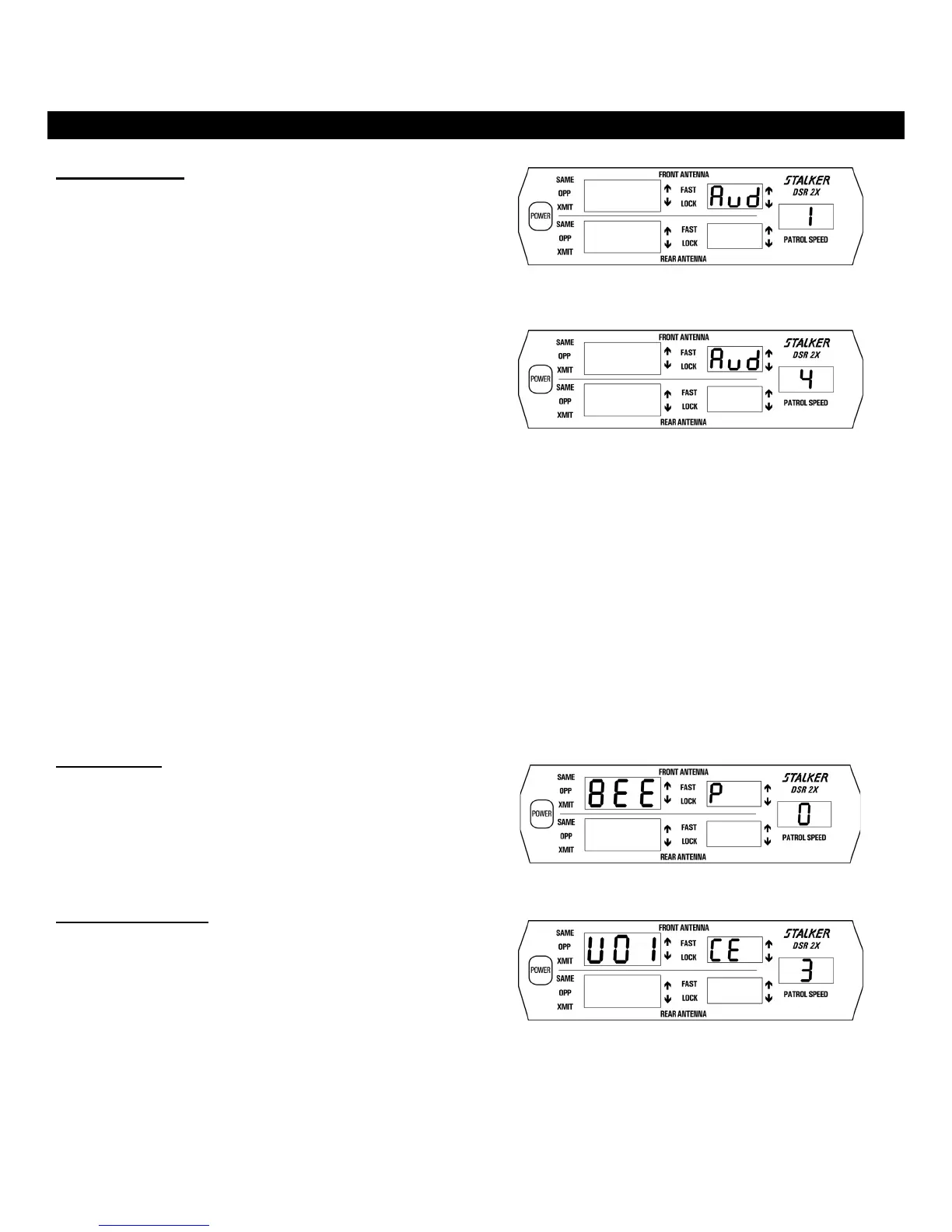
Doppler Audio
The VOLUME key is used to adjust the volume of the Target
Doppler audio up or down. Press the VOLUME key once to
initiate Doppler Audio adjustment. Use the Ï and Ð keys to step
the display through Aud 0, Aud 1, Aud 2, Aud 3, and Aud 4. Aud
0 is off, Aud 1(Fig. 10) is softest and Aud 4 (Fig. 11) is loudest.
When a target is being tracked, a Doppler audio tone can be heard
from the speaker. The pitch of this tone is a precise indication of
target speed. The tone quality is useful for judging possible
interfering or multiple targets.
In opposite lane moving mode and in front same lane moving
mode, S
DSR 2X compensates for patrol speed variations
when generating the Doppler audio. Since the audio tones do not
vary with patrol speed, the operator soon learns to correlate the
Doppler audio with the target speed. This eliminates the need of
constantly watching the display to determine target speed. In rear
same lane moving mode, S
DSR 2X generates difference
audio instead of the true audio described above. The difference
audio gives a direct indication of the difference in speed between
the patrol vehicle and the target vehicle.
Since S
DSR 2X is capable of tracking multiple targets,
two or more Doppler tones are often heard.
Two different Aud levels can be set – one associated with the
moving mode and the other associated with the stationary mode.
The levels are set when the radar is in the appropriate mode.
When VSS is enabled, the radar will automatically switch
between moving Aud level and stationary Aud level when it
switches between modes. The bEE P and UOI CE volume levels
remain the same in both stationary and moving modes.
Fig. 10
Fig. 11
Beep Tones
The VOLUME key and Ï and Ð keys are also used to adjust the
beep tones. Press the VOLUME key two times to activate beep
tone adjustment, followed by using the Ï and Ð keys to step
through: 0, 1, 2, and 3. The beep tone is off when set to 0
(Fig. 12) and loudest when set to 3.
Fig. 12
Voice Enunciator
The VOLUME key and Ï and Ð keys are used to adjust the
volume of the voice enunciator. Press the VOLUME key three
times to activate voice volume adjustment, followed by using the
Ï and Ð keys to step through volume levels 0, 1, 2, and 3. The
voice is off when set to 0 and loudest when set to 3 (Fig. 13).
Fig. 13
23



 To Next Page