VOICE ENUNCIATOR MEANING
FRONT/STATIONARY/CLOSING The locked target is a stationary mode target approaching the front of the patrol vehicle.
FRONT/STATIONARY/AWAY The locked target is a stationary mode target moving away from the front of the patrol vehicle.
REAR/STATIONARY/CLOSING The locked target is a stationary mode target approaching the rear of the patrol vehicle.
REAR/STATIONARY/AWAY The locked target is a stationary mode target moving away from the rear of the patrol vehicle.
FRONT/OPPOSITE/CLOSING The locked target is an opposite moving mode target approaching the front of the patrol vehicle.
REAR/OPPOSITE/AWAY The locked target is an opposite moving mode target moving away from the rear of the patrol vehicle.
FRONT/SAME/CLOSING The locked target is a front slower same direction target being overtaken by the patrol vehicle.
FRONT/SAME/AWAY The locked target is a front faster same direction target moving away from the patrol vehicle.
REAR/SAME/CLOSING The locked target is a trailing faster same direction target approaching the rear of the patrol vehicle.
REAR/SAME/AWAY The locked target is a trailing slower same direction target traveling behind the patrol vehicle.
Display Lighting
The display LED brightness can be adjusted by using the LIGHT
key. A single depression of the LIGHT key activates the remote
control keyboard backlight for 6 seconds. Two rapid depressions
of the LIGHT key activate the display unit’s brightness control,
and additional depressions of the LIGHT key step the display
LED intensity through six levels of brightness, ranging from
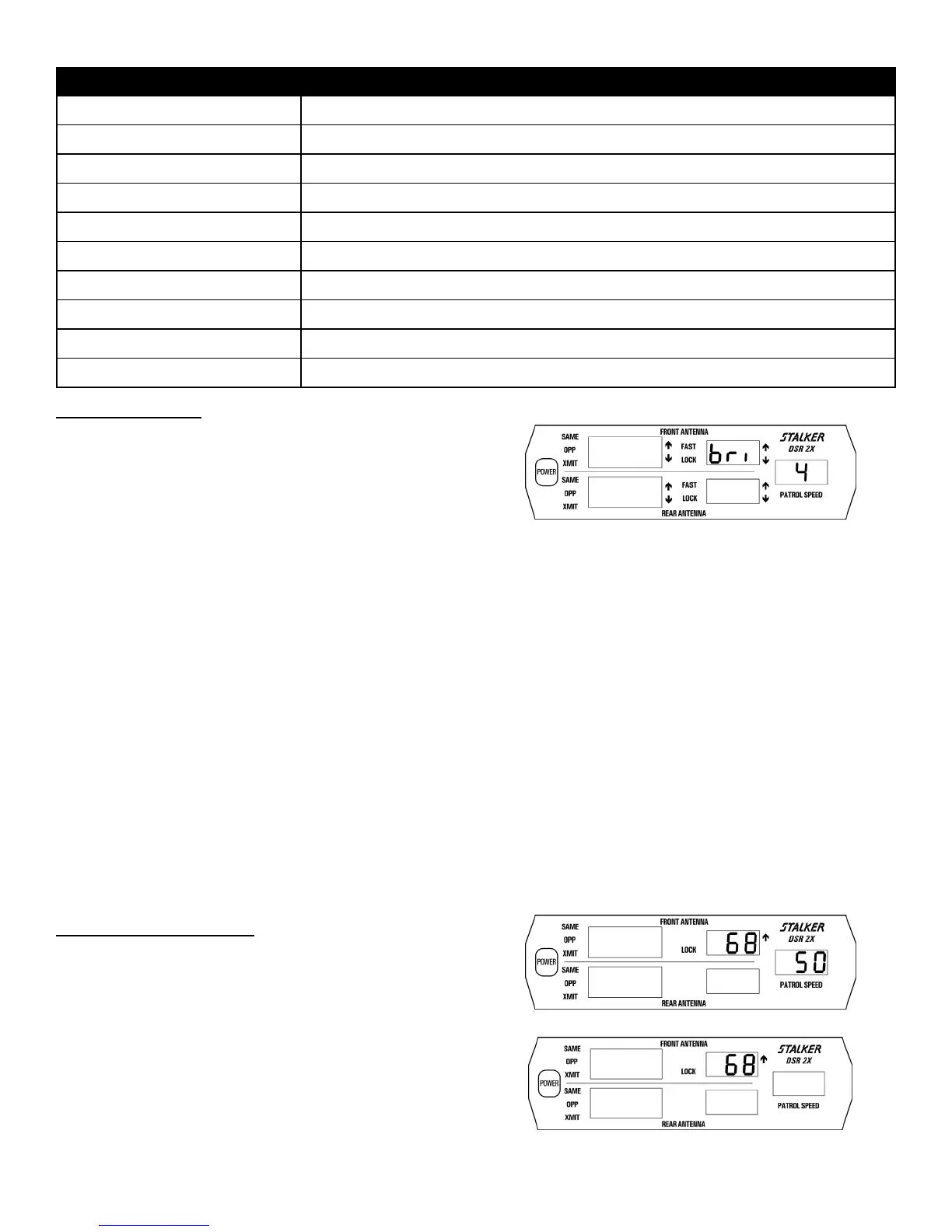
bri 1 (low) to bri 6 (high) and the bri A (automatic) position.
Fig. 14 shows brightness level 4.
Note: The automatic brightness function is not available on the
waterproof display.
To change the automatic brightness settings for day and night,
locate the small, round light sensor port under the Patrol Speed
window. Set the brightness to bri A , and the display brightness
will adjust to current ambient light conditions.
If the ambient light is bright, blocking the light sensor with your
finger will cause the display to dim to its low-light setting. If the
ambient light is low, shining a flashlight into the light sensor will
cause the display to brighten to its bright-light setting.
Both the low-light and the bright-light automatic settings can be
adjusted from A1 through A6 by pressing the up and down arrow
keys while a setting is displayed.
The default low-light setting is A2, and the default bright-light
setting is A6.
Fig. 14
Patrol Speed Blanking
After locking either the front or rear target speeds (Fig. 15), the
patrol speed window may be "blanked" by pressing the
PS BLANK key (Fig. 16). The PS BLANK key can be used to
toggle between: 1) blanked patrol speed window, 2) front lock
patrol speed, or 3) rear lock patrol speed.
When the lock window is not occupied by a “locked” target
speed, the PS BLANK key is used to blank the patrol window
and re-acquire patrol speed.
Fig. 15
Fig. 16
24



 To Next Page