SETTING UP AND OPERATING THE DSR 2X
OPERATOR MENU
The S DSR 2X features an Operator Menu to access some controls and uses the remote control to enter the Operator Menu and to
select options. Pressing the MENU key once enters the Operator Menu and displays the first option. Subsequent pressings of the MENU
key will step through the other options. The Ï and Ð keys are used to change the setting of each option. (See Page 6.)
O
erator Menu O
tions 2X Dis
la
Unit
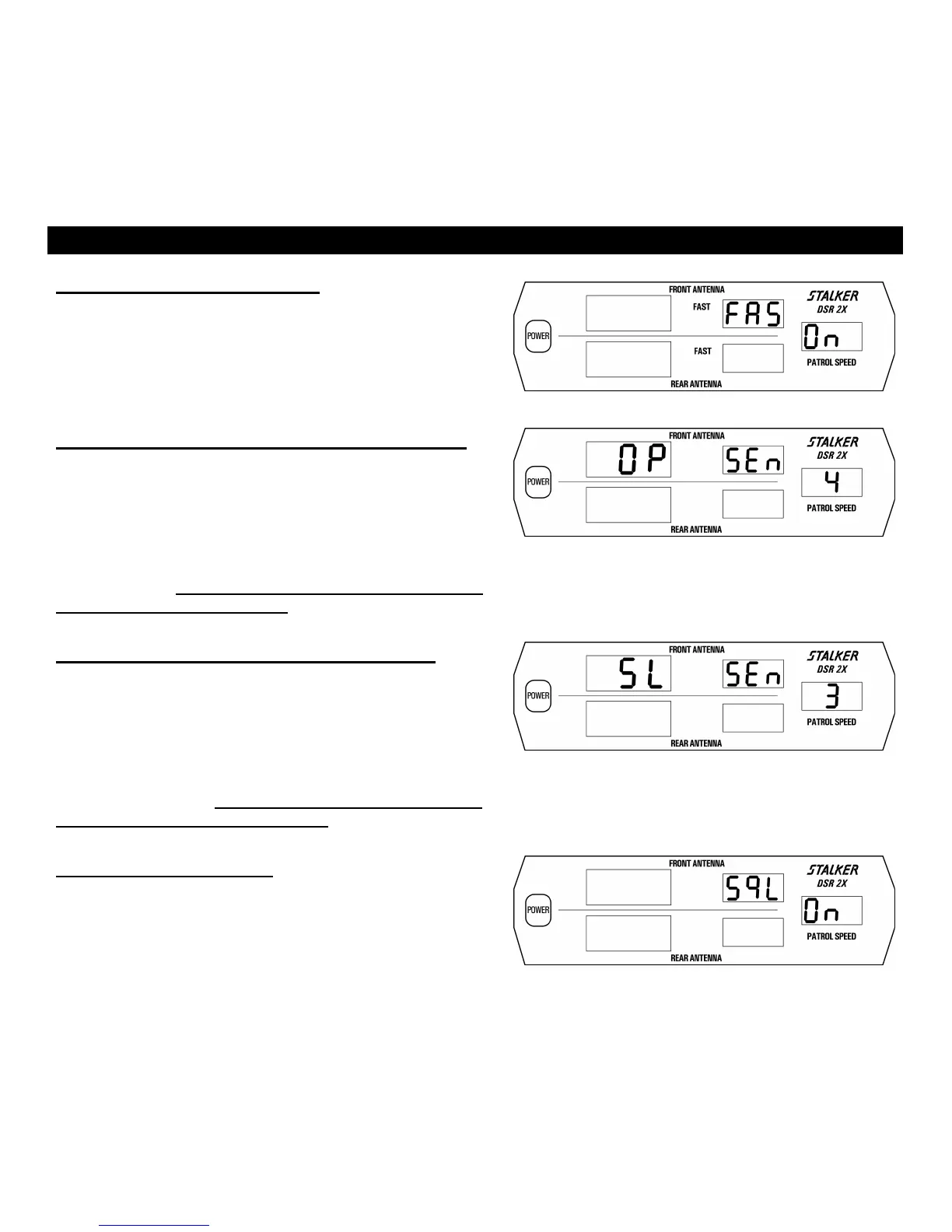
Faster Target Display On / Off
Pressing the MENU key once initiates the first option in the Operator
Menu, turning Faster Target Display On or OFF. (Fig. 2) Press any of
the four Target Zone Keys to exit the Operator Menu.
Fig. 2
Opposite Lane Sensitivity (Range) Adjustment
The Opposite Lane sensitivity of S DSR 2X is adjusted by
pressing the remote control MENU key twice. The Ï and Ð keys then
cycle through the five (5) sensitivity levels: SEn 0, SEn 1, SEn 2, SEn
3, and SEn 4 (Fig. 3 shows sensitivity level 4, the factory default
setting). In each case, the right-hand display refers to the current
sensitivity setting. Sensitivity varies from SEn 0 (0 range) to SEn 4
(maximum range). The sensitivity must be set for same lane mode
and opposite lane mode separately. Press any of the four Target
Zone Keys to exit Setup Mode.
Fig. 3
Same Lane Sensitivity (Range) Adjustment
The Same Lane sensitivity of S DSR 2X is adjusted by
pressing the remote control MENU key three times. The Ï and Ð
keys then cycle through the five (5) sensitivity levels: SEn 0, SEn 1,
SEn 2, SEn 3, and SEn 4 (Fig. 4 shows sensitivity level 3, the factory
default setting). In each case, the right-hand display refers to the
current sensitivity setting. Sensitivity varies from SEn 0 (0 range) to
SEn 4 (maximum range). The sensitivity must be set for same lane
mode and opposite lane mode separately. Press any of the four
Target Zone Keys to exit Setup Mode.
Fig. 4
Audio Squelch ON / OFF
The audio squelch of S DSR 2X is adjusted by pressing the
remote control MENU key four times. (Fig. 5) The Ï and Ð keys
toggle the squelch override on and off. In the normal position, audio
will be heard only when a target is being tracked. Press any of the four
Target Zone Keys to exit Setup Mode.
Fig. 5
21



 To Next Page