Same Lane Moving Mode Tuning Fork Test
The following tuning fork test can only be performed during the 5-
minute interval that follows the Internal Circuit Test. Press and hold
the TEST key and wait for the 2X to cycle through its internal test
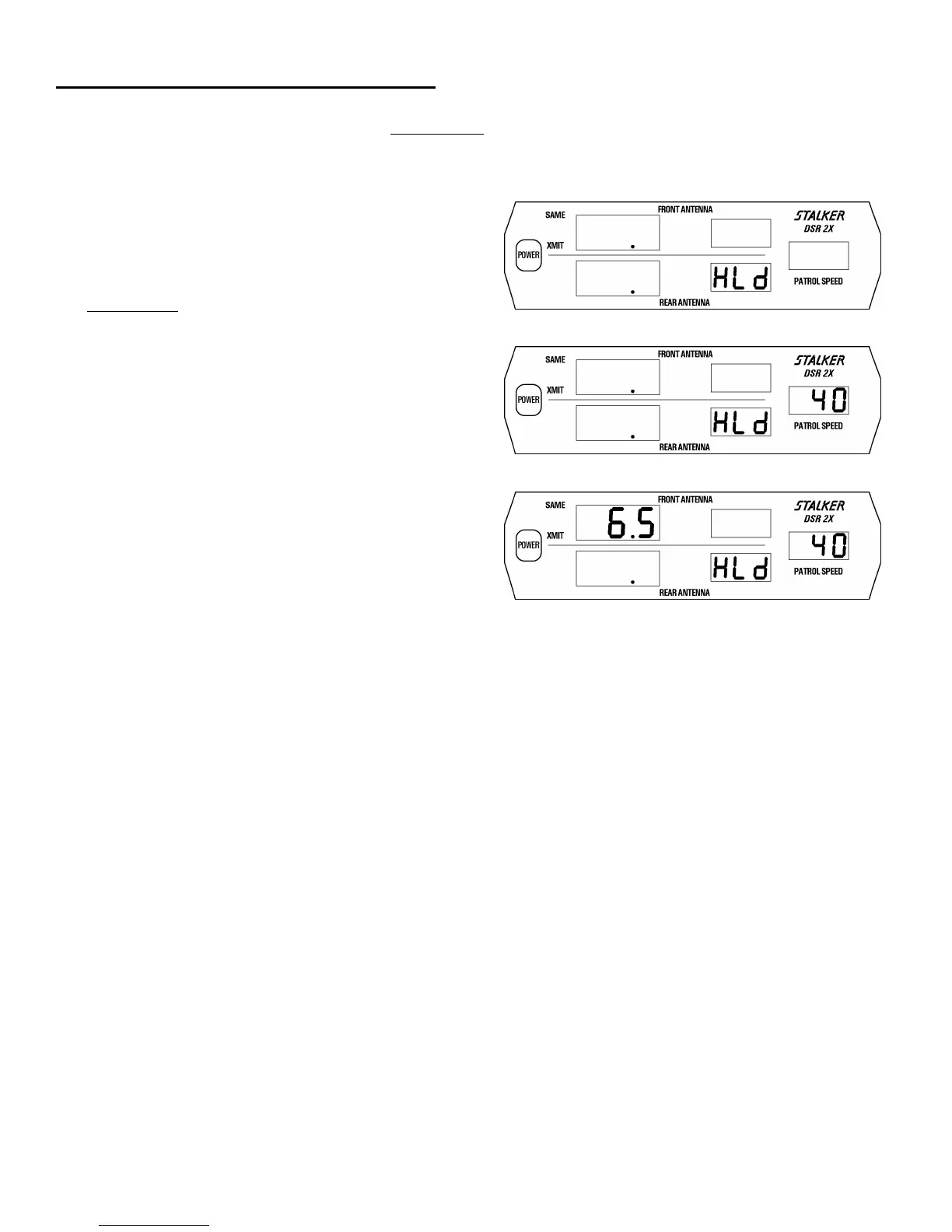
sequence. The presence of two dots at the bottom of the two target
windows indicates that the 2X is in tuning fork mode (Fig. 57).
Two (2) tuning forks are supplied with S
DSR 2X. The
tuning forks are calibrated for 25 mph and 40 mph (40 and 64 kph).
To perform the tuning fork test on the front antenna: press the PWR
key, press the MOV/STA key and select moving mode, press the
front SAME key to enter transmit mode. Place the rear antenna in
HLd. Press and hold
the TEST key and wait for the tuning fork mode
following the internal test sequence. Strike the 40 mph tuning fork
against a hard nonmetallic surface, such as the heel of a shoe.
Quickly hold the tuning fork approximately two (2) inches in front
of the active antenna, with the narrow edge of the fork facing the
antenna. The patrol window should indicate 40 ± 1 mph (64 kph)
(Fig. 58). Then move the lower speed fork in front of the antenna
with the narrow edge facing the antenna. The target window should
register 65 mph ± 2 mph (104kph) (Fig. 59), which is the sum of
speeds of the two forks.
Prior to performing the tuning fork test on the rear antenna, place the
front antenna in HLd. This tells the radar to obtain the patrol speed
signal from the rear antenna (instead of the front antenna).
To exit tuning fork mode before the 5-minute interval is over, press
the MENU key and then any of the four Target Zone keys or put
either antenna in HLd.
During VSS operation, the TEST key allows the MOV/STA key
(normally disabled during VSS operation) to be used to switch
between various stationary and moving modes as required for the
tuning fork tests. If a vehicle with VSS starts moving, tuning fork
mode is automatically exited.
Note: We recommend the tuning fork test be performed on the front
antenna. Some departments may require this test on both antennas.
Check your department policy.
Fig. 57
Fig. 58
Fig. 59
37



 To Next Page